Last updated: 2026-06. Fares and payment policies change often. Right before you travel, be sure to check the official site or app for the latest information.
You don't need a Korean bank account or a Korea-issued identity verification method to buy a KTX ticket. On Korail's English site (korail.com — formerly letskorail.com, merged in February 2025), you can book with just your passport details and an overseas credit card, no membership sign-up required.
The real barrier isn't booking — it's payment. If your card's 3D Secure is turned off, or if even a single letter of your name in English doesn't match, the payment often gets declined with no explanation why.
So the question isn't "Can it be done?" but "Which route actually works?" From Korail's official channel to station ticket counters and self-service machines to foreigner-focused payment apps, the overseas-card success rate and difficulty vary quite a bit from route to route. Compare them first, then pick the one that fits your situation.
Booking Routes Compared at a Glance
| Route | Korean account · ID verification needed? | Overseas card success rate | Notes |
|---|---|---|---|
| Korail English site (korail.com) | Not required (non-member, passport OK) | Moderate (3D Secure failures are common) | Official, list price; blocked if the card is declined |
| KorailTalk app | Membership often requires identity verification | Moderate to low | Sign-up barrier without a Korean number |
| Station counter / self-service machine | Not required | High (cash, some overseas cards) | Risk of queues, language, sold-out |
| Foreigner-focused payment app (e.g., LACHA) | Not required | No 3D Secure step (easy-pay methods like Alipay and WeChat Pay) | Instant booking with no identity verification |
Success rates and fees vary by card issuer, country of issue, station, and timing. Let's look at each route one by one below.
1. Korail Official — It Works, but It Often Gets Blocked
Korail supports booking for foreigners on the English pages of its integrated site (korail.com) (the old letskorail.com was merged into korail.com in February 2025). Here you can book KTX as a non-member (no sign-up) using your passport details and an overseas credit card, and after the merge, seat selection became available in English-language booking too.
Where it gets blocked is the payment step. The causes of declines generally narrow down to three.
- 3D Secure (card identity check) not set up: If 3D Secure authentication isn't enabled with your issuing bank, the payment may be declined. On top of that, there's often no message telling you "at which step it failed," which makes the cause hard to pin down.
- Name mismatch: If the English name printed on your card and what you enter don't match exactly — down to spelling, spacing, and hyphens — it's silently declined. Enter it exactly as printed on the card, letter by letter.
- App (KorailTalk) sign-up barrier: KorailTalk sometimes requires Korean phone number–based verification to use member features, so foreigners without a Korean number can get stuck at sign-up itself.
Tip. If you're trying the Korail official route, it helps to go in this order: ① Use non-member booking on the korail.com English pages first. ② Turn on overseas payments and 3D Secure ahead of time via your card company's app or customer service. ③ Enter your name exactly as printed on your passport/card.
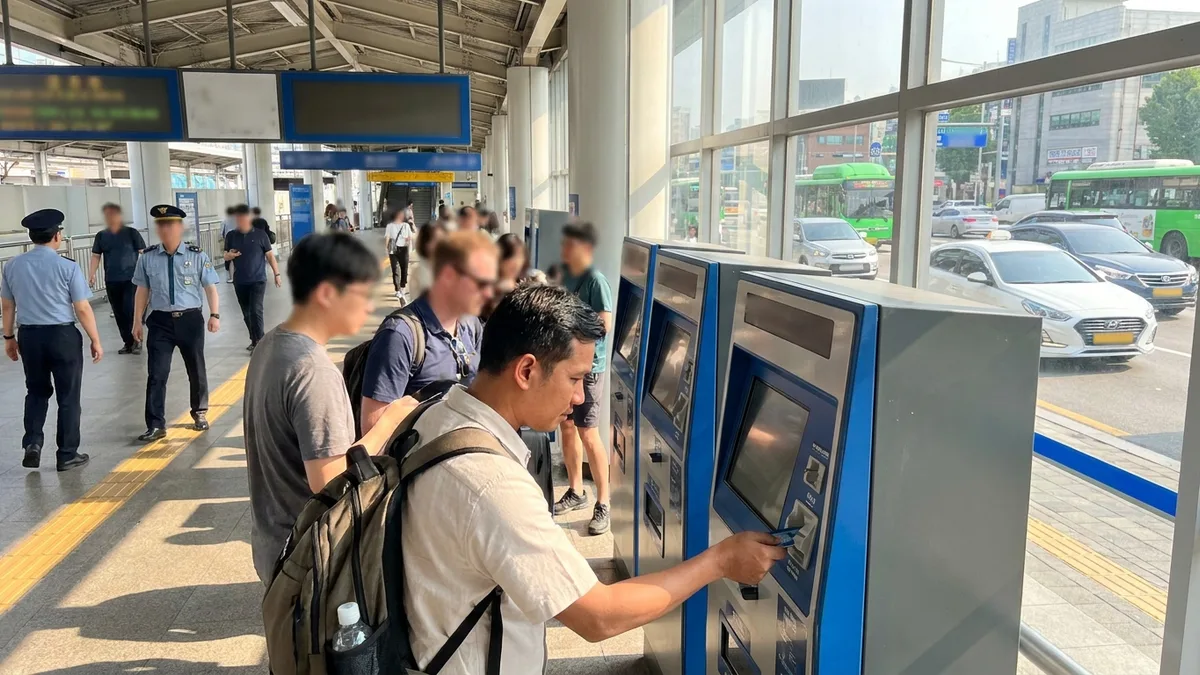
2. Station Counter / Self-Service Machine — The Most Reliable, but with On-Site Variables
Major KTX stations like Seoul Station, Busan Station, and Daejeon Station often have staff who can assist in English, and you can buy tickets at the counter. Some self-service machines accept overseas cards too.
- Pros: You can avoid online payment declines, and cash payment works.
- Cons: Popular routes right before departure carry a sold-out risk. During peak season and weekends, lines are long, and you can't reserve a seat in advance.
It's reliable, but a bit weak for securing a seat ahead of time.
3. The Easiest Way to Book Instantly Without Identity Verification
The pain points of the routes above ultimately come down to two: the demand for Korean-style identity verification and a Korean number, and overseas card payment declines. Foreigners who have just arrived in Korea usually wait over a month to receive their Alien Registration Card (ARC), so during that gap they have to get around without a Korean bank account or a verification method.
The LACHA app is designed to eliminate both of these at once. It's a Korean transport and payment app built for foreigners:
- No identity verification required: It's a service designed so that booking and payment work without a Korean bank account, phone, or Korean-style identity verification process. It's not a workaround or a loophole — it's a structure built so that no identity verification is required in the process itself.
- Overseas payment methods supported: You can pay right away with payment methods foreigners already use, such as Alipay and WeChat Pay.
- Combined KTX + express bus search and booking: In one app, you can compare and book KTX and express buses at the same time (a first in Korea).
- Multilingual support: It supports English, Vietnamese, Russian, Thai, Traditional Chinese, and more.
If you've struggled with payments being blocked on Korail's official channel, or gotten stuck at sign-up because you don't have a Korean number, this can save you especially a lot of time.

Want to search and book KTX and express buses in one app? Check out LACHA.
Built to work without a Korean phone number or bank account, with overseas payment methods like Alipay, WeChat Pay, and Apple Pay. Taxi hailing plus KTX, express bus, and airport railroad (AREX) booking — all in one app.
Enter code GUIDE3 at sign-up for 3,000P instantly
Download now


Frequently Asked Questions (FAQ)
Q1. Can I book KTX even without a Korean bank account or a Korean phone number? A. Yes, you can. You can buy tickets through non-member booking on Korail's English site for foreigners (passport + overseas card) or at a station counter, and foreigner-focused apps like LACHA are designed so that booking works without identity verification or a Korean number. That said, direct payment on Korail can be declined due to 3D Secure not being set up or a name mismatch, so check your card settings in advance.
Q2. My overseas credit card keeps getting declined on Korail. Why is that? A. The most common causes are 3D Secure (identity check) not being enabled with your card's issuing bank, and a mismatch in name spelling or spacing. Turn on overseas payments and 3D Secure in your card company's app, and enter your English name exactly as printed on the card. If it still doesn't work, a station counter or an app that supports overseas payment methods is faster.
Q3. Can I buy KTX tickets with Alipay or WeChat Pay? A. Korail's official channels are basically card-payment-centered. To book KTX with overseas payment methods like Alipay or WeChat Pay, the practical option is to use a foreigner-focused app that supports them (e.g., LACHA). Whether a given payment method is supported can change over time, so check within the app.
Q4. How much does KTX cost? A. It depends on the section, seat class, and time of day (for example, Seoul–Busan in standard class is about ₩59,800, varying by class and discounts). For the exact fare, check the official site or app right before departure.
This guide is based on information as of June 2026. Payment and transport rules change often, so before you actually book, be sure to check Korail's official site or the app you're using for the latest information.