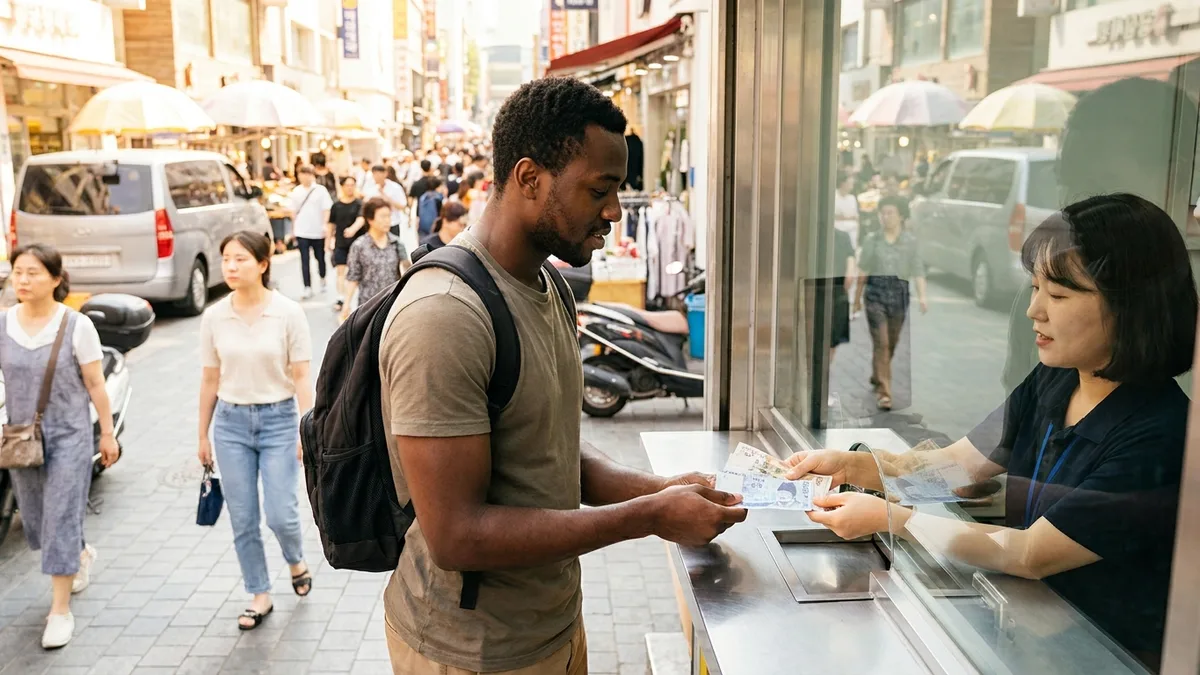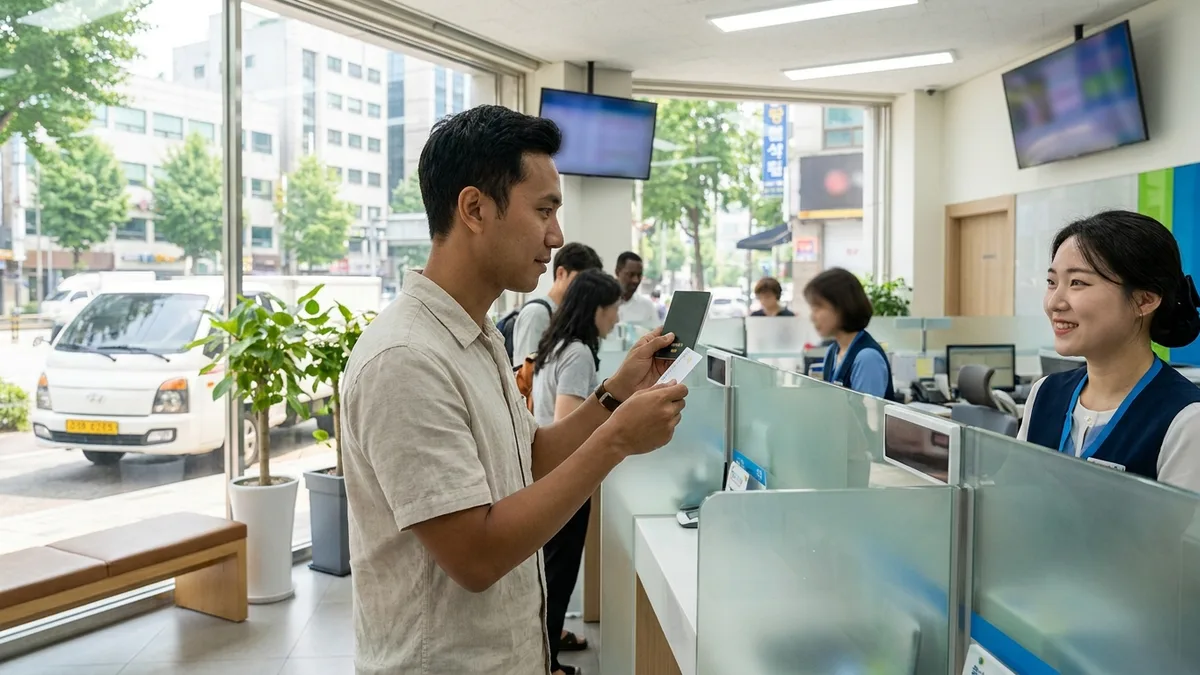
You send 1 million KRW at the bank counter on payday, but a few days later your family calls saying "Is this all that came through?" Besides the remittance and wire transfer fees you paid, intermediary banks along the way and the receiving bank deduct more from the amount. When you add the often-invisible exchange rate margin on top, the same 1 million KRW can result in tens of thousands of won difference in what your family actually receives.
Even at the same bank, using internet or mobile banking instead of the counter often gets you reduced or waived remittance and wire transfer fees, and government-registered small-sum overseas remittance apps often eliminate the intermediary bank stage entirely. Let's look at where costs leak out, one by one.
The fees and limits below are based on publicly available information as of 2026-08. Fee, exchange rate, and limit regulations change frequently, so before actually sending money, always recheck with each bank or provider's latest app notices and the Financial Supervisory Service's official guidance.
Total Remittance Cost = Visible Fees + Invisible Exchange Rate Margin
When comparing remittance costs, just asking "How much is the fee?" is only half the picture. The real cost is the sum of two things:
- Stated fees: Amounts displayed on screen like remittance fees and wire transfer fees.
- Exchange rate margin (spread): The difference between the rate the provider applies and the actual market rate (base exchange rate). Even if they advertise "zero fees," if they apply an unfavorable exchange rate, you're still paying that much in cost.
So the most accurate comparison method is just one thing: "If I send 1 million KRW, exactly how much in local currency gets deposited in my family's account" — get quotes for this final received amount and compare.
But this doesn't happen in 3 minutes like it sounds. Depending on the app, you can see the exchange rate and estimated received amount on the first screen even before signing up, while others require you to log in or complete identity verification to see the exact amount (varies by provider, official confirmation needed). So the realistic sequence is:
- First scan through apps that show exchange rates and estimated received amounts without signup
- Sign up in advance with just 1–2 apps you'll use primarily (since signup and verification take time, do this before the urgent month)
- Right before sending each month, compare quotes at the same time with the same remittance amount (exchange rates move in real-time, so comparing yesterday's numbers with today's is meaningless)
For cash exchange and rate comparison, see How to Exchange Currency Well in Korea for a separate guide.
At-a-Glance Comparison — Bank Counter vs Internet Banking vs Remittance Apps
Understanding the cost structure first makes choosing easier. Amounts vary by remittance corridor, bank, provider, and timing, so look first at which items apply, then treat the amounts as reference levels.
| Cost/Condition Item | Bank Counter | Bank Internet/Mobile Banking | Small-Sum Remittance Apps |
|---|---|---|---|
| Remittance fee (charged by sending bank/provider) | ○ Around 5,000 KRW (under USD 500)~25,000 KRW (over USD 20,000) level | ○ Some banks are in the 3,000–5,000 KRW range | ○ Varies by provider and amount tier |
| Wire transfer fee (SWIFT message transmission cost) | ○ Around 8,000 KRW per transaction at many banks | ○ Around 5,000 KRW per transaction at many banks | × Often none with proprietary networks |
| Intermediary bank fee (deducted by overseas banks along the way) | △ Occurs by corridor, hard to know exactly before sending | △ Occurs by corridor, hard to know exactly before sending | × Often eliminated with intermediary stage skipped |
| Receiving bank fee (deducted from received amount by receiving bank) | △ Deducted by country/bank from received amount | △ Deducted by country/bank from received amount | △ Varies by receiving method |
| Exchange rate margin | ○ Present (counter preferential rates negotiable) | ○ Present (non-face-to-face preferential rates) | ○ Present (varies widely by provider) |
| Processing time | Usually 1–5 business days | Usually 1–5 business days | Few minutes~1 business day |
| Required documents | Passport·ARC, designated foreign exchange bank, proof if exceeding limits | Passport·ARC, designated foreign exchange bank + pre-registered internet banking | ARC·account in your name·mobile phone |
○=occurs, △=occurs by corridor/country, ×=none or often skipped. Amounts vary by bank/provider. (As of 2026-08, official confirmation needed)
Bank Remittance (SWIFT Wire Transfer)
Bank overseas remittance (SWIFT wire transfer) is the most traditional method. The process goes like this:
- Prepare ID (passport·ARC) → Visit branch or access internet/mobile banking
- Enter beneficiary information — More items required than you'd think (fill out the checklist below in advance)
- Select remittance purpose and fund source, then execute remittance — You may need to designate a foreign exchange transaction bank first if sending without proof (see limits section below)
- Usually 1–5 business days to arrival (varies by corridor/country). Keep the transaction number and receipt after submission — you'll need them to track if money doesn't arrive
Information Checklist to Get from Family in Advance
The most frustrating situation is going to the counter and "having to ask family again." Fill this out before you go:
- Beneficiary name — Exactly as on passport. If spelling differs from receiving bank registration, it may be rejected
- Account number
- Receiving bank name · Branch name (some forms also ask for branch address)
- SWIFT (BIC) code
- Country-specific additional codes — Europe requires IBAN, US requires routing (ABA) number, India requires IFSC, Australia requires BSB number, etc.
- Beneficiary address and phone number — Often boxes on the form
Which codes are needed varies by country and bank. The surest way is to have family capture and send a screenshot of the account information screen in their bank app or a photo of the bankbook. By the way, app remittances require fewer items depending on receiving method (just name and account number or wallet number), so the more complex the codes for a country, the more convenient apps might be.
The problem is cost. With the four items from the comparison table above (remittance fee, wire transfer fee, intermediary bank, receiving bank) stacking up, plus the exchange rate margin, it can cost tens of thousands of won per transaction. Especially the intermediary and receiving bank fees are deducted on the receiving end, which is the main culprit for families wondering "why did only this much come through?" However, if you send via internet or mobile banking instead of the counter, many banks reduce or waive remittance and wire transfer fees, so even with banks, apps/internet beat the counter.
Small-Sum Overseas Remittance Apps
Since 2017, fintech companies other than banks can legally provide overseas remittance services by registering as small-sum overseas remittance providers with the Ministry of Economy and Finance. These companies process remittances through their own networks instead of banks' SWIFT network, often eliminating the intermediary bank stage, making fees cheaper and speed faster. Arrival in minutes to same-day is common depending on the corridor. Here are a few registered providers widely used by foreign workers as examples. This isn't recommending specific providers, but encouraging you to compare quotes with the same amount.
| App | Main Supported Countries | Receiving Methods | App Supported Languages | Notes |
|---|---|---|---|---|
| SentBe | Multiple countries centered on Southeast Asia | Mainly account deposit (wallet/cash pickup by corridor) | Multiple languages (check in app) | Financial authority-registered overseas remittance specialist fintech |
| WireBarley | About 40 countries (Philippines, Thailand, Vietnam, etc.) | Mainly account deposit (wallet/cash pickup by corridor) | Multiple languages (check in app) | Real-time deposit guidance for some corridors |
| E9PAY | Multiple countries with foreign workers (strong in Philippines) | Account deposit + wallets (GCash, Maya) + cash pickup | Multiple languages (check in app) | Specialized for foreign worker remittances |
| Hanpass | Multiple countries (check in app) | Mainly account deposit (check in app) | Multiple language app support | Registered as small-sum overseas remittance provider in 2017 |
Receiving country, currency, and receiving method lists change frequently by provider. Use this table only as a starting point, and verify directly in each app's receiving country lookup screen whether your country and the bank/wallet your family uses works. If you can't read Korean, check the app language settings first before signing up. (As of 2026-08, official confirmation needed)
⚠️ One important habit to confirm: Whether the provider you want to use is a legitimately registered provider can be checked directly at the Financial Supervisory Service's Financial Consumer Information Portal FINE (fine.fss.or.kr) → Small-sum Overseas Remittance Provider Registration Status. Don't entrust money to unregistered companies or individuals. (Explained in detail in the illegal money transfer section below.)
Step by Step — First Time Sending via App
Unlike banks, everything proceeds from start to finish within the app. Screen order and terminology vary slightly by provider (official confirmation needed).
- Install app and sign up — After signing up with your mobile number, many require front and back photos of your ARC and face verification (selfie or video authentication). Some also require a passport
- Register your Korean account in your name — This is the account from which remittance funds will be withdrawn. Must be in the applicant's own name. Borrowing someone else's account leads to illegal money transfer issues below
- Wait for identity verification (customer confirmation) review — Can finish in hours or take several business days (varies by provider/timing, official confirmation needed). If you sign up for the first time in an urgent month, it'll be late. Sign up in advance
- Register beneficiary — Enter name (passport English name), receiving method (account/wallet/cash pickup), account number or wallet number. Once registered, just select next month onward
- Enter amount and check estimated received amount — The applied exchange rate, fees, and the amount your family will receive appear on screen. This is where you compare with other apps
- Transfer funds — Transfer KRW to the account the provider guides, or it auto-withdraws from your registered account (varies by provider)
- Remittance complete, check transaction number — A transaction number (tracking number) appears. Absolutely necessary if arrival isn't confirmed, so capture the screen
For the first remittance, test with a small amount (e.g., 100,000 KRW) once to confirm it actually enters your family's account, then send the main amount — that's safer. Name spelling and account number typos are mostly caught at this stage.
Required Items and Limits — Different Standards for Foreign Residents
Required Items (App Basis)
Most small-sum overseas remittance apps use non-face-to-face signup. What's commonly needed:
- Alien Registration Card (ARC) — For identity confirmation. Some also require a passport
- Korean bank account in your name — The typical method is transferring remittance funds from this account
- Mobile phone in your name — For signup and authentication
- Proof documents (when required) — Salary statement, employment contract, certificate of employment, etc.
In other words, to use remittance apps, you need a Korean account first. If you don't have an account yet, see How Foreigners Open a Bank Account in Korea first, and if you're considering internet banks instead of commercial banks, also check Toss and Kakao Bank Foreigner Signup Conditions.
Requests for fund source and remittance purpose proof required by anti-money laundering regulations usually appear on screen at the moment you try to send. But salary statements and employment certificates are documents that take days when requested from your company, so if you encounter them without preparation, that whole month's remittance gets delayed. Before your first remittance, save them as PDFs or photos on your phone in advance. The closer to the limit or the larger the amount relative to income that month, the more likely you'll be asked.
If You Don't Have an ARC or Account Yet
Right after arrival, you might not have any of the above items. An ARC typically takes over a month from application to receipt, and bank accounts are usually made after the card arrives. For this gap period:
- Most remittance apps are blocked. Non-face-to-face signup is designed assuming an ARC and account in your name, so without the card, it often stops at the signup stage.
- Whether bank counter remittance works with just a passport, ask the bank first. Treatment varies by visa status, period of stay, and employment status, and standards differ by bank. Checking with your intended bank or Financial Supervisory Service call center ☎1332 before visiting reduces wasted trips. (Official confirmation needed)
- For short stays or travel purposes, you often won't qualify for small-sum remittance app signup. Handling through your home country bank or card is more realistic.
- What you can prepare during the gap: ①Get beneficiary information (checklist above) from family in advance ②Check if the provider you'll use is registered at FINE (fine.fss.or.kr) ③Download apps and explore screens and language settings. Once your card arrives, you just need to sign up, so your first remittance becomes much faster.

Limits — Check Foreign Resident Standards First
Limit regulations apply differently to domestic residents and foreign residents. The major 2026 reforms often don't apply to you, so let me organize this in order.
① Foreign Residents (Foreigners Residing in Korea) — Most Reading This
- USD 5,000 per transaction: The per-transaction no-proof limit for small-sum overseas remittance providers (remittance apps) is guided to remain unchanged for foreign residents even after the 2026 reforms. If you need to send over 5,000 dollars at once, the proper method is to use bank wire transfer with proof documents. Splitting into multiple transactions over a short period to avoid limits isn't recommended. You can get rejected or asked for additional proof in anti-money laundering screening, and splitting doesn't change the annual limit anyway. (Standards vary by provider/bank, official confirmation needed)
- Around USD 50,000 annually: Often guided as the annual limit you can send without proof documents. Remittances exceeding this limit or beyond your income range require income proof (salary statement, certificate of employment, etc.).
- Designated Foreign Exchange Transaction Bank (Designation Item 08): Many banks still notify that foreign residents must first designate a bank to transact when sending without acquisition source proof documents. At the counter, saying "I'm a foreign resident wanting to send an overseas remittance and want to designate a foreign exchange transaction bank" works. Bring passport and ARC, and depending on the bank, you can also designate in the foreign exchange menu of internet banking. Once done, you can keep using it. However, if you only plan to use remittance apps, check with that app's customer service first whether this designation is needed — treatment may differ from bank wire transfers. (As of 2026-08, official confirmation needed — varies by visa status, bank, provider)
② Domestic Resident Standard Reforms (Reference)
From January 2026, the abolition of the designated transaction bank system allowing free use of multiple banks, and the consolidation of the annual no-proof overseas remittance limit to USD 100,000 annually is correct. However, this is a standard excluding foreign residents among residents (the related notice title itself reads "Residents (Excluding Foreign Residents) No-Proof Overseas Remittance"). Don't think based on articles that "now I can send unlimited from any bank or app" only to get blocked at the counter.
On top of this, each app and bank has its own per-transaction and daily limits. In other words, there are two layers to check — statutory limits (5,000 dollars per transaction, 50,000 dollars annually) and provider's own limits. If your case is ambiguous, checking first with the bank or provider's customer service or Financial Supervisory Service call center ☎1332 is safer.
Tips by Country
- Vietnam: Most major remittance apps support Vietnamese dong (VND) account deposits. However, the list of local banks each provider can deposit to varies, so you need to first check in the app's receiving bank lookup screen whether the bank your family uses works. For beneficiary names, you must enter exactly as registered in the family's account, not the passport notation, to avoid rejection.
- Philippines: Diverse receiving methods beyond bank account deposits, including mobile wallet deposits like GCash and Maya (formerly PayMaya), and cash pickup at local branches. A major advantage is that families can receive via wallet or cash pickup even without bank accounts. By the way, Maya changed its name from PayMaya in 2022. Since old names still remain on some remittance company screens, guiding family with the current app name (Maya) avoids confusion.
- Thailand: Several providers support Thai baht (THB) account deposits, and some providers guide real-time to same-day deposits. If beneficiary name notation (passport English name and bank registration name match) differs, deposit may be rejected, so enter accurately.
Even if your country isn't here, the verification order is the same. ①Check if your country works in the app's receiving country list ②Verify the bank or wallet your family uses is in the receiving destination list ③Compare final received amount quotes only among apps that work. Depending on country, only account deposit or only cash pickup may work, so asking family which method is convenient first and then choosing an app is faster.
A common tip for any country: If not urgent, setting exchange rate alerts (offered by many remittance apps) and sending on favorable days alone can save quite a bit annually. But without setting a "favorable day" standard, you won't execute. First look at the exchange rate range for the last month or two in the app and set an alert at the upper range value — that's enough. Since remittance is for living expenses, you can't wait indefinitely, so set a "definitely send by this date" deadline and only watch timing within that. The days right after payday get congested with processing, so if you have a day or two of leeway, avoiding that is also a method.
When Money Doesn't Arrive
When money doesn't hit your family's account, the first thought is "Did I send it wrong?" In reality, it's mostly name spelling or processing delays, so checking in order resolves it.
- First check if the expected arrival period has passed. Apps are usually minutes to 1 business day, bank wire transfers usually 1–5 business days. Weekends, holidays, and the receiving country's holidays are excluded from business days, so if you sent Friday evening, waiting until early next week is right.
- Check transaction status and transaction number. In app transaction history or internet banking, see whether it's in Processing / On Hold / Rejected / Completed status and note the transaction number (tracking number).
- Re-compare beneficiary information for typos. English name spelling, account number, wallet number, codes like SWIFT or IBAN — are they exactly the same as what your family sent? This is the most common catch.
- Request customer service inquiry. Apps work with the transaction number for inquiries, and for bank remittances, request a remittance investigation (trace) at the transaction branch. Bank investigations may incur fees or take time (varies by bank, official confirmation needed).
- If rejected, funds usually return to the sender. However, it may take days, and some fees already paid or costs incurred during the return process may not be refunded (varies by provider/bank, official confirmation needed). You'll need to correct the information and resend.
- If you can't resolve with the provider, consult with Financial Supervisory Service call center ☎1332. If it's a legitimately registered provider, there's a complaint window.
What You Absolutely Must Not Do — Illegal Money Transfer (Hawala)
You may receive offers through communities or acquaintances saying "I'll exchange and send at a better rate with no fees." The method of receiving KRW in a Korean account and handing local currency to family back home — this is called illegal money transfer, and hawala refers to similar person-to-person remittance networks. Bottom line: absolutely don't use it.
- It's illegal. Sending foreign currency through unregistered channels violates the Foreign Exchange Transactions Act and can be subject to criminal punishment including imprisonment or fines. The Korea Customs Service conducts large-scale crackdowns annually.
- You can't get protection if your money is stolen. Since it's not a registered provider, there are no consumer protection mechanisms. If they disappear midway, there's practically no way to get your money back.
- You can be implicated in crimes. Illegal money transfer organizations sometimes use accounts to move money laundering and voice phishing funds, so there are cases of becoming investigation targets after unknowingly lending accounts. It's also fatal for visa status.
Trying to save a few thousand won while risking fines and deportation is absolutely not a profitable trade. Legal remittance apps often have lower total costs compared to banks (varies by corridor and amount tier, as of 2026-08).
If you've already used such channels or lent your account, don't judge alone — consult first with Financial Supervisory Service ☎1332, Korea Immigration Contact Center ☎1345, or Foreign Worker and Residency Consultation Windows. If you think your account is being used for crimes, notifying your transaction bank to request payment suspension is also a method.
Transit and Payment Connection Tips
Remittance apps require an ARC and a Korean account in your name. During the gap period of typically over a month from application to receipt, not just remittances but transit and payments are often blocked too.
In such cases, having transit and payment apps designed to work without identity verification is helpful. You can immediately book and pay for KTX, express buses, and taxis using foreign payment methods like Alipay without Korean accounts or phone authentication.

Stuck on payments or bookings without a Korean phone or bank account? Check out LACHA.
Built to work without a Korean phone number or bank account, with overseas payment methods like Alipay, WeChat Pay, and Apple Pay. Taxi hailing plus KTX, express bus, and airport railroad (AREX) booking — all in one app.
Up to 60% off Korea transit with a coupon (max ₩3,000): enter code at sign-up. KTX gets up to 18% off on top
Download now


Frequently Asked Questions (FAQ)
Q1. I got the beneficiary English name spelling wrong. What happens to the money? Usually the receiving bank rejects the deposit and funds return to the sender. However, it may take days to return, and fees already paid or costs incurred during the return process may not be refunded. When resending, you may have to pay the remittance fee again (varies by provider/bank, official confirmation needed). If you realized the typo, don't wait — immediately contact customer service with the transaction number.
Q2. Are there cases where bank remittance is still better? Yes. When the per-transaction amount is large and exceeds small-sum remittance limits, special-purpose remittances requiring proof documents, or when the receiving country or bank isn't on the remittance app network, bank wire transfer is the answer. Even then, internet or mobile banking tends to have cheaper fees than the counter.
Q3. How long does remittance app sending take? Can I send on weekends? Varies by corridor and receiving method. Some corridors like Philippines wallet deposits arrive in minutes, while account deposits commonly take hours to 1 business day. Generally faster than bank wire transfers (1–5 business days). However, first remittances take longer due to signup review, and sending on weekends or holidays often processes on the next business day when the receiving country's banks open. Unless it's a corridor guided for real-time deposit, allow extra time for weekend remittances.
Q4. Can I cancel or get a refund after sending? If processing hasn't started yet, cancellation may be possible, but if it's already deposited in the beneficiary's account or wallet, it's hard to reverse. Whether cancellation is possible and fee refund standards vary by provider terms (official confirmation needed). If you realize you sent it wrong, immediately contact customer service with the transaction number — that's most important. If it's already deposited, you often have no choice but to get it back directly from the beneficiary.
Q5. I'm changing jobs or renewing my ARC — can I keep using the remittance app? If your card's period of stay expires or registration information changes, you may be asked for customer confirmation renewal and remittances may be temporarily suspended. If you received a new card or extended your period of stay, update your ID information in the app in advance. Fund source proof may also be requested again based on your new workplace. Varies by case, so check with your provider's customer service. (Official confirmation needed)
Note: This article is for general informational purposes and is not financial, legal, or tax advice. Remittance fees, exchange rates, limits, and required documents vary by bank, provider, visa status, and timing and change frequently. Numbers in this text are based on publicly available information as of 2026-08 and are subject to change, so before actually sending money, always verify your own case through each bank or remittance provider's latest notices, the Financial Supervisory Service's Financial Consumer Information Portal FINE (fine.fss.or.kr), Financial Supervisory Service call center (☎1332), Korea Immigration Contact Center (☎1345), and other official channels. LACHA does not recommend or guarantee specific remittance providers, does not act as an overseas remittance agent, does not guarantee results, and assumes no responsibility for any consequences arising from this guidance.