How to Use the Airport Express Railway (AREX)

Here's how to purchase and use an Airport Express Railway ticket with the LACHA app!
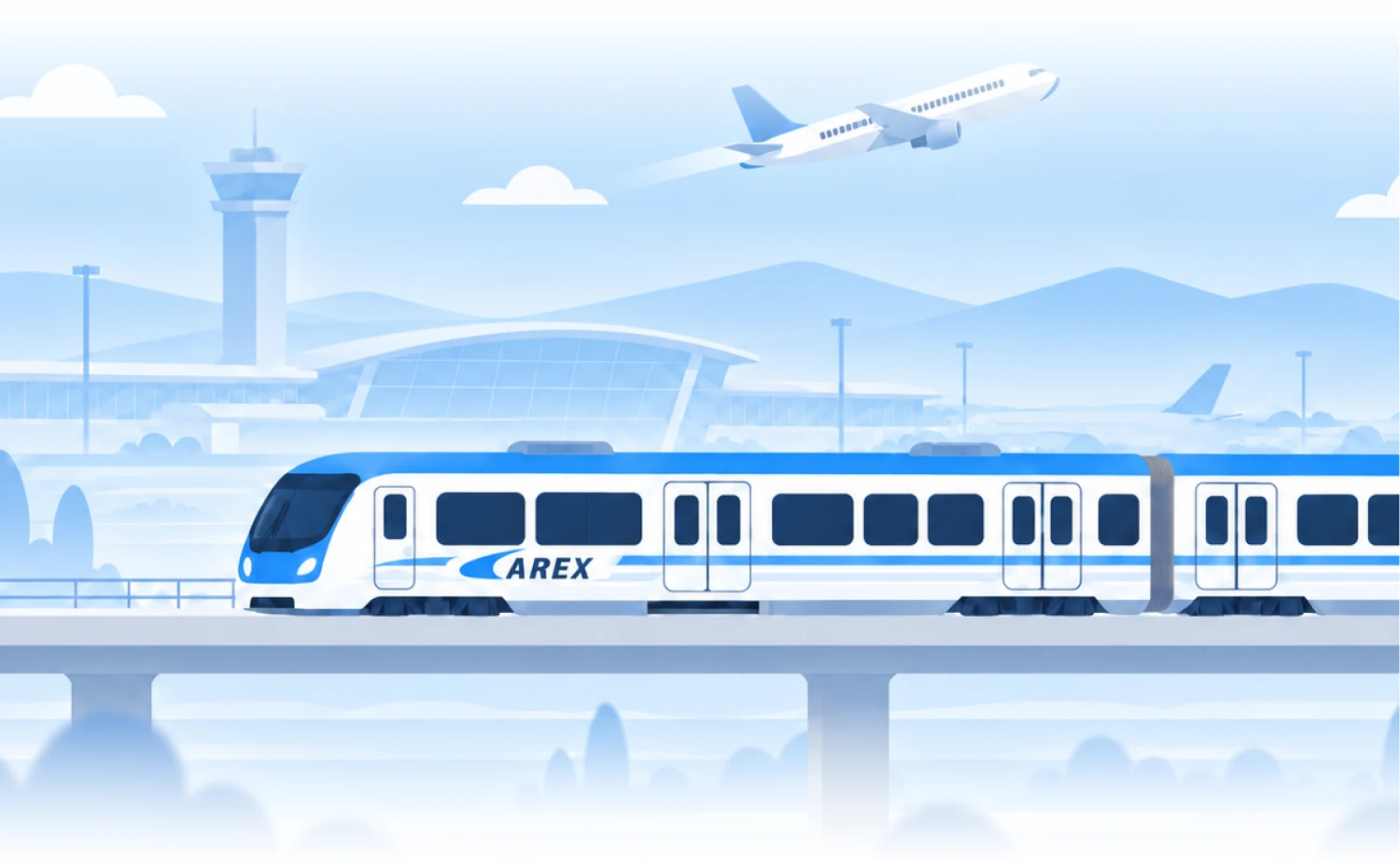
Illustration of an airport express train on an elevated track, with an airport terminal, blue mountains and a plane taking off behind it

Select Airport Express Railway on the Home screen
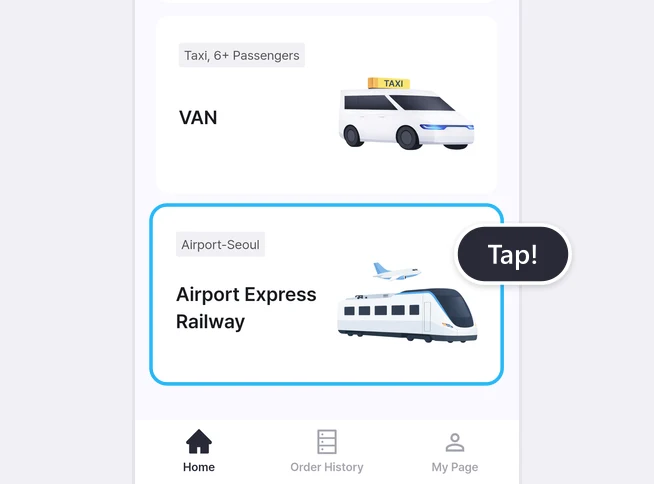
LACHA app Home screen with the Airport Express Railway card highlighted and a Tap! label

Review the details and proceed to purchase
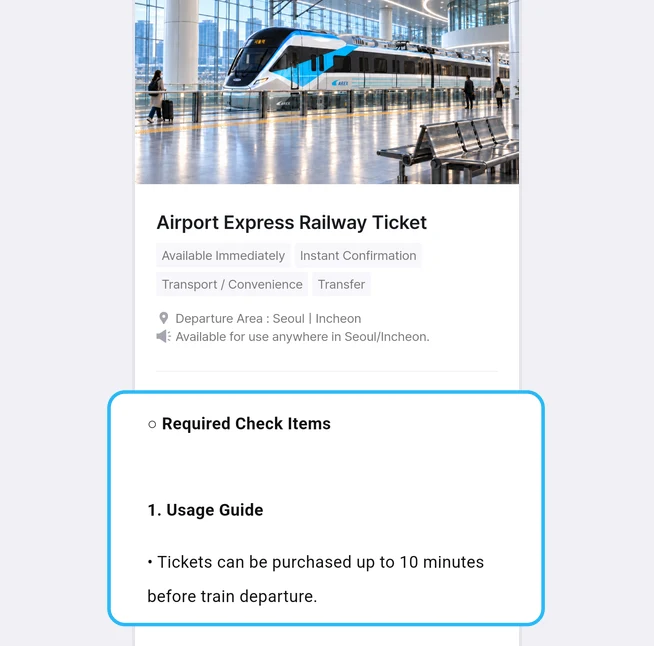
Airport Express Railway Ticket details page with the Required Check Items section highlighted
Review the usage notes on the Airport Express Railway page. You can buy a ticket up to 10 minutes before the train departs.
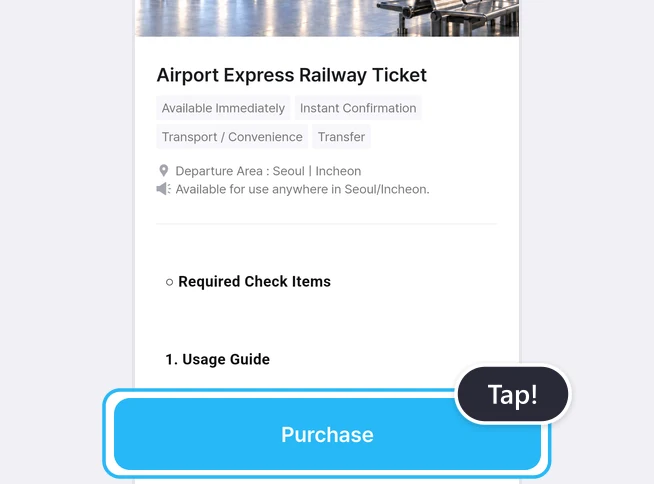
Airport Express Railway Ticket details page with the Purchase button highlighted and a Tap! label
Review the information, then tap [Purchase] to continue.

Select the number of tickets and a payment method
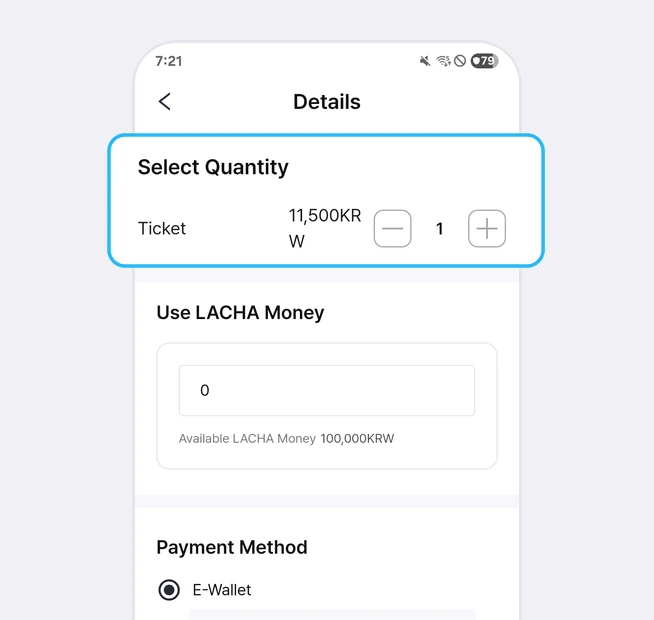
Details screen with the Select Quantity section highlighted
Select the number of tickets you want to purchase.
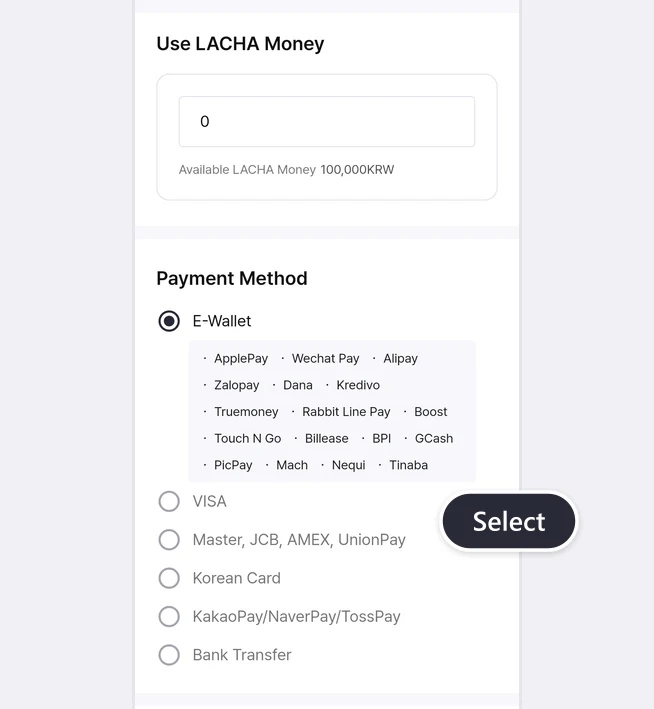
Use LACHA Money section and payment method list with E-Wallet, VISA, Master, JCB, AMEX, UnionPay, Korean Card, KakaoPay/NaverPay/TossPay and Bank Transfer, with a Select label
If you have LACHA Money, enter the amount you want to use, then choose another payment method for the remaining amount.

Review your order and complete payment
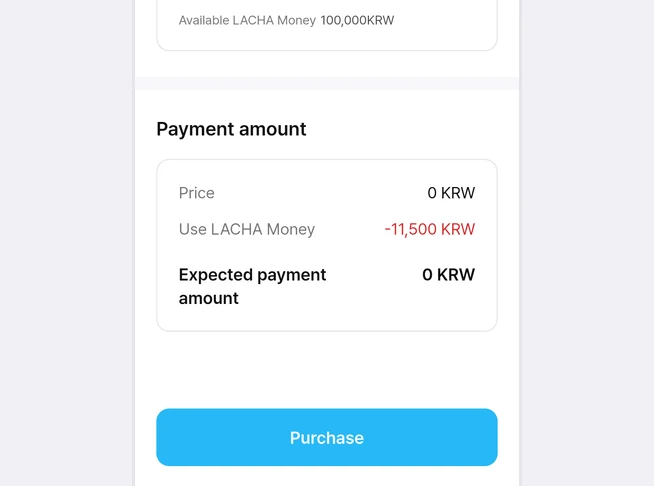
Payment amount section showing Price, Use LACHA Money and Expected payment amount above the Purchase button
Check your order and payment details.
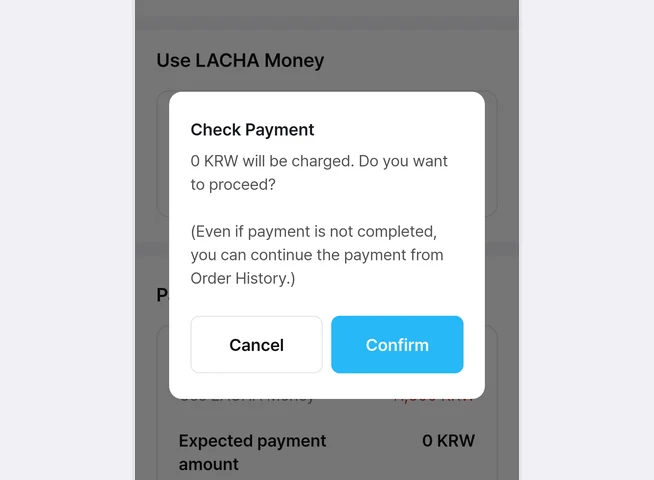
Check Payment pop-up with Cancel and Confirm buttons
Tap [Confirm] to proceed with payment.
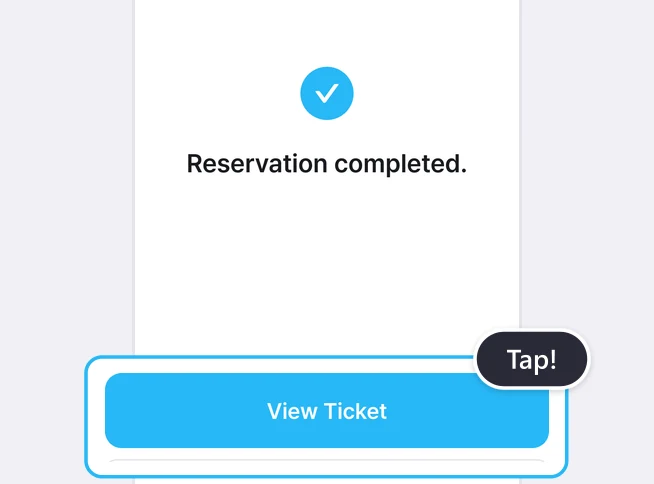
Reservation completed screen with the View Ticket button highlighted and a Tap! label
Once your payment is complete, you can view your ticket right away.

Download your ticket

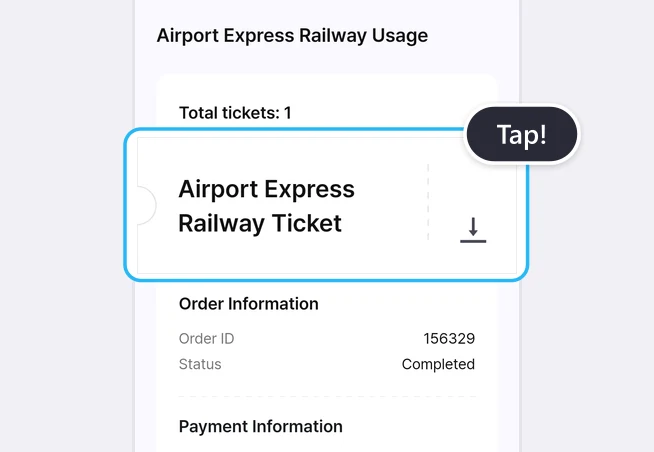
Airport Express Railway Usage screen with the ticket card and its download icon highlighted and a Tap! label
On the ticket details page, tap the Download button.
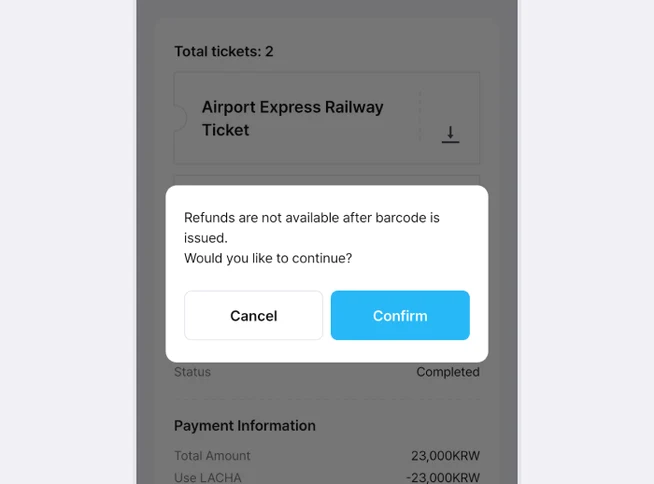
Pop-up saying refunds are not available after the barcode is issued, with Cancel and Confirm buttons
*Please note that tickets cannot be refunded after they are downloaded. Tap [Confirm] to continue.

View your downloaded ticket

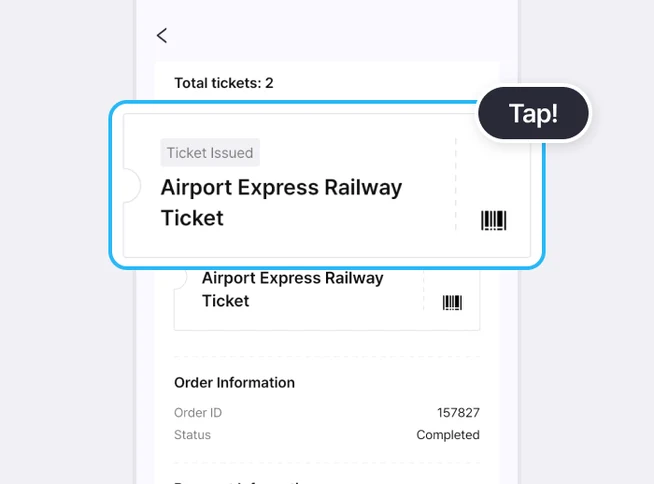
Ticket card marked Ticket Issued with a barcode icon, highlighted with a Tap! label
Once the ticket has been downloaded, the download icon will change to a barcode icon.
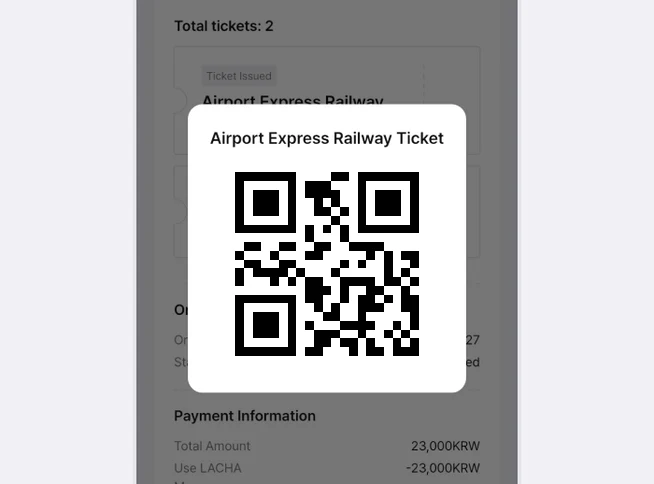
Airport Express Railway Ticket pop-up with a sample QR code
Tap the ticket to view the QR code.
1. Check the barcode or code number of the ticket you bought in the LACHA app.
2. Get a physical ticket from a ticket vending machine at Incheon Airport or Seoul Station.
3. Scan the ticket's QR code at the gate scanner and go through.

How to view your ticket again
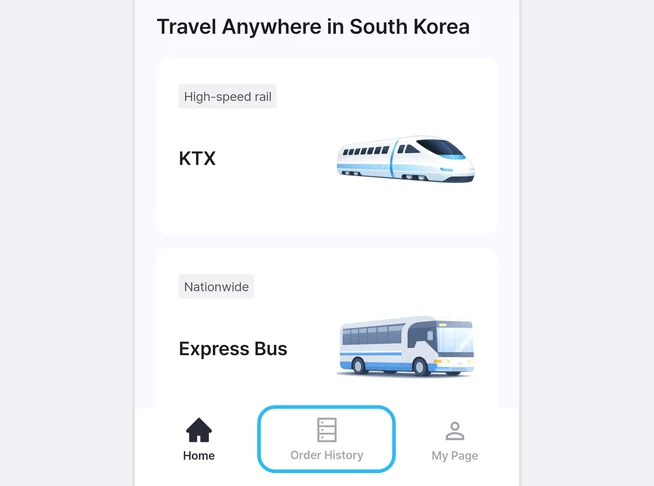
Home screen with the Order History tab in the bottom navigation bar highlighted
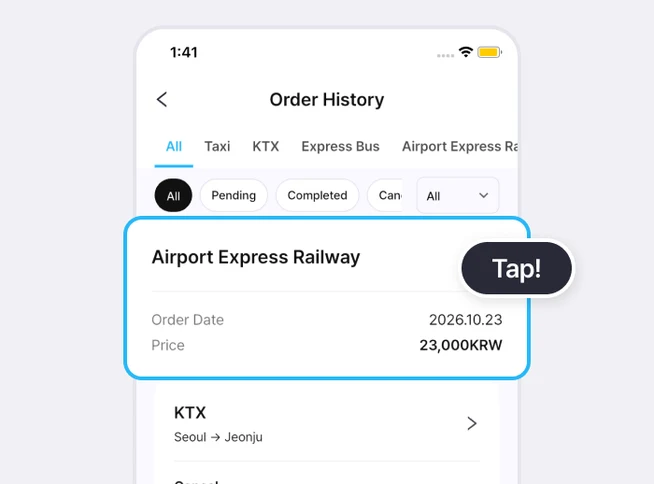
Go to the [Order History] tab in the bottom navigation bar.
Order History screen with the Airport Express Railway order card highlighted and a Tap! label
Tap your Airport Express Railway order card to open your ticket again.

At a glance

Buy an Airport Express Railway ticket in the LACHA app and download it, get a physical ticket from a vending machine at Incheon Airport or Seoul Station, then scan its QR code on the gate scanner. According to the app, you can buy up to 10 minutes before train departure.

Based on app screens from August to October 2026

Frequently asked questions

Can I board by showing the app screen?

No. According to the app, you must have a physically issued ticket to board the Express Train. Check the barcode or code number in the app, then get your ticket from a vending machine.

Where do I get the physical ticket?

From a ticket vending machine at Incheon Airport or Seoul Station.

How late can I buy a ticket?

Up to 10 minutes before train departure.

How much is the ticket?

It was 11,500 KRW per ticket on the app screen in October 2026. Prices can change, so check the purchase screen.

What if I lose my code number?

According to the app, you can check it again in the LACHA app or through the reservation confirmation link sent by email.

Can I get a refund or change my ticket?

The product notice says tickets cannot be refunded or changed. Check your schedule before you buy.

What is the LACHA app?

The LACHA app (Lacha App) is a transport booking and payment app for foreigners living in or visiting Korea. You can call a taxi (including 5/6-seat vans) and book KTX trains, express buses and AREX airport rail tickets in one app, and pay with LACHA Money that you recharge using an international card or e-wallet. The app screen can be switched between 8 languages.

Read the full introduction to the LACHA app

Get the LACHA app