How to Book an Express Bus
Here's how to easily book and use an express bus with the LACHA app!
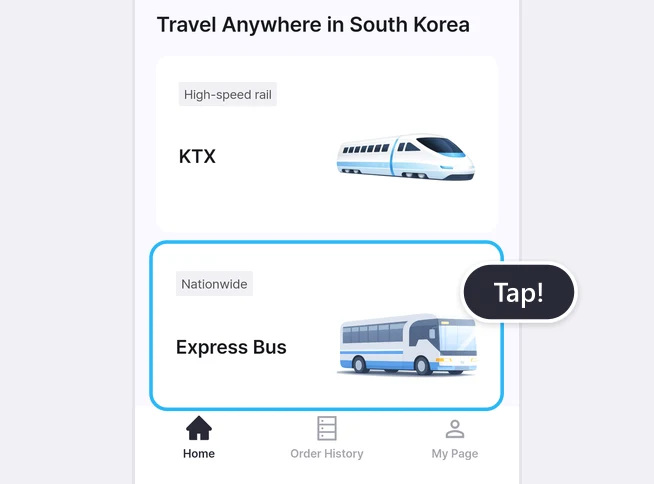
Select Express Bus on the Home screen
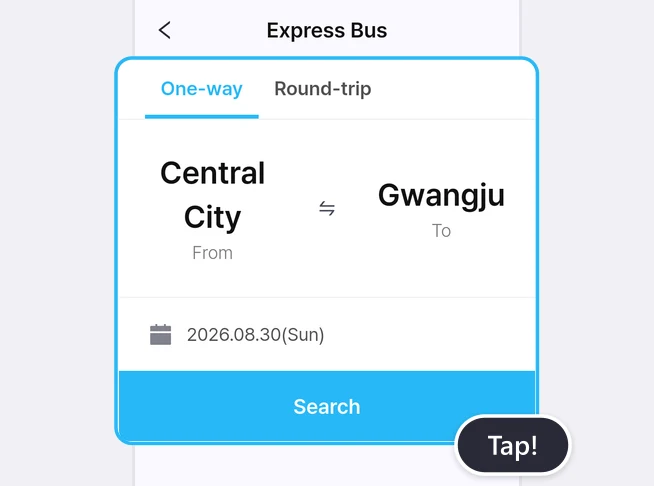
Select your departure, destination, and travel date, then search.
Choose your bus, passengers, and seats
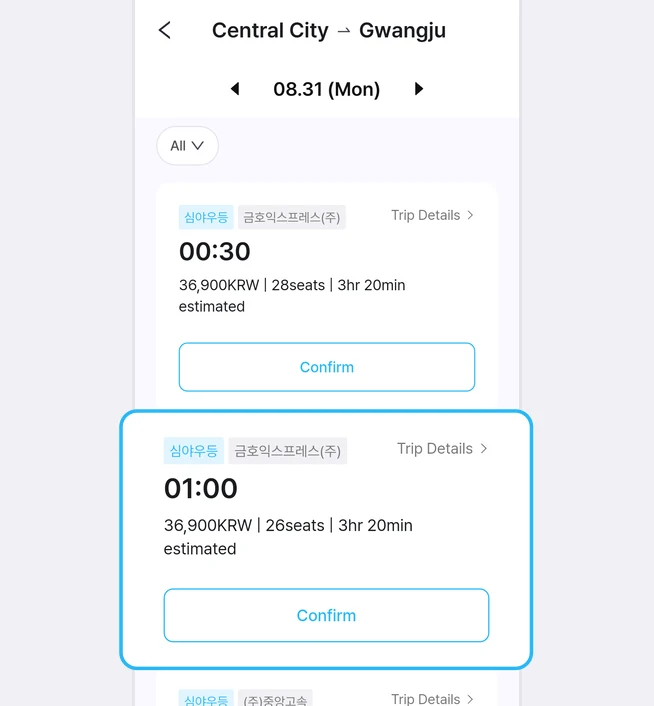
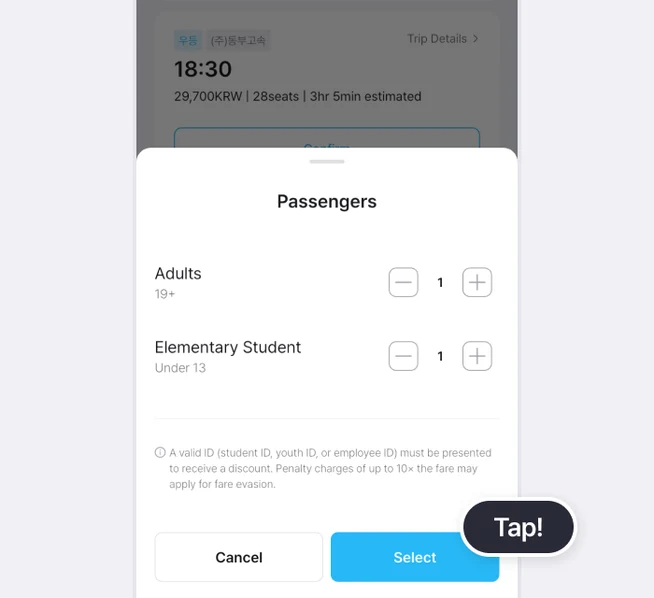
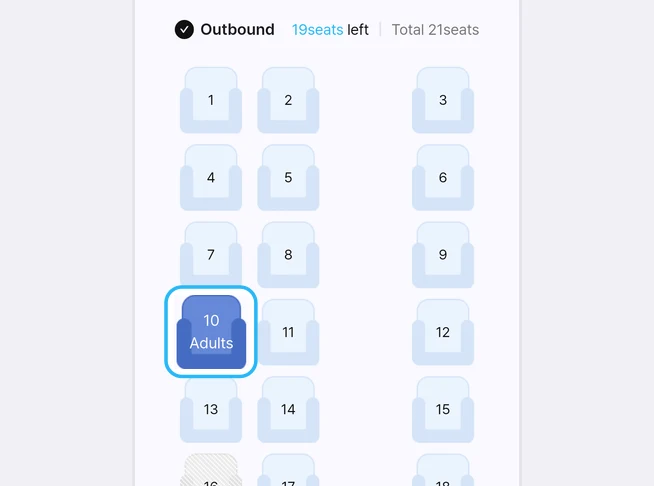
Check the date and departure time of your bus
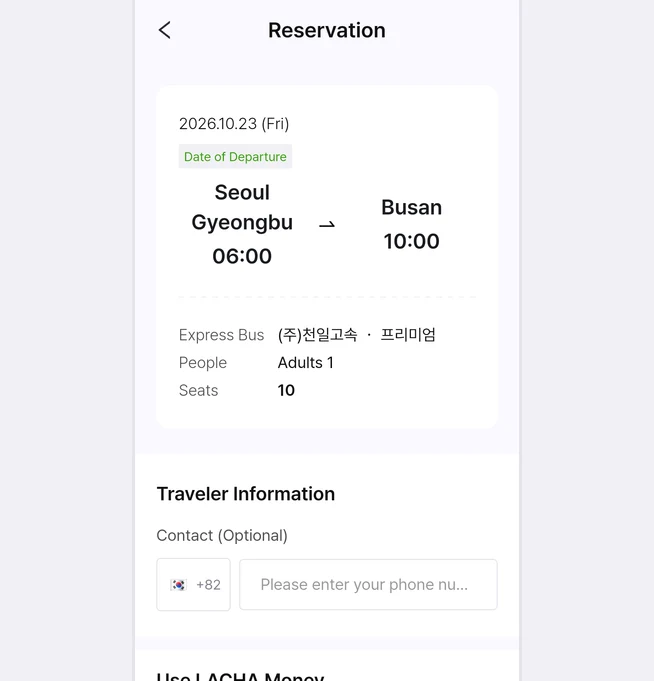
Choose a payment method
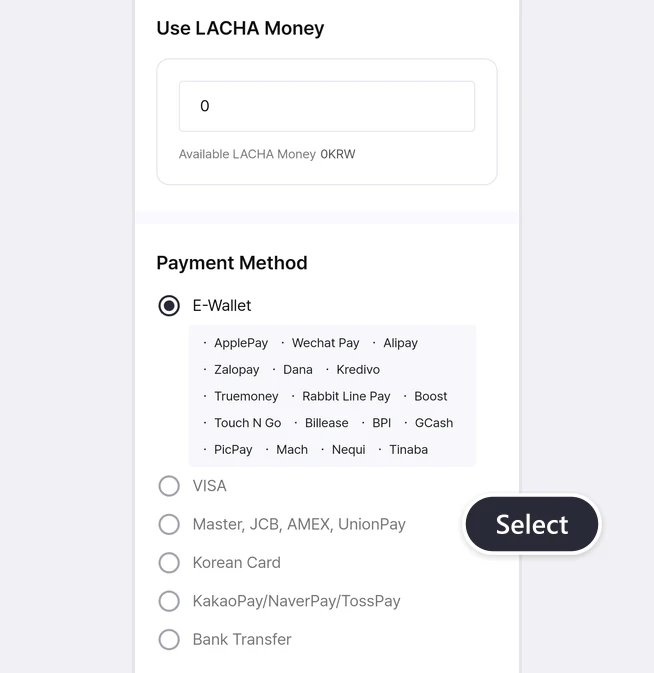
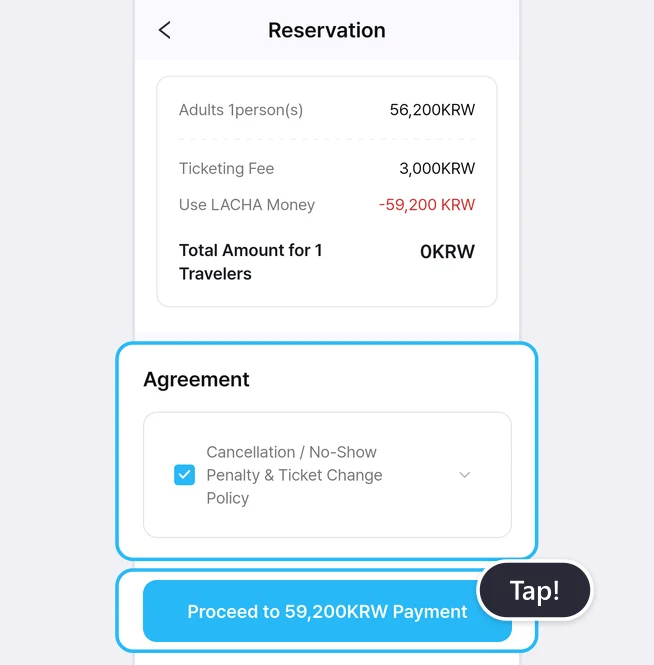
Agree to the terms and confirm your booking
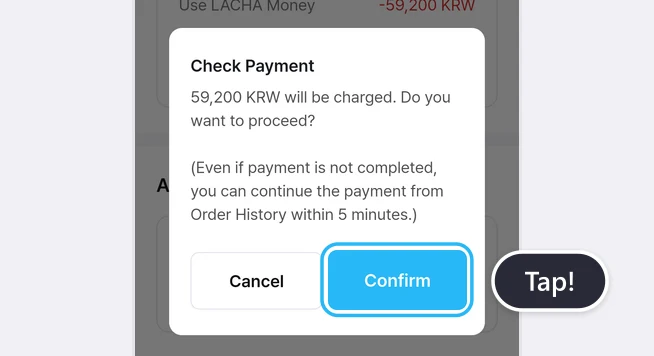
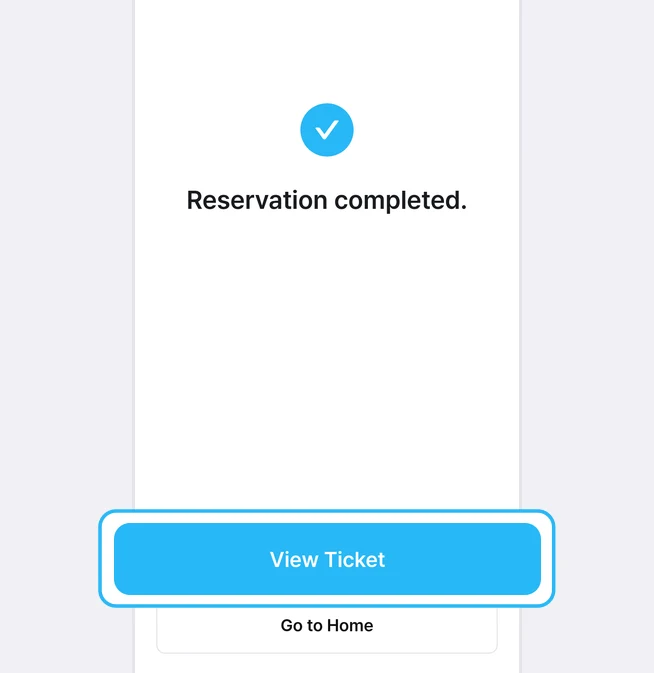
Check your order details and ticket
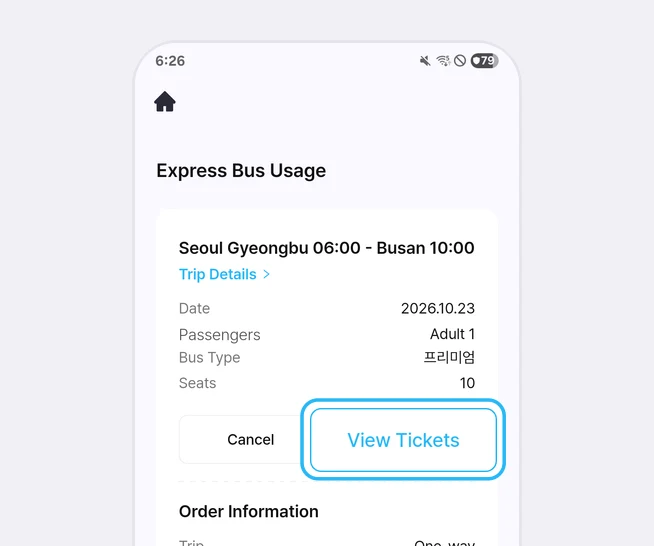
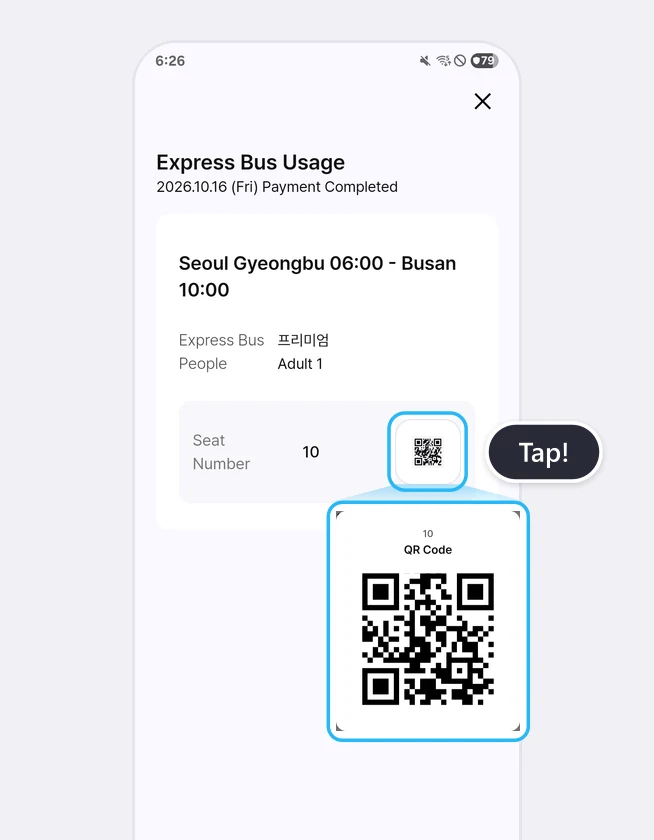
How to view your ticket again
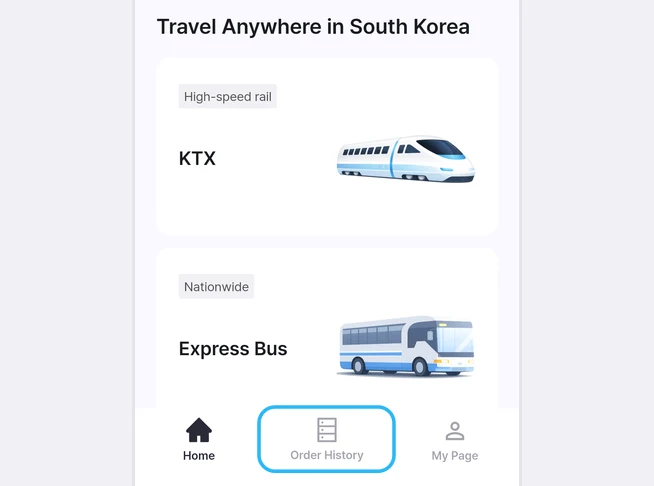
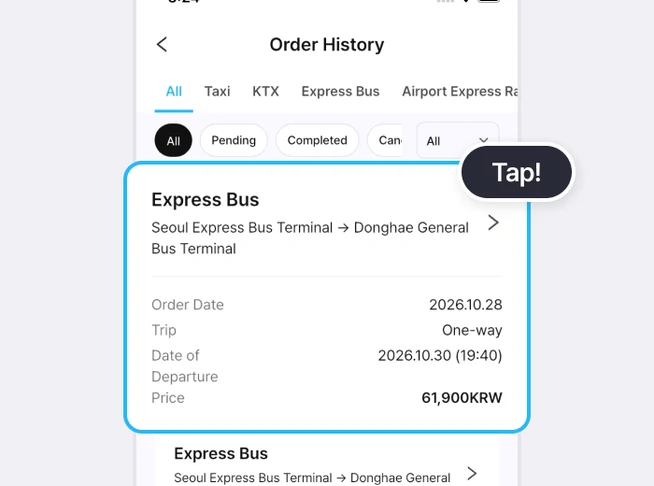
At a glance
Choose Express Bus in the Home screen list, search by departure terminal, arrival terminal and date, then pick a bus and seat and pay. When payment is finished, your ticket appears in the app, and you scan its QR code at the boarding device before you get on.
Based on app screens from August to October 2026
Frequently asked questions
How do I use my ticket when I board the bus?
Scan the QR code on the ticket screen in the app at the boarding device before you get on. You can open it from [View Ticket] on the payment complete screen or from Order History in the bottom menu.
Is there anything to pay on top of the bus fare?
Yes, there's a ticketing fee. It's shown separately in the payment amount section. The final amount is written on the payment button, so check it before you tap.
How much are the cancellation fees?
These are the express bus cancellation rules shown in the app. 2 days before departure: 0%. From 1 day before until 3 hours before departure: 5% Monday to Thursday, 7.5% Friday to Sunday and public holidays, 10% during the Seollal and Chuseok periods. Less than 3 hours before departure: 10% Monday to Thursday, 15% Friday to Sunday and public holidays, 20% during the Seollal and Chuseok periods. After departure and before the scheduled arrival time: 60% (from May 1, 2026 to April 30, 2027). After the scheduled arrival time: 100%.
Can I change the departure time?
According to the app, you can change the departure time of a reserved ticket once, up to 1 hour before departure.
Do I need to bring ID?
According to the app, if you ride on a ticket with discount conditions, such as a student or youth discount, you must carry ID such as a student card or youth card. Fare evasion can result in a penalty of 10 times the fare.
Read more
More guides
What is the LACHA app?
The LACHA app (Lacha App) is a transport booking and payment app for foreigners living in or visiting Korea. You can call a taxi (including 5/6-seat vans) and book KTX trains, express buses and AREX airport rail tickets in one app, and pay with LACHA Money that you recharge using an international card or e-wallet. The app screen can be switched between 8 languages.