How to Use a Taxi

Here's how to request and use a taxi with the LACHA app!
Illustration of a white taxi driving along a road in front of city buildings and a bridge

Select Taxi on the Home screen

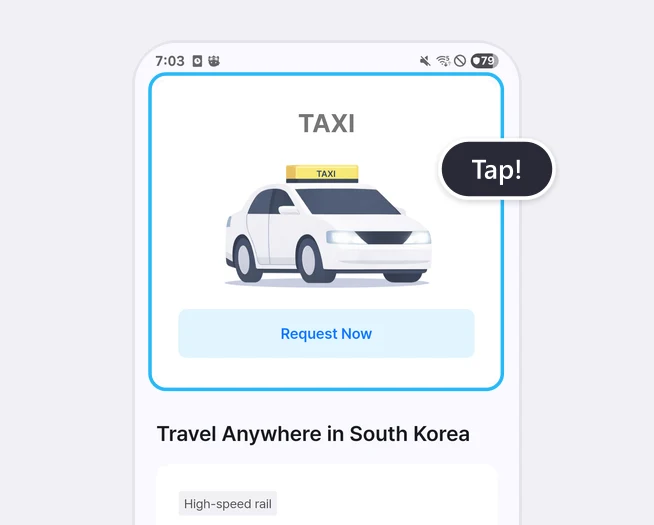
Home screen with the whole TAXI card, including the Request Now button, highlighted and a Tap! label
Tap [Request Now] on the TAXI card.

Enter your pickup location and destination
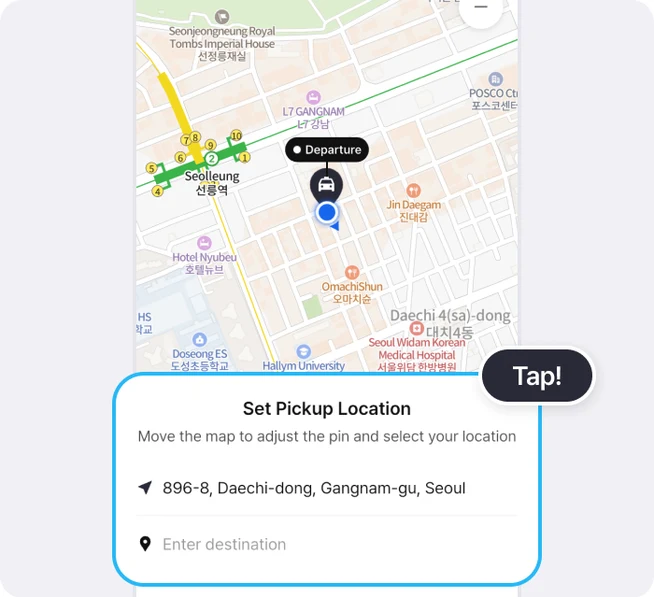
Map with a Departure pin above a highlighted sheet showing the pickup address and the Enter destination field, with a Tap! label
Tap the pickup and destination fields.
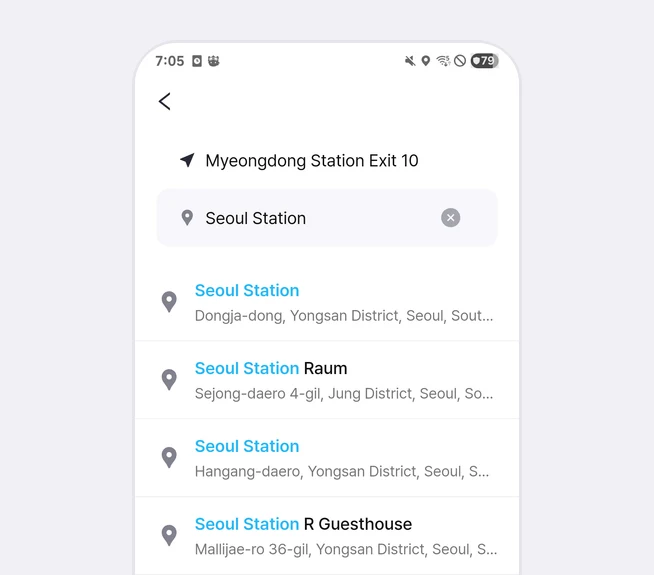
Search screen with Myeongdong Station Exit 10 as the pickup location, Seoul Station typed as the destination, and a list of search results
Search for your pickup location and destination, then zoom in on the map to adjust the exact location.

Check the locations and estimated fare, then request a taxi
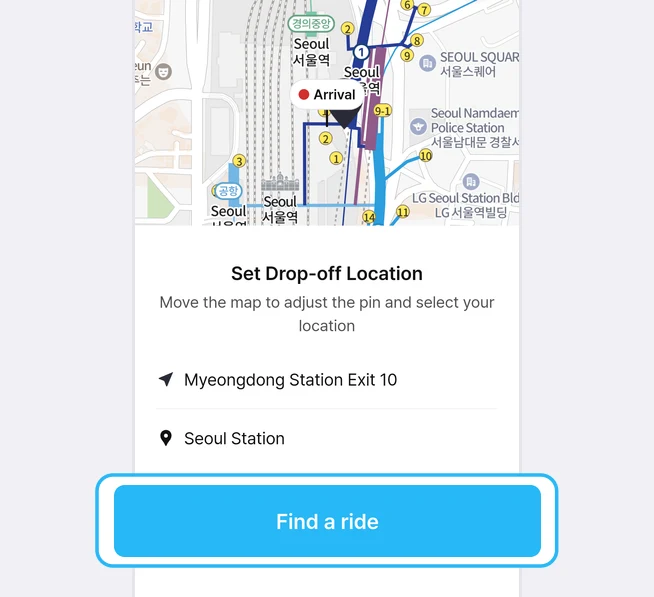
Map with an Arrival pin above the pickup location Myeongdong Station Exit 10 and the destination Seoul Station, with the Find a ride button highlighted
Check your pickup location and destination, then tap [Find a ride].
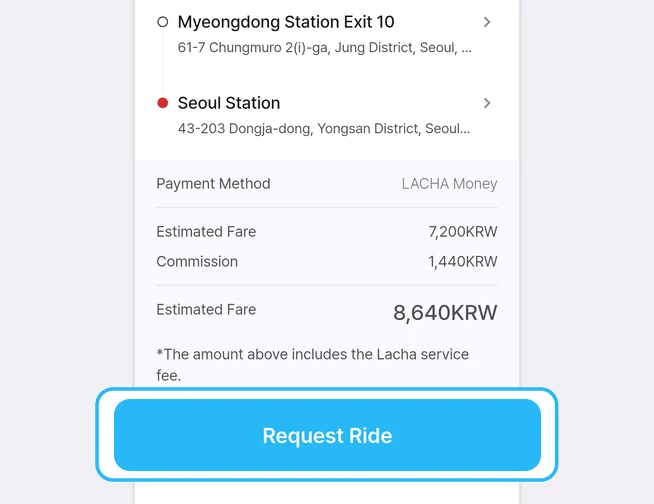
Pickup location, destination, the LACHA Money payment method and the estimated fare and commission, with the Request Ride button highlighted
Review your destination and estimated fare one more time, then tap [Request Ride]. The payment method is LACHA Money, and the estimated fare shown includes the LACHA service fee. Recharge LACHA Money before you request a taxi.
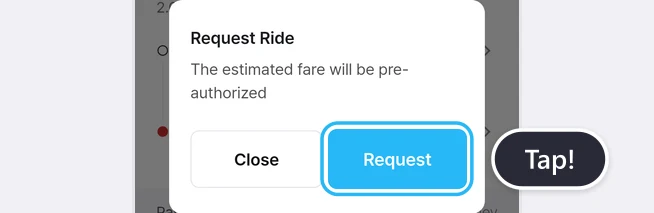
Request Ride pop-up with the Request button highlighted and a Tap! label
Tap [Request] in the pop-up to start searching for a taxi. When you request a ride, the estimated fare is pre-authorized.

Wait for a taxi match

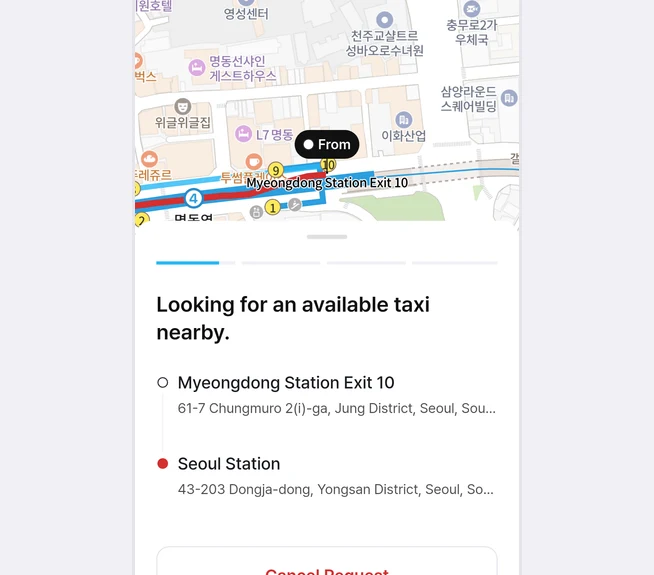
Map with a From pin above the message Looking for an available taxi nearby, the pickup and drop-off locations, and the Cancel Request button
Please wait while we find a taxi for you. To stop the request, tap [Cancel Request].
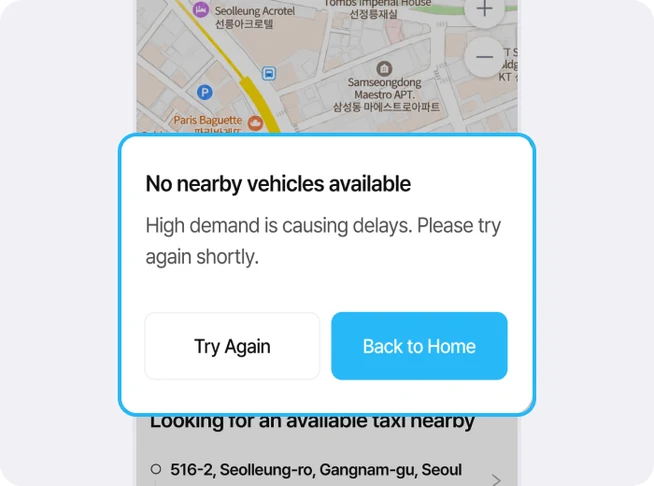
Highlighted pop-up saying no nearby vehicles are available, with buttons to try again or go back to the Home screen
*Taxi availability may be limited at certain times, such as late at night or during bad weather. If no taxi is available, please try again later.

Check your matched taxi and get in

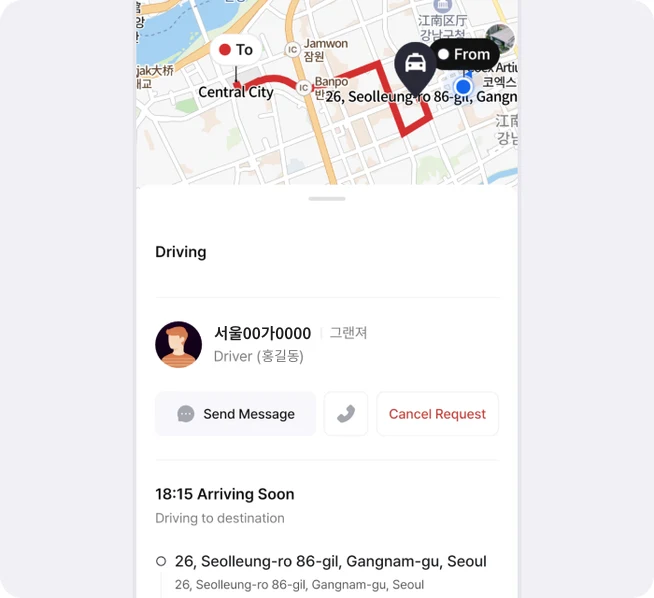
Map with the route to the destination above the vehicle number, car model and driver name of the matched taxi
Once a taxi is matched, you can check the vehicle information.
When the taxi arrives, make sure it matches the information shown in the app before getting in.

Arrive at your destination and get out
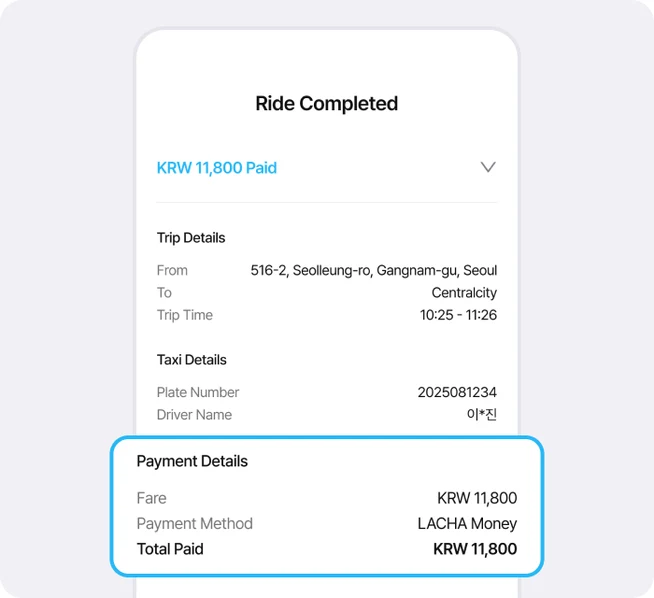
Trip completion screen with trip and taxi details above the highlighted payment details
When you arrive at your destination, the final fare will be calculated and paid automatically with LACHA Money.

You don't need to pay the driver separately. Simply get out when your trip is complete.

At a glance

Tap [Request Now] on the TAXI card on the Home screen, enter your pickup location and destination, check the estimated fare and request a ride. The payment method is LACHA Money, and the estimated fare is pre-authorized when you request. Once a taxi is matched, check the vehicle information before getting in. When you arrive, the final fare is paid automatically with LACHA Money, so recharge before you call a taxi.

Based on app screens from August to October 2026

Frequently asked questions

How do I pay the taxi fare?

With LACHA Money. When you tap [Request], the estimated fare is pre-authorized, as the pop-up says. Recharge in advance so your balance doesn't run short.

Does the estimated fare include fees?

Yes. The payment screen shows the estimated fare and commission separately, and the last estimated fare includes the Lacha service fee.

Can I cancel the request?

Yes. Tap [Cancel Request] on the screen that appears while a taxi is being found, then tap [Cancellation Confirmed] in the pop-up. When we checked in October 2026, the message at this stage said no fee would be charged if you cancel now, and the LACHA Money balance returned to the original amount after cancelling.

What if 5 or 6 of us are riding together?

There is a separate 5/6-seat taxi (VAN) card in the 'Travel Anywhere in South Korea' list on the Home screen.

What is the LACHA app?

The LACHA app (Lacha App) is a transport booking and payment app for foreigners living in or visiting Korea. You can call a taxi (including 5/6-seat vans) and book KTX trains, express buses and AREX airport rail tickets in one app, and pay with LACHA Money that you recharge using an international card or e-wallet. The app screen can be switched between 8 languages.

Read the full introduction to the LACHA app

Get the LACHA app