How to Top Up an eZL Transport Card
Hold an eZL Transport Card bought at a convenience store against the back of your phone, top it up in the LACHA app and ride buses and subways right away!
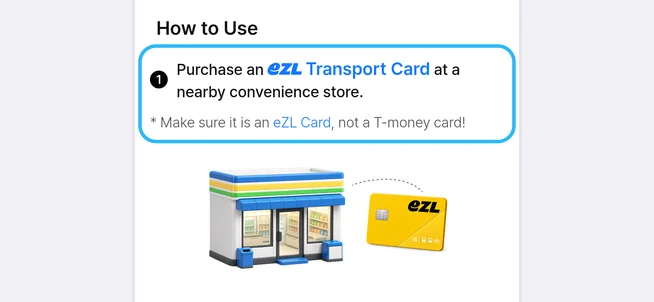
Buy an eZL Transport Card at a convenience store
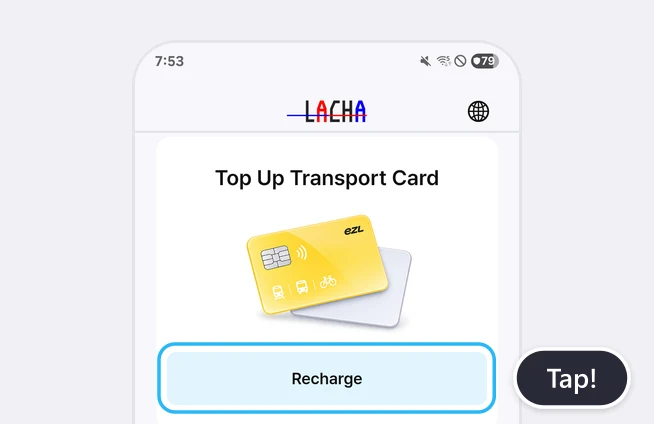
Tap [Recharge] under [Top Up Transport Card] on the Home screen
Allow the phone permission when asked
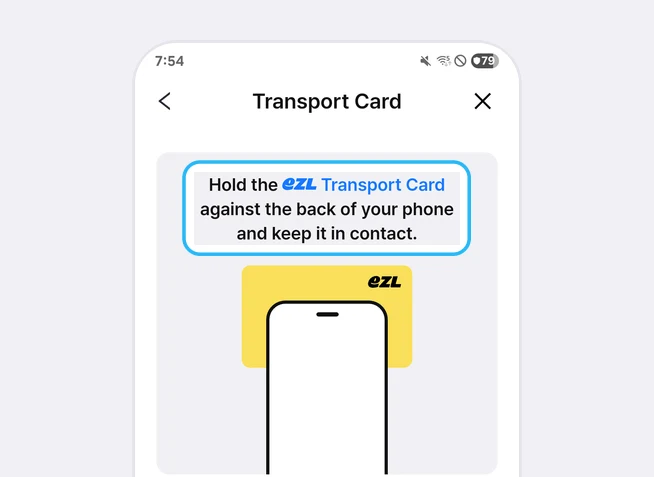
Hold the card against the back of your phone and keep it there
At a glance
Transport card top-up in the LACHA app lets you top up an eZL Transport Card sold at convenience stores by holding it against the back of your phone. [Top Up Transport Card] appeared on the Home screen in Android app 2.0.0 on November 11, 2026. Tap [Recharge], allow the phone permission when Android asks, then hold the card against the back of your phone and keep it there.
Based on Android app 2.0.0 screens as of November 11, 2026
Frequently asked questions
Which transport cards can I top up?
eZL Transport Cards. The top-up screen says "Make sure it is an eZL Card, not a T-money card!" T-money cards such as WOWPASS and the T-money Travel Card are not topped up from this menu.
Where can I buy an eZL Transport Card?
The How to Use section on the top-up screen says to buy one at a nearby convenience store. According to eZL, the cards are sold at GS25, CU, 7-Eleven and emart24 convenience stores nationwide.
Can I top up on an iPhone?
As of November 11, 2026, we confirmed the transport card top-up menu in Android app 2.0.0. On the same day the latest iPhone version on the App Store was 1.3.6.
What is the permission dialog that appears when I first tap it?
It is Android asking whether to allow LACHA to make and manage phone calls. Tap [Allow] to go on to the Transport Card screen.
What can I ride with the topped-up card?
According to the top-up screen, it is a card that makes it easy to use buses and subways in Korea. Buy KTX, express bus and Airport Express Railway tickets separately from each menu on the LACHA app Home screen.
Read more
More guides
What is the LACHA app?
The LACHA app (Lacha App) is a transport booking and payment app for foreigners living in or visiting Korea. You can call a taxi (including 5/6-seat vans) and book KTX trains, express buses and AREX airport rail tickets in one app, and pay with LACHA Money that you recharge using an international card or e-wallet. The app screen can be switched between 8 languages.