Getting Started with LACHA
We'll show you how to change the app language and sign up!
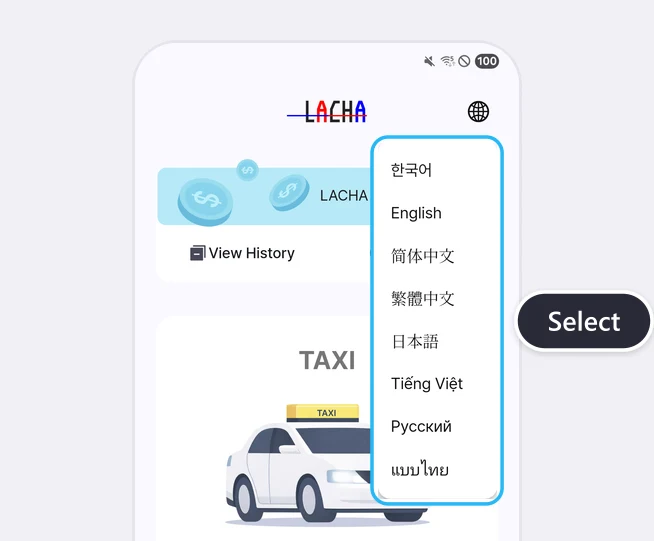
Tap the globe icon at the top right of the Home screen and choose your language
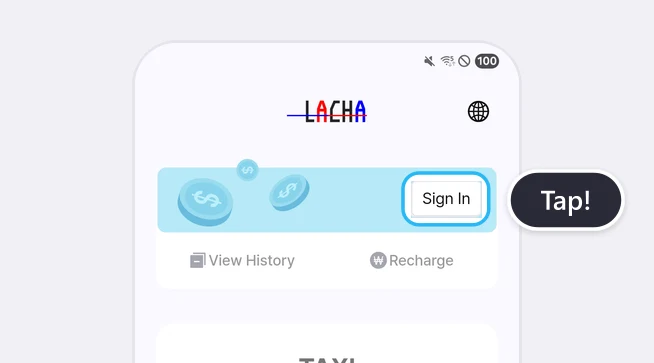
Tap [Sign In] on the Home screen
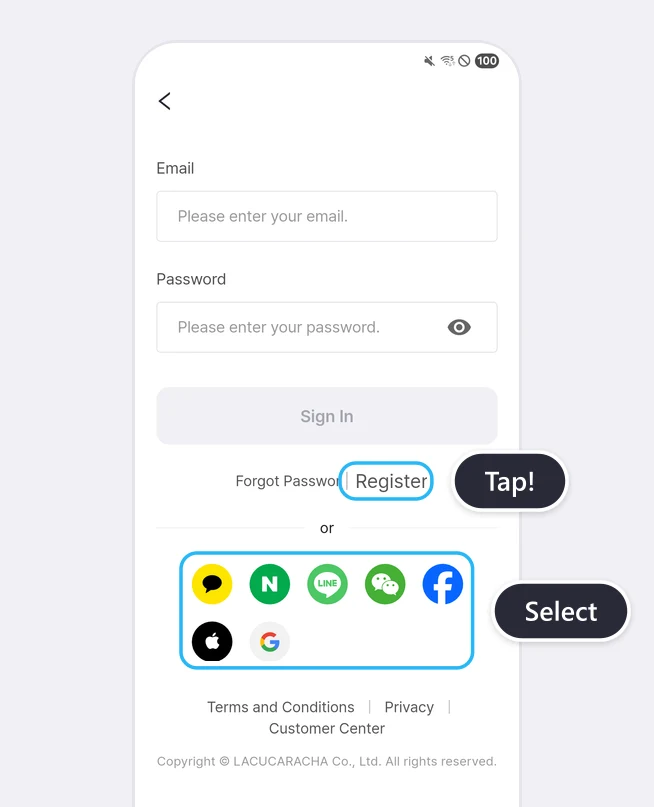
Choose a quick sign-in option or tap [Register]
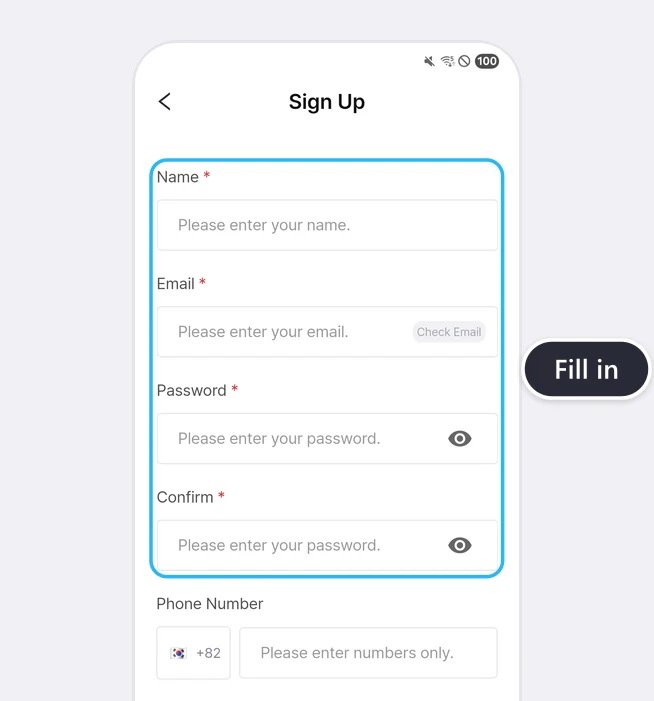
Enter your name, email and password
At a glance
You can get the LACHA app on the App Store and Google Play. Use the globe icon at the top right of the Home screen to choose one of 8 app languages, then sign up with one of 7 social logins or by email. Email sign-up requires your name, email and password. You don't have to enter a phone number.
Based on app screens from August to October 2026
Frequently asked questions
Can I sign up without a Korean phone number?
Yes. On the email sign-up screen, the required fields marked with * are name, email, password and password confirmation. The phone number field is optional. The KTX booking screen does have a separate contact field for the person booking, and you can choose the country code from a list.
Which accounts can I use for social login?
There are 7: Kakao, Naver, LINE, WeChat, Facebook, Apple and Google.
Which languages does the app screen support?
8 languages: 한국어, English, 简体中文, 繁體中文, 日本語, Tiếng Việt, Русский and แบบไทย. Tap the globe icon at the top right of the Home screen to switch.
How do I find the LACHA app in the stores?
It appears as 'Lacha App' on the App Store and 'Lacha(라차)' on Google Play. The Google Play package name is com.lacha.lacha. It is a different app from the indoor cycling app with the same name.
Read more
More guides
What is the LACHA app?
The LACHA app (Lacha App) is a transport booking and payment app for foreigners living in or visiting Korea. You can call a taxi (including 5/6-seat vans) and book KTX trains, express buses and AREX airport rail tickets in one app, and pay with LACHA Money that you recharge using an international card or e-wallet. The app screen can be switched between 8 languages.