How to Recharge LACHA Money
Recharge LACHA Money and use it to pay for KTX, express buses, the Airport Express Railway and taxis!
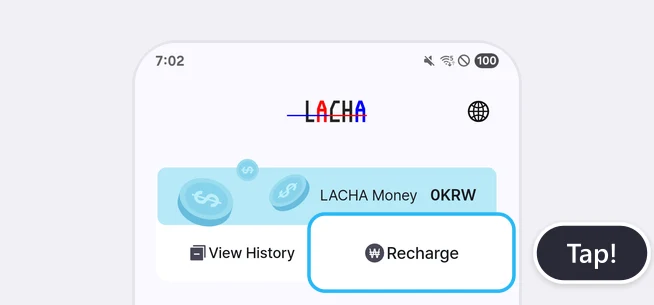
Tap [Recharge] on the Home screen
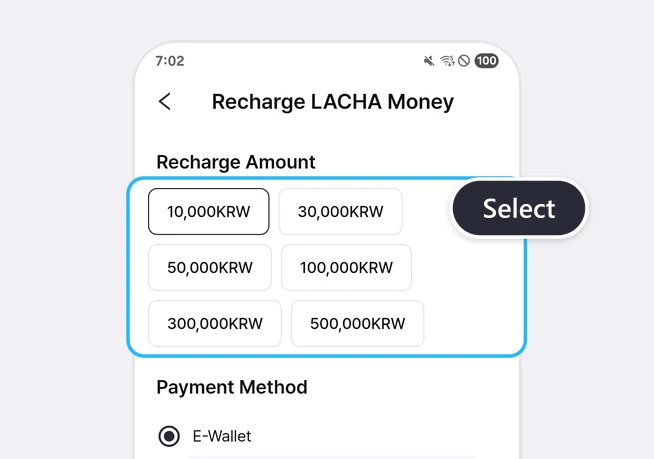
Choose the amount to recharge
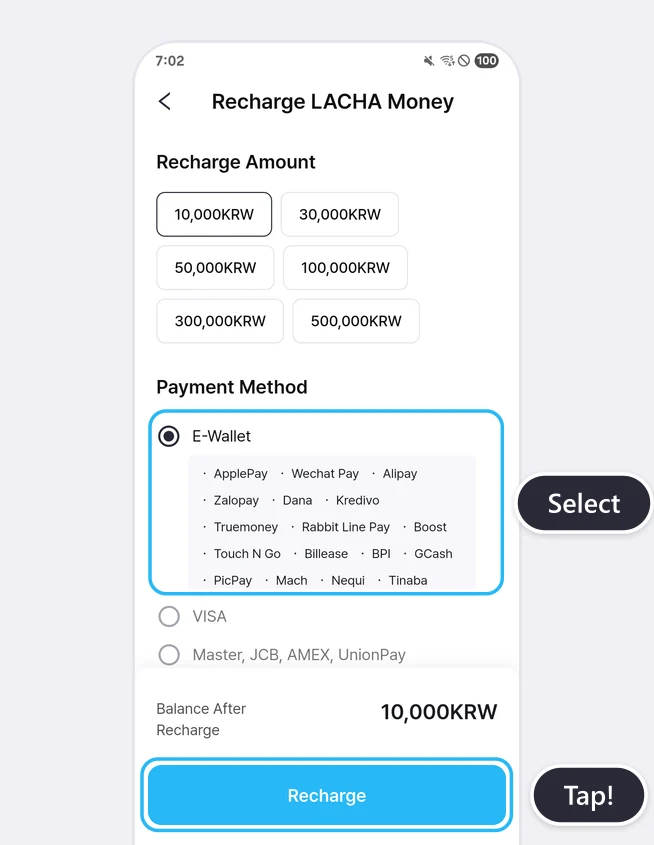
Choose a payment method and tap [Recharge]
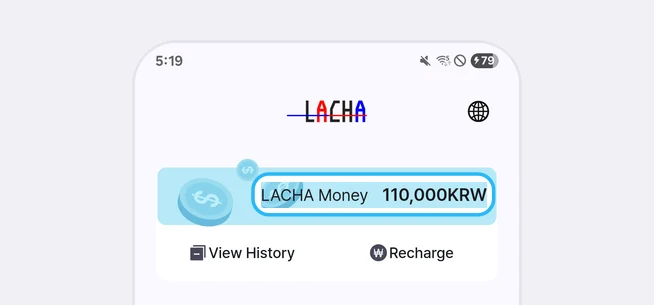
Check your balance on the Home screen
At a glance
LACHA Money is a balance you recharge in advance in the LACHA app and use to pay for KTX, express buses, the Airport Express Railway and taxis. Tap [Recharge] on the Home screen, choose one of 6 amounts from 10,000 to 500,000 KRW, then choose a payment method.
Based on app screens from August to October 2026
Frequently asked questions
What amounts can I recharge?
Choose from 6 amounts: 10,000, 30,000, 50,000, 100,000, 300,000 or 500,000 KRW.
Which payment methods can I use to recharge?
The recharge screen lists 17 e-wallets (ApplePay, Wechat Pay, Alipay, Zalopay, Dana, Kredivo, Truemoney, Rabbit Line Pay, Boost, Touch N Go, Billease, BPI, GCash, PicPay, Mach, Nequi, Tinaba), VISA, Master, JCB, AMEX, UnionPay, Korean cards, KakaoPay, NaverPay, TossPay, bank transfer and virtual account. Whether a payment is approved can depend on your card issuer or wallet.
Where can I see my balance and history?
Your balance appears in the LACHA Money bar on the Home screen. Tap [View History] there to see recharges, payments and cancellations with their dates and amounts.
What happens if I cancel a booking paid with LACHA Money?
If you cancel during the no-fee period, the amount you paid returns to your LACHA Money. In October 2026 we paid for KTX and express bus bookings with LACHA Money and cancelled them during that period, and the full amount went straight back into the LACHA Money history. Cancellations during a fee period follow the cancellation rules of each service.
Can I get LACHA Money back as cash?
The LACHA service terms say deposits are not refunded in cash and that refunds follow the Electronic Financial Transaction Terms and applicable laws. If you need a refund, contact the LACHA Customer Center (02-568-1220, weekdays 09:00-17:00).
Read more
More guides
What is the LACHA app?
The LACHA app (Lacha App) is a transport booking and payment app for foreigners living in or visiting Korea. You can call a taxi (including 5/6-seat vans) and book KTX trains, express buses and AREX airport rail tickets in one app, and pay with LACHA Money that you recharge using an international card or e-wallet. The app screen can be switched between 8 languages.