How to Book a KTX Train

We'll show you how to easily book and ride the KTX using the LACHA app!
Illustration of a KTX train running across a bridge in front of blue mountains

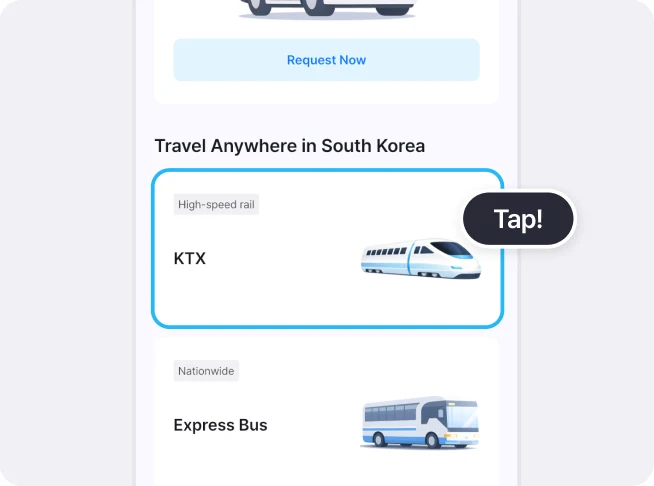
Select KTX on the Home screen

LACHA app Home screen, Travel Anywhere in South Korea section, with the KTX card highlighted and a Tap! label

Choose your stations and search for trains
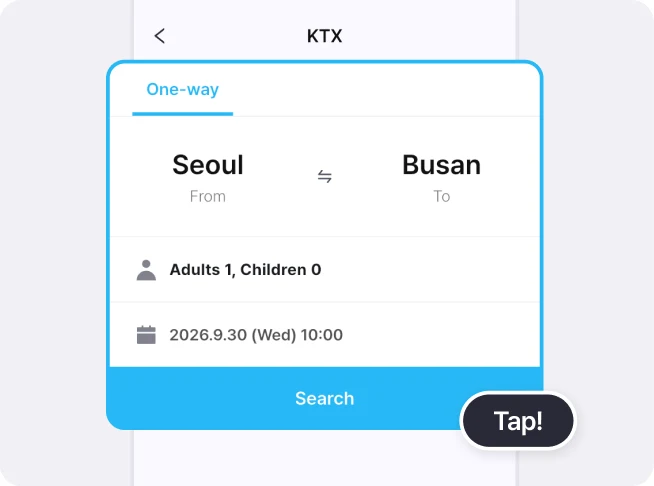
KTX search form with Seoul to Busan, Adults 1, Children 0 and a travel date, with the Search button highlighted
Select your departure and arrival stations, travel date, and the number of adults and children, then search for KTX trains.

Choose a train, then select [Select Seat] or [Reserve]
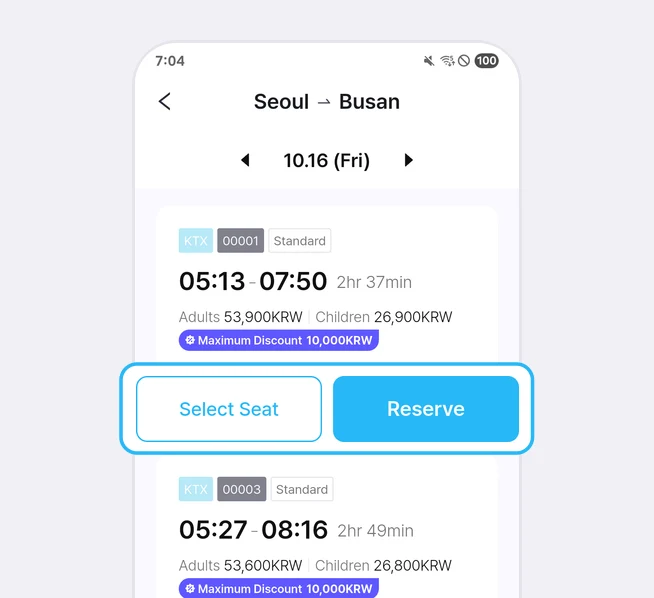
KTX train list from Seoul to Busan with departure times and fares, with the Select Seat and Reserve buttons highlighted
Select [Select Seat] if you want to choose your own seat, or [Reserve] to have a seat assigned automatically.
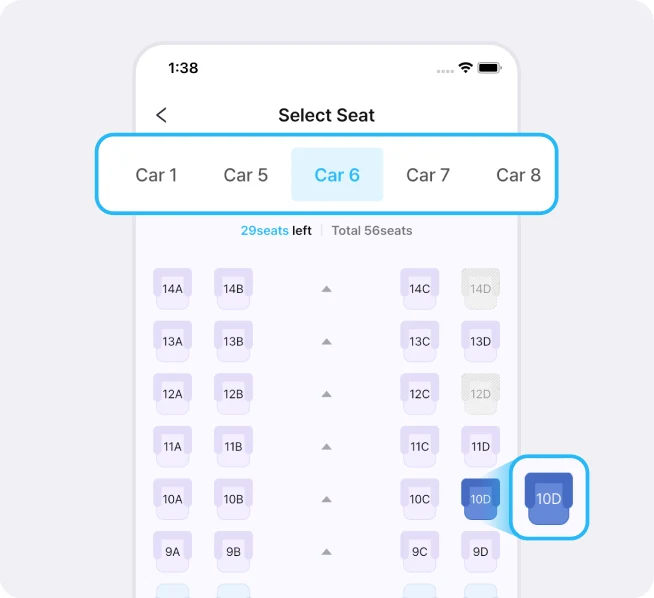
KTX seat map with car tabs highlighted and the selected seat enlarged
If you select [Select Seat], you can choose your preferred train car and seat.

Check your train details and enter passenger information
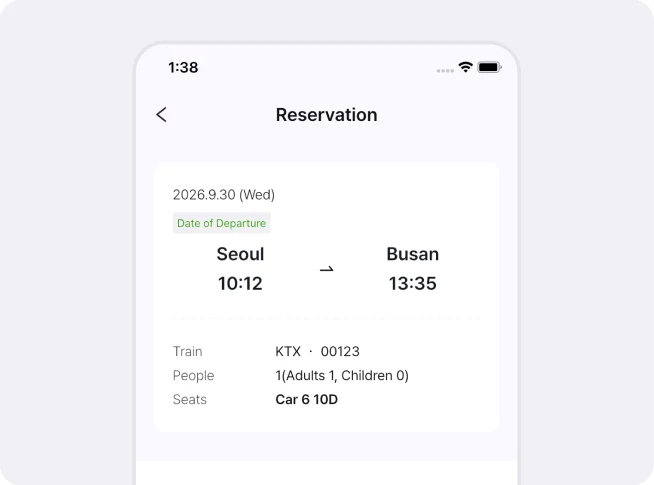
Reservation screen showing the departure date, Seoul to Busan times, train number, passengers and seat
Make sure the travel date, departure time, and number of passengers are correct.
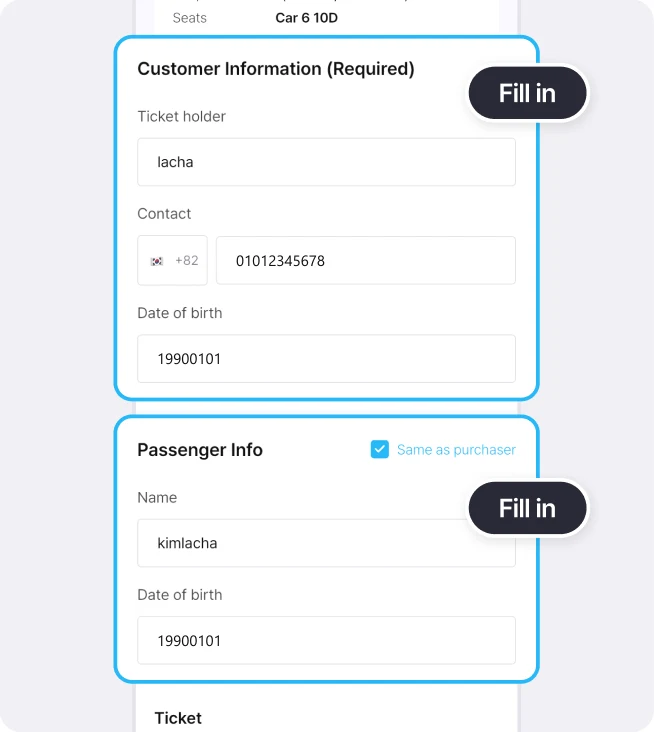
Customer Information and Passenger Info sections highlighted with Fill in labels
Then enter the required customer and passenger information.

Select the Lacha T Voucher amount and choose a payment method
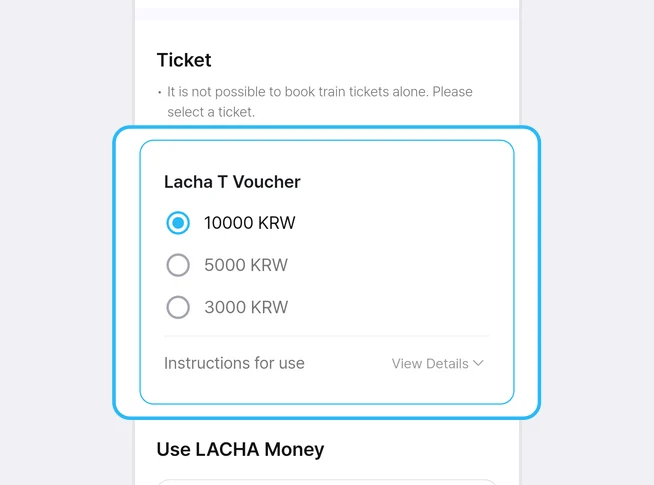
Ticket section with Lacha T Voucher options of 10000, 5000 and 3000 KRW highlighted
Select the amount of Lacha T Voucher you want to purchase. The selected amount will be deducted from your next booking.
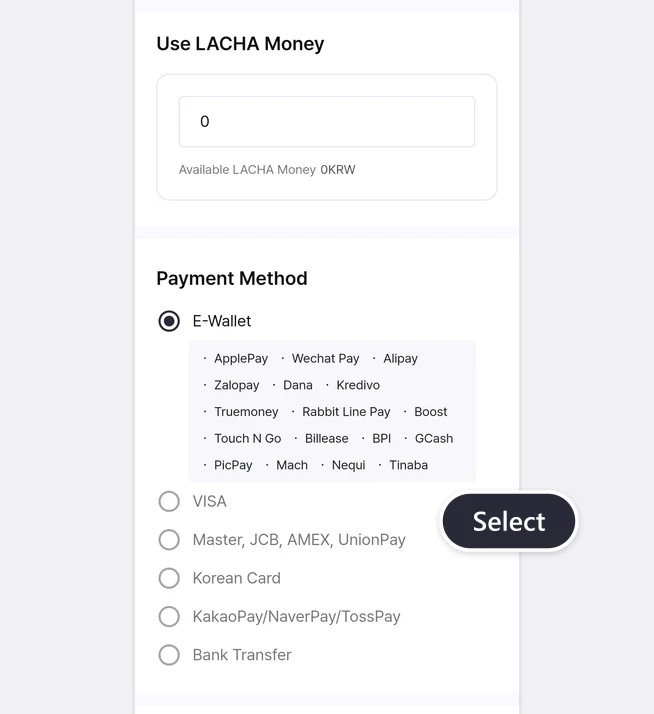
LACHA Money section and payment method list with E-Wallet, VISA, Master, JCB, AMEX, UnionPay, Korean card, KakaoPay, NaverPay, TossPay and bank transfer
If you have a LACHA Money balance, it will be used first. Then choose a payment method for the remaining amount.

Agree to the terms and confirm your booking
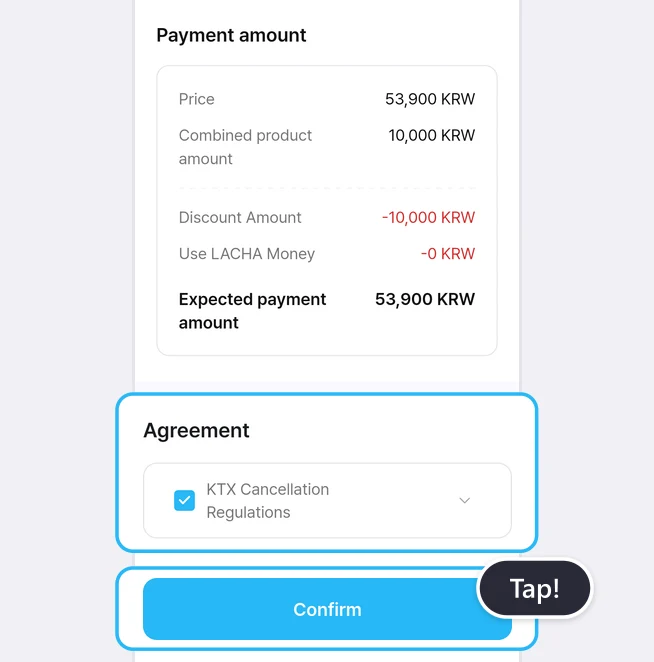
Payment amount summary, the Agreement checkbox for KTX Cancellation Regulations and the Confirm button highlighted
Check the final amount, agree to the terms and conditions, then tap [Confirm] to proceed with payment.
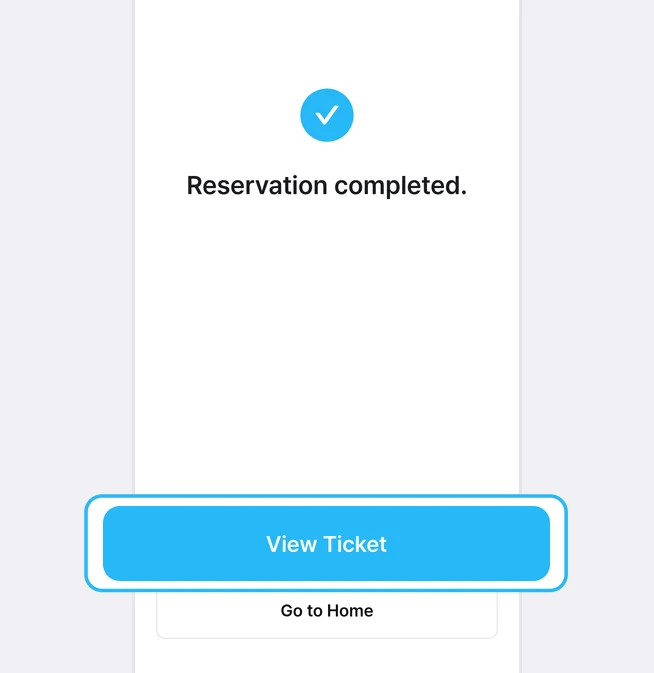
Reservation completed screen with the View Ticket button highlighted
Once payment is complete, you can view your ticket right away.

Check your order details and ticket

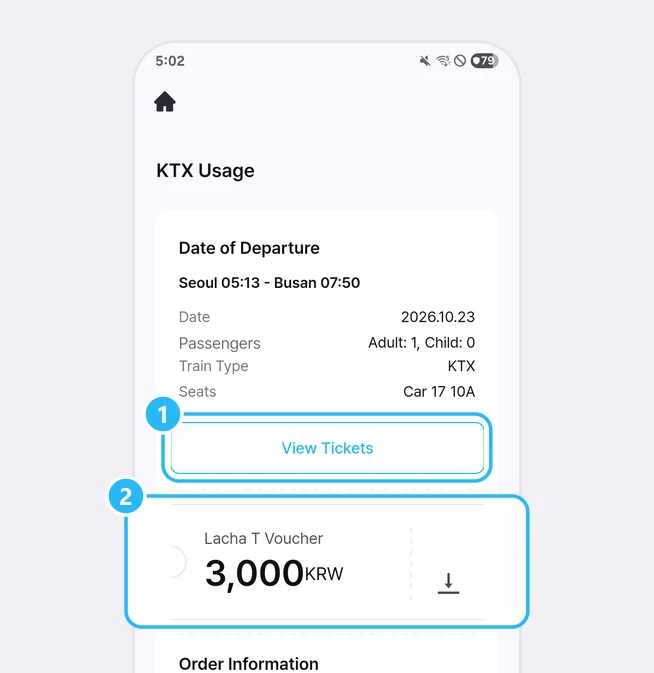
KTX Usage order details with the View Tickets button marked 1 and the Lacha T Voucher card marked 2
1. Tap [View Tickets] to see your QR code.
2. Tap the Lacha T Voucher to add the amount to your LACHA Money balance.
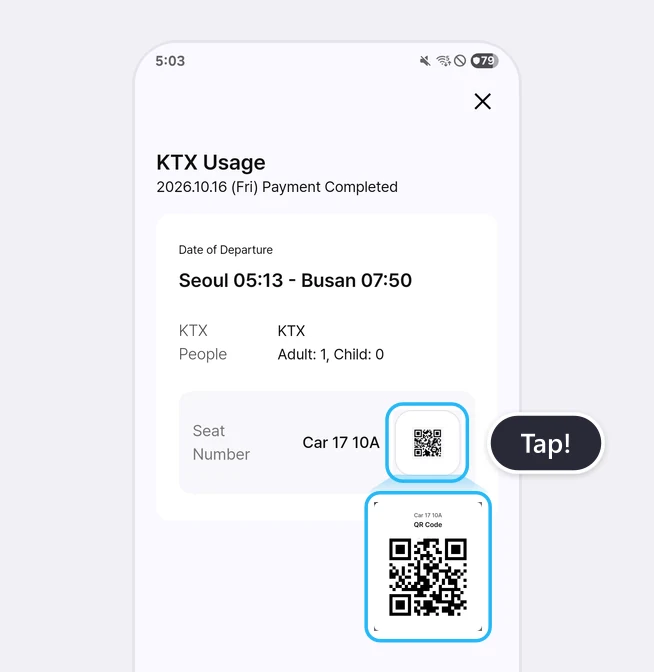
KTX ticket screen with the QR icon highlighted and the QR code enlarged
When your ticket is checked on board the KTX, simply show this screen to the train staff.

How to view your ticket again

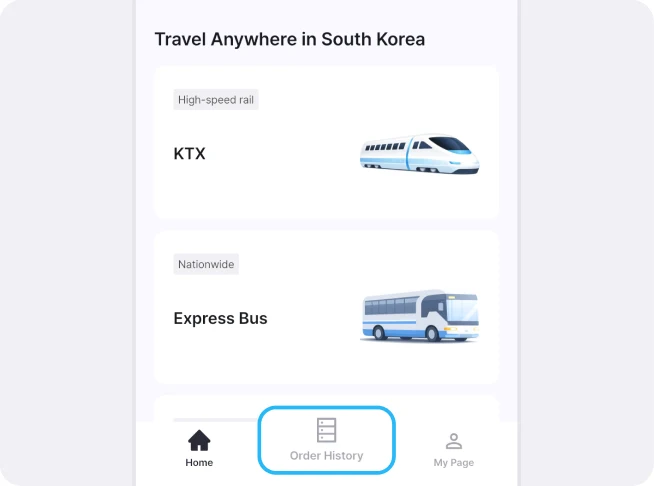
Home screen bottom navigation bar with the Order History tab highlighted
Go to the Order History tab in the bottom navigation bar.
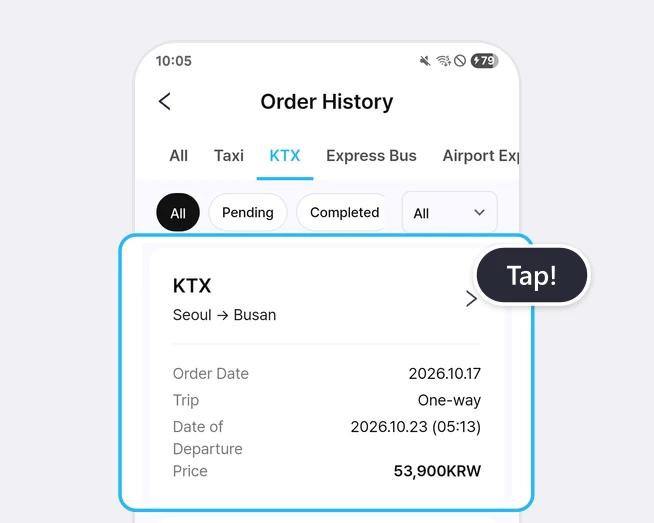
Order History list with a KTX Seoul to Busan order card highlighted and a Tap! label
You can review your booking details and open your ticket again.

At a glance

Use the KTX card on the Home screen to choose stations, date and passengers, find a train, pick seats, enter booker and passenger details, and pay. When payment is finished, your QR ticket appears in the app. Cancellation fees and the Lacha T Voucher are explained in the detailed article below.

Based on app screens from August to October 2026

What is the LACHA app?

The LACHA app (Lacha App) is a transport booking and payment app for foreigners living in or visiting Korea. You can call a taxi (including 5/6-seat vans) and book KTX trains, express buses and AREX airport rail tickets in one app, and pay with LACHA Money that you recharge using an international card or e-wallet. The app screen can be switched between 8 languages.

Read the full introduction to the LACHA app

Get the LACHA app