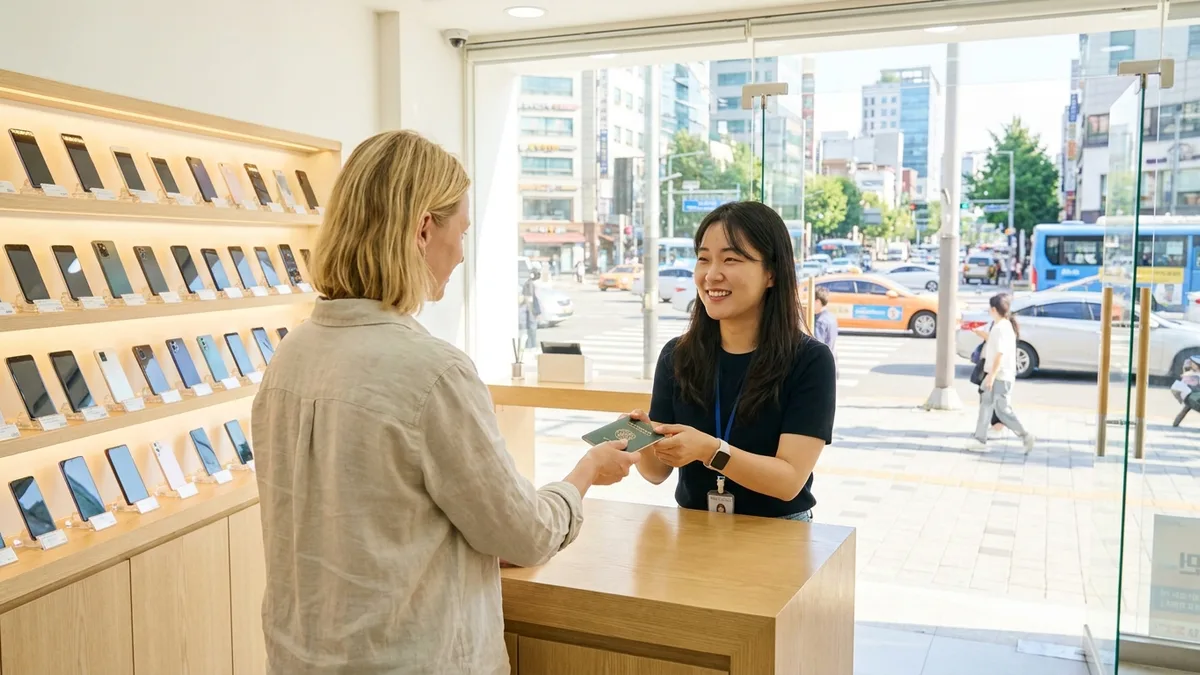
In Korea, a single Alien Registration Card or passport is enough to open a mobile phone line. If your ID or a copy of it ends up in someone else's hands, a number can be created in your name and you may never find out. In September 2025, the Gyeonggi Bukbu Provincial Police Agency announced that it had arrested 71 people who opened 11,353 budget-carrier (MVNO, 알뜰폰) prepaid SIMs without permission using illegally collected copies of foreigners' passports, and news reports said most of the passport holders were Southeast Asian nationals who didn't know SIMs had been opened in their names. According to Korean National Police Agency figures, 73.3% of the 97,399 burner phones (대포폰) caught in 2024 were in foreigners' names, and in 2025 the number dropped sharply to 20,302 (14.7% in foreigners' names).
You can look up every line opened in your name at once, free of charge, on M-Safer (엠세이퍼, www.msafer.or.kr), run by the Korea Association for ICT Promotion (KAIT), and you can block anyone from opening new lines in your name ahead of time (Article 32-6 of the Telecommunications Business Act). The catch is that you can only log in to the website with a joint certificate (공동인증서) or a financial certificate (금융인증서), and the lookup screens are only in Korean. Even without a certificate, though, you can still set up a sign-up block by taking your Alien Registration Card to a single carrier store, so don't put it off just because you lack the means.
Starting November 20, 2026, a sign-up block is set to be included by default when you sign a phone contract (scheduled to take effect, and you can refuse it). This system blocks lines that would be opened in the future, so any line already open in your name only comes to light if you look it up yourself now. Ask 1670-1382 whether lines opened with only a passport show up in the lookup.
Note: The laws below were checked against the original texts on the National Law Information Center, the M-Safer information against the official site, and the carrier terms against KT's 5G Service Terms of Use (October 2026 edition), all as of October 21, 2026. We couldn't check the current original terms of SK Telecom and LG U+, so the details about carrier terms are based on KT.
What M-Safer Can Do and the Routes Open to Foreigners
M-Safer is a free service based on the Telecommunications Business Act. Sign-up notifications come without a separate application, and you apply for the rest on the website or in an app. You can also apply for a sign-up block at a carrier store.
| Service | What it does | Separate application |
|---|---|---|
| Sign-up notification (가입사실 알림) | When a new line is opened in your name or an existing line is transferred into your name, the carrier lets you know by text. If you don't have a phone in your name, a registered letter goes to the address on your resident registration record | Not needed |
| Subscription status lookup (가입사실현황조회) | Shows all lines opened in your name as of the day you check | Log in when you check |
| Sign-up block (가입제한) | Blocks new lines, number porting, device changes, and ownership transfers in advance. Once you lift it, lines can be opened again | Needed |
| Email notification (이메일 안내) | Notifies you of new lines at an email address you've registered and verified in advance | Needed |
Covered services are mobile phone, landline, wireless internet, high-speed internet, internet phone, and broadcasting services. The law says the registered letter for sign-up notifications goes to the address on your resident registration record, but foreigners don't have a resident registration record, so it's unclear where this letter goes. If you don't have a number in your name to receive texts, setting up email notifications is one option. That said, the only way listed for applying for email notifications is logging in to the website with a certificate.
The routes open to foreigners depend on what you have.
| Route | Lookup | Sign-up block | What you need |
|---|---|---|---|
| M-Safer website (PC) | Yes | Apply and lift | Joint or financial certificate, PC security module |
| PASS app, KakaoBank app | Menu exists (we couldn't confirm the conditions for foreigners) | Application menu exists (we couldn't confirm lifting it in the app) | In-app identity verification |
| Carrier branch, directly run store, or plaza | Couldn't confirm | Apply for a blanket mobile phone sign-up block | ID (Alien Registration Card) |
| KAIT in person (111 Yeoksam-ro, Gangnam-gu, Seoul) | Apply for a subscription status lookup | Not available | Call 1670-1382 first |
If you have a certificate, see the 'M-Safer Web Lookup' section right below first; if you don't, start with the 'Without a Certificate, Start with a Sign-up Block at a Carrier Store' section. If you only have a passport because you haven't received your Alien Registration Card yet, call 1670-1382 first.
You can't apply for a lookup or a sign-up block by phone, email, e-People (국민신문고), or the website's inquiry form. On the website, the subscription status lookup works 24 hours a day and the sign-up block from 09:00 to 22:00, and both pause briefly during system maintenance. If a lookup doesn't work, check the website's notices for a maintenance announcement first.
Caution: M-Safer's only official address is www.msafer.or.kr. Spoofed texts have gone around with the line '서울 A모바일 고객님 명의로 휴대폰 개통완료 [엠세이퍼]' (a phone has been opened in your name at Seoul A Mobile [M-Safer]) followed by look-alike addresses such as msafer-kr.com. Don't tap the link; call the M-Safer counseling center at 1670-1382 directly.
M-Safer Web Lookup: You Need a Certificate First
The login screen only has two buttons, 'joint certificate' (공동인증서) and 'financial certificate' (금융인증서). The personal information consent items include the alien registration number, so the service is built for foreigners to use too, and M-Safer also keeps a separate guide (PDF) on issuing certificates for minors and foreigners. Here are the conditions that guide lists for foreigners.
| Certificate | Eligibility | How to get it |
|---|---|---|
| Joint certificate | Foreigners with an Alien Registration Card or a Domestic Residence Report Card (국내거소신고증) | Take your ID and documents to a bank, have a teller verify your identity, apply for issuance while signing up for internet banking, and then download it |
| Financial certificate | Foreigners who meet the above and also have an account at the bank issuing it | Get it from that bank's certificate center after agreeing to the terms and completing extra identity verification |
Both rows come with the caveat that 'some institutions may restrict issuance to foreigners, so be sure to check in advance.' Ask your bank first. The same guide says anyone staying in Korea for 90 days or more must get an Alien Registration Card after entering. The issuance process is in our Alien Registration Card application and issuance guide.
Once your certificate is ready, follow these steps on a PC.
- Go to www.msafer.or.kr in a PC browser. The English site only has an introduction page, so clicking a lookup button takes you to the Korean screens.
- Click 가입사실현황조회 (Subscription status lookup) and the login screen opens. If a window pops up asking you to install the authentication module (AnySign), install it.
- Log in with your financial or joint certificate and agree to the processing of your unique identification information (alien registration number).
- Check the list of lines in your name as of that day. If there's a line you don't recognize, move on to the suspension and reporting steps below.
- To block new lines, apply from the sign-up block (가입제한) menu on the same website. You also apply for email notifications on the website.
On the web, people tend to get stuck at certificate login and the security module. When M-Safer announced login outages for general-purpose joint certificates on September 22, 2025 and April 16, 2026, it told users to try a financial certificate first (the April outage was fixed the next day), and said its Customer Satisfaction Team (1644-0128) would help remotely if you have to use a joint certificate. Only accept remote support when you've called the number posted in the notice on www.msafer.or.kr yourself. If a call or text that came to you first asks you to install a remote-access app, don't go along with it; just hang up. In January and February 2026, M-Safer posted instructions for installing AnySign manually when installation errors occur. The screens are only in Korean, so find the menus by matching the bold menu names above against what your translation app shows.
Checking with the PASS App or KakaoBank App
The apps have an M-Safer menu, but it hasn't been confirmed whether foreigners can use it. If identity verification gets blocked in the app, take the store route below. M-Safer has been available inside phone apps since October 2023, and these are the routes M-Safer's notice gives.
| App | Menu path | What you can do |
|---|---|---|
| PASS app | 전체메뉴 (Full menu) > 본인확인 (Identity verification, with consent to processing unique identification information) > 가입사실현황조회 (Subscription status lookup) > 가입제한서비스 설정 (Sign-up block settings) | Lookup, setting a sign-up block (we couldn't confirm whether you can lift it in the app) |
| KakaoBank app | 전체 (All) > 인증/보안 (Authentication/Security) > 명의도용방지서비스 (Identity theft prevention service) | Lookup, applying for a sign-up block |
In the PASS app, the menu location can vary by carrier, and for questions, call 114 from that phone.
Where foreigners get stuck is the in-app identity verification. LG U+'s site for foreigners says a traveler SIM with voice and texts works for text verification when signing up for restaurant and taxi booking apps, but not for identity verification for banks and government offices, and that a data-only SIM doesn't even work for text verification. The time you most need to check is before you get your Alien Registration Card, when you only have lines opened with your passport, and that's exactly when the app route may be blocked. It's also unclear whether you can set a sign-up block at a store with only a passport, so during this period, start by asking the M-Safer counseling center what you can do with a passport.
On October 12, 2026, KakaoBank launched a service for foreigners living in Korea. Simplified account opening is for people aged 19 or older from about 200 nationalities, with English, Chinese, and Vietnamese supported first. However, there's no announcement saying that opening an account also opens the 'identity theft prevention service' (명의도용방지서비스) menu to foreign customers. What you can and can't do without an Alien Registration Card is covered separately in What works and what doesn't without an ARC.
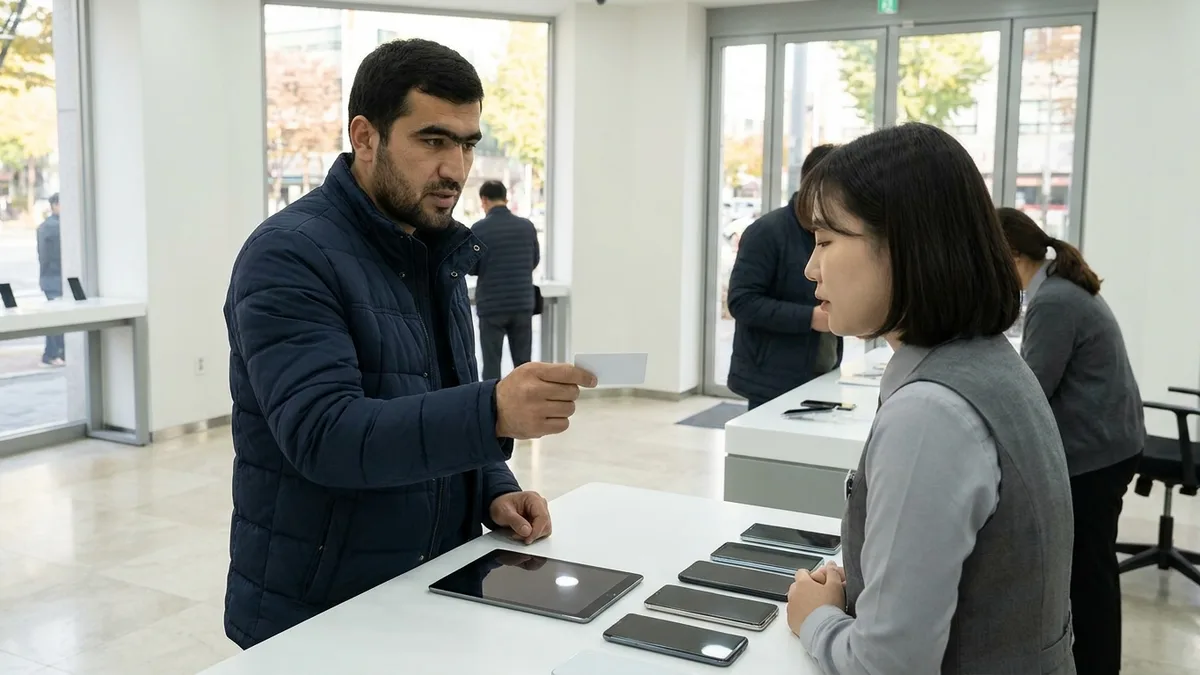
Without a Certificate, Start with a Sign-up Block at a Carrier Store
According to M-Safer's notice, you can apply for a sign-up block by taking your ID to a branch, directly run store, or plaza, which are where carriers take identity theft reports. It says visiting just one mobile carrier branch registers a blanket mobile phone sign-up block (일괄 이동전화 가입제한). These can be hard to tell apart from the phone shops on the street, so before you go, ask that carrier's customer center where the nearest branch, directly run store, or plaza is and whether you can apply for a sign-up block there. Foreigners should bring their Alien Registration Card. To see the list of lines in your name, use the M-Safer website or app, or the in-person KAIT route below.
If you're stuck for words, show the staff the sentences below.
- "제 명의로 이동전화 가입제한을 신청하고 싶습니다." (I'd like to block new mobile phone sign-ups under my name.)
- "가입제한을 해제하고 새로 개통하려고 합니다." (I'd like to lift the sign-up block and open a new line.)
For lookups, you can also go to KAIT in person and apply. M-Safer's introduction page says you can apply for a subscription status lookup by visiting the association, and asks you to check by calling its main number before you visit. Only the subscription status lookup is available in person; other services can't be applied for by visiting. We only confirmed this route on M-Safer's introduction page, so be sure to call before you go.
| Item | Details |
|---|---|
| Address | 9F, KAIT Building, 111 Yeoksam-ro, Gangnam-gu, Seoul (서울시 강남구 역삼로 111 한국정보통신진흥협회빌딩 9층) |
| Phone | 1670-1382 (counseling center for preventing fraudulent sign-ups and identity theft) |
| Hours | Weekdays 09:00-18:00, lunch break 12:00-13:00 |
| msafer@kait.or.kr |
Once a sign-up block is in place, it also stops you from opening a line when you buy a new phone yourself. You can lift it on the M-Safer website (certificate login) or by going to a store of the carrier you want to open a line with. Keep this in mind before you go shopping for a new phone. According to M-Safer's notice, here's where to go to lift it in person.
| Carrier you'll open a line with | Store to go to for lifting it |
|---|---|
| SK Telecom | SK Telecom branch |
| KT, KT budget carriers (MVNOs) | KT Plaza |
| LG U+, LG U+ budget carriers (MVNOs) | LG U+ directly run store |
If you have a certificate, you can also lift it on the M-Safer website. The SK Telecom row in M-Safer's notice doesn't mention budget carriers. For budget carriers that run on SK Telecom's network, ask 1670-1382 where to lift the block.
Found a Line You Don't Recognize? From Suspension to Reporting
If your lookup shows a line you didn't open, follow the steps laid out by M-Safer's Telecom Dispute Mediation Center (통신민원조정센터). M-Safer says that if you suspect identity theft, you should apply for a suspension right away and be sure to set a password so the person who stole your identity can't lift it.
| Step | What to do | Where |
|---|---|---|
| 1 | Confirm whether that line was actually opened | That carrier's customer center |
| 2 | Apply for a suspension right away and set a password for lifting the suspension | That carrier (customer center or branch) |
| 3 | Go in person with your ID, fill out an identity theft investigation (investigation request) form, and consent to the use of your personal information | Carrier branch (or customer support office) |
| 4 | The carrier investigates the store that opened the line and the actual user, tells you the result, and cancels the line on its own authority if it was identity theft | Carrier |
| 5 | If your report is dismissed or returned, apply for mediation (free) | Telecom Dispute Mediation Center 080-3472-119 |
| 6 | If there's evidence of who stole your identity, file a criminal complaint | Local police station (coordinate via 182 before visiting), Cyber Crime Reporting System. If it's urgent, such as when you're being threatened, call 112 |
Carrier customer center numbers, per each company's official page, are below. 114 is the number you call from a phone on that carrier.
| Carrier | Free | Paid |
|---|---|---|
| SK Telecom | 114, 080-011-6000 | 1599-0011 |
| KT | 114 | 1588-0010 |
| LG U+ | 114 | 1544-0010 |
KT's official page lists its mobile inquiry hours as weekdays 09:00-18:00.
If the fact-finding investigation confirms identity theft, the overdue bills charged to you and any credit penalties are cleared. If the carrier doesn't accept your report, apply for mediation at the Telecom Dispute Mediation Center. Participating providers are SK Telecom, KT, LG U+, SK Broadband, and 39 budget carriers, and it takes about 15 days to reach a first mediation decision, plus about 15 more days for a deliberation committee decision if you file an objection. It's free, and you can apply online, by fax (02-580-0769), or in person. If you suspect a budget-carrier line, ask both the Ministry of Science and ICT CS Center (1335, no area code needed) and 080-3472-119.
If evidence turns up, such as the actual user's name, ID number, address, or auto-debit bank account, the victim or the carrier can file a complaint with the local police station. The Korean National Police Agency's Cyber Crime Reporting System (ecrm.police.go.kr) has English, Japanese, and Chinese menus and lists its civil complaint counseling line 182 (paid) as open 24 hours a day, 365 days a year. The Police Civil Service 24 (경찰민원24) screen lists the same 182 as weekdays 09:00-18:00, so if you plan to call at night, check first that it connects. If you want to go to a police station in person, it advises coordinating through 182 first.
There's one more thing to watch out for. If it turns out you lent your name to an acquaintance, the carrier can dismiss your identity theft report, and M-Safer says the unpaid charges may then be billed to you as the account holder. Filing a false report to dodge bills after using the line yourself can lead to disadvantages when you use telecom services later.
Penalties for Handing Over or Selling Your SIM or Phone to Someone Else
Before heading home, some people hand the SIM they've been using to someone they know, or sell their name to someone offering to buy it. In August 2025, Chosun Biz reported that distributors were buying passports and Alien Registration Cards from foreigners for about ₩30,000 and selling burner phones for prices in the ₩300,000s. Job offers or agency services that ask you to hand over your Alien Registration Card or passport are covered in more detail in our job scam and illegal broker guide. Korean law punishes the person who hands over their name and the person who makes money from that name under different provisions.
| What you do | Legal basis | Statutory penalty |
|---|---|---|
| Handing over your line (SIM or phone) for someone else to use for their communications | Violation of Article 30 of the Telecommunications Business Act, Article 97, Item 7 | Up to 1 year in prison or a criminal fine of up to ₩50 million |
| Handing over your Alien Registration Card knowing it will be used improperly | Immigration Act Article 33-3, Item 4; Article 94, Item 19 | Up to 3 years in prison or a criminal fine of up to ₩30 million |
| Opening and using a phone in someone else's name as a condition for lending money, or soliciting or advertising such contracts; opening a phone in someone else's name to use for crime | Telecommunications Business Act Article 32-4(1), Article 95-2 | Up to 3 years in prison or a criminal fine of up to ₩100 million |
The third row is aimed at the operators of so-called '휴대폰깡' and '내구제' loans (schemes that pay cash for phone contracts), the recruiters who solicit, arrange, broker, or advertise such contracts, and people who open lines in other people's names to use for things like running gambling operations, fraud, or arranging prostitution. In this table, the rows that apply directly to you as the person who handed over your name are the first and second. The penalty in the first row stays the same in the amended law scheduled to take effect on November 20, 2026.
This provision doesn't stop you from letting the person next to you make a call or two. Item 4 of the proviso to Article 30 makes an exception for when a user lets a third party use the line 'to a degree that isn't repeated.' However, handing over the SIM or phone itself so that person keeps using it is hard to count as this exception.
Tourist SIMs bought with a passport work the same way. Prepaid lines are opened with a passport or Alien Registration Card (KT terms, Appendix 2), so they're opened in that passport holder's name. Article 30 targets the act of giving a line to someone else for their communications rather than whose name it's in, so there's no basis for saying it's fine to hand one over just because it's a tourist SIM. The steps for buying a SIM at the airport are in our airport SIM and eSIM guide.
Beyond criminal penalties, some disadvantages stick with you. The unpaid charges point comes from M-Safer's guidance, and the rest from KT's terms.
- Unpaid charges: If it turns out you lent your name, your identity theft report gets dismissed and the unpaid charges may be billed to you as the account holder.
- Service suspension: KT's terms say it can suspend service if you violate Article 30 (Article 13).
- Refusal of your next line: If you've brokered, opened, or used a burner phone, or been punished for doing so, the carrier can restrict approval of your sign-up (Article 6).
- No phone-based loans: KT's terms also have a clause saying you must not give your phone and service to someone else to get money or an improper benefit, as with phone-based loans (Article 11(6)).
For how this could affect your status of stay or an extension review, ask the Immigration Contact Center (외국인종합안내센터) at 1345 (weekdays 09:00-22:00) first.
If you need to give your number to someone, the first step is to complete a formal ownership transfer (assignment and acceptance) at a store before you leave Korea. KT's terms, Article 14(5), say that even after it's confirmed a foreigner has left Korea for good, the person taking over the number can go in person to a branch or agency and apply to take over the right to use that number, following the requirements in Appendix 2 of the terms. However, if that person uses your line before the takeover is complete, it may fall under the first row of the table above (Article 30). SK Telecom's terms (2019 edition) have the same takeover clause.
Clearing Up Lines in Your Name Before You Leave Korea or Your Stay Expires
If you've applied for an extension of stay, submit the receipt you got to your carrier. If you don't, your phone may be suspended while the extension is under review. KT's Terms of Use, Article 13, allow it to suspend service when a foreign subscriber's legal period of stay has ended or the period of stay has passed after departure, while stating that submitting the receipt during an extension review can postpone the suspension and that the line can be terminated if the reason isn't resolved. An invalid alien registration number, or a change in information you gave at sign-up such as your nationality that you didn't report, are also grounds for suspension. SK Telecom's terms (2019 edition) also have a clause to the same effect.
Before you leave Korea, block and close the lines opened in your name. Reporting identity theft requires going to a branch in person with your ID, so it's practically hard to do once you've left.
| What to do | Why |
|---|---|
| Set a sign-up block | If someone opens a new line in your name after you leave, it's hard to go in and report it |
| Apply for email notifications | Once you leave, you won't have a Korean number to get sign-up texts (apply via certificate login) |
| Transfer ownership of any number you're leaving behind | Simply handing it over counts as lending your name, and the unpaid charges may be billed to you |
| Cancel lines you won't use | You have to pay charges up to the cancellation date right when you apply, and not paying can lead to penalties such as late fees or sign-up restrictions (KT terms, Article 16). Your number is used for text verification when wrapping up other things, so cancel it last |
Under KT's terms, you apply for cancellation by going to a store. Cancellations by phone, fax, or mail are only accepted by the customer center, and if you apply to cancel by phone yourself and prove your identity, you don't need to submit documents (Article 16). If you go through a representative or by fax or mail, the documents must arrive within 14 days of the application date; in the meantime, the line stays temporarily suspended, and if the documents don't arrive, the suspension is lifted and the line becomes active again.
If you plan to come back and want to keep your number, you can apply for a temporary suspension. Under KT's terms, Article 15, you can apply up to twice a year for up to 90 days each time, and these limits don't apply if you have a reason the company accepts, such as a long stay, and submit supporting documents. While the line is suspended because you're overseas, a roaming text-receiving feature can be added. If you don't apply to lift the suspension after the period ends, the line can be canceled after notice 7 days in advance, and if it's confirmed during the suspension that you've left Korea for good or your period of stay has passed, you'll need to go through the same identity verification as at sign-up to use it again.
Before you leave, ask 1670-1382 what you can do from overseas after departure. For the order of wrapping up everything, including bank accounts, insurance, and pension, before going home, follow our final 30-day settlement checklist before leaving Korea.
What Changed or Is Set to Change in 2026
| When | What changes | For foreigners |
|---|---|---|
| 2026-07-06 | Multi-factor identity verification such as facial recognition introduced at phone sign-up channels (new lines and number porting first) | It started without covering Alien Registration Cards and passports, since a system to verify them wasn't in place. According to July 2026 reports, it was expected to apply to Alien Registration Cards as early as the second half of 2026 and passport-based facial recognition in 2027 |
| 2026-10-01 | At sign-up, carriers inform you that others may not use the line, that giving it to someone can be punished, and that it can be used for crime (Telecommunications Business Act Article 32-4(4)) | This notice goes to every contracting party, so foreigners hear it at sign-up too |
| 2026-11-20 (scheduled) | A sign-up block is included by default with phone contracts; you're told in advance, can refuse it, and it's removed immediately whenever you ask to cancel it (Article 32-6(3) and (4) of the same act) | We couldn't confirm in an official notice (고시) whether it applies the same way to foreigner, prepaid, and passport-opened lines |
An interview article with a facial recognition company (September 2026) gave October 1 as the full launch date for facial recognition.
The November 20 amendment was promulgated on May 19, 2026 as Act No. 21652, and as of October 21, 2026, it hasn't taken effect yet. After it does, newly contracted lines may come with a sign-up block already in place by default, so when you switch carriers or open another line, first ask whether you need to lift it.
It also helps to know the sign-up limits. The number of new lines that can be opened in a foreigner's name is set lower than for Korean nationals, so if someone has opened lines with your Alien Registration Card or passport, you could be blocked when you try to open one yourself. The numbers differ slightly depending on the standard.
| Standard | Limit for foreigners | Source |
|---|---|---|
| Combined carrier standard (including budget carriers) | 2 lines within 180 days, prepaid and postpaid combined (3 lines for Korean nationals). To open more, check each carrier's policy | M-Safer notice (effective July 1, 2024, extending the period from 30 days to 180 days) |
| KT terms, Article 6, Item 15 | 2 lines under the combined standard, or 1 line if you submitted a passport as your document. More lines can be opened if you sign up in person at a directly run store designated by the company | KT 5G Service Terms of Use (October 2026 edition) |
| KT terms, Article 6, Item 8 | Beyond 1 line, additional lines only if you put down a security deposit or meet the company's preferred-customer criteria | Same terms |
| Government measures | Said it would tighten requirements for foreigners opening lines around a 'one line per person' principle | Reports of a June 30 announcement |
| News reports | Until the facial recognition system for Alien Registration Cards and passports is in place, foreigners get one line per person, with extra lines requiring a justification (the start date isn't in the article) | The Korea Herald, July 7 |
Ask the carrier you plan to sign up with which number currently applies at its stores. If you've hit the limit, first check M-Safer for lines you don't recognize and follow the reporting steps above. M-Safer says you can see the sign-up date of each line on Telecom Credit Information Joint Management (방송통신 신용정보 공동관리, www.credit.or.kr) after verifying your identity.
What to Check Before Handing Your ID to a Line-Opening Agent, and Where to Ask
If dealing with a Korean-language store feels like too much, you may end up looking for SIM activation agents in online communities. In August 2025, a Vietnamese-language community post described an international student who handed their ID to an agent advertising SIMs you could use right away without an Alien Registration Card and without registering in your own name; afterward, unexplained charges were taken out every month, and other SIMs were opened with that ID, to the point that the student got threatening texts.
When a line is opened properly, the carrier must verify that the ID is genuine through its fraudulent sign-up prevention system (Enforcement Decree of the Telecommunications Business Act, Article 37-7). The identity documents foreigners submit include the Alien Registration Card, Domestic Residence Report Card, and passport. Don't hand your ID or a copy of it to an individual you don't know, and open lines at an official carrier store. M-Safer lookups, sign-up blocks, and identity theft reports follow the same M-Safer guidance no matter which carrier the line is on. About the only thing that differs by carrier is which store you go to for lifting a sign-up block.
If the reason you were about to borrow someone else's number or hand your ID to an agent is the text verification you get when signing up for apps, there's another way for booking transportation. Based on LACHA's app screens as of August 2026, the required fields for sign-up are name, email, and password, with the phone number optional, so you can sign up without a Korean phone number. With the account you sign up for, you can call taxis and book KTX, express bus, and AREX (Airport Railroad) tickets.

Want Korea's transit and payments in one app — without a Korean phone number or bank account? Check out LACHA.
Built to work without a Korean phone number or bank account, with overseas payment methods like Alipay, WeChat Pay, and Apple Pay. Taxi hailing plus KTX, express bus, and airport railroad (AREX) booking — all in one app.
Up to 60% off Korea transit with a coupon (max ₩3,000): enter code at sign-up. KTX gets up to 18% off on top
Download now


With all three carriers, you can get support by calling 114 from a phone on that carrier. LG U+'s site for foreigners says foreigners living in Korea can also call 114 (U+ customers, free) or 080-851-1004 (non-U+ customers, free).
Here's where to ask, by situation.
| Situation | Contact | Good to know |
|---|---|---|
| How to use M-Safer lookups and sign-up blocks, in-person lookup at KAIT | 1670-1382 | Weekdays 09:00-18:00; you can also check suspicious spoofed texts here |
| M-Safer joint certificate login errors | Customer Satisfaction Team 1644-0128 | Remote support offered in login outage notices; accept it only on a call you placed yourself. It recommends trying a financial certificate first |
| When the carrier dismisses your identity theft report | Telecom Dispute Mediation Center 080-3472-119 | Free, about 15 days for the first mediation |
| When you suspect identity theft on a budget-carrier line | Ministry of Science and ICT CS Center 1335 | Contact it together with 080-3472-119 |
| When filing a complaint against the person who stole your identity | Local police station, Cyber Crime Reporting System (ecrm.police.go.kr) | Coordinate via 182 (paid) before visiting a police station; call 112 if urgent, such as when you're being threatened |
| Identity theft prevention guidance (chatbot) | Korea Internet & Security Agency (KISA) 118 | General personal information counseling weekdays 09:00-18:00, chatbot 24 hours |
| How handing over a SIM or lending your name may affect your stay | Immigration Contact Center 1345 | Weekdays 09:00-22:00; after 18:00, Korean, English, and Chinese |
Frequently Asked Questions (FAQ)
Q1. Which carrier is a Korean 010 number on? Can you tell the carrier from the number alone? A. You can't tell from the number. 010 is the Korean mobile prefix used by SK Telecom, KT, and LG U+ alike. To find out which company your line is with, call 114 from that phone or check with M-Safer's subscription status lookup.
Q2. Can foreigners use M-Safer (엠세이퍼) to look up phones in their name? A. Yes, but you need a certificate. The website login only works with a joint or financial certificate, and M-Safer is built to look things up by alien registration number. Foreigners get certificates at a bank with their Alien Registration Card (or Domestic Residence Report Card), but a financial certificate requires an account at that bank, and some institutions may restrict issuance to foreigners. The screens are only in Korean, and it hasn't been confirmed yet whether foreigners can use the PASS or KakaoBank app route.
Q3. I don't have a public (joint) certificate. Is there any way to check or block SIMs in my name? A. Blocking can be done at a store. Take your Alien Registration Card to any one carrier branch, directly run store, or plaza, and you can apply for a blanket mobile phone sign-up block. For lookups, you can apply in person at the Korea Association for ICT Promotion at 111 Yeoksam-ro, Gangnam-gu, Seoul, but M-Safer asks you to check with its main number 1670-1382 before coming, so call first. You can't apply for a lookup or a sign-up block by phone, email, or e-People (국민신문고).
Q4. Is a tourist SIM I bought with my passport in my name? Can I give it to someone else? A. A line opened with a passport is opened in that passport holder's name, and handing it over for someone else to use for their communications can be punishable. A violation of Article 30 of the Telecommunications Business Act carries up to 1 year in prison or a criminal fine of up to ₩50 million (Article 97, Item 7). Non-repeated use, such as letting someone next to you make a call or two, is an exception, but handing over the SIM or phone itself so that person keeps using it is hard to count as this exception. Ask 1670-1382 whether lines opened with only a passport show up in an M-Safer lookup.
Q5. I got a billing text for a number I never opened. Where do I report it? A. Report it to that line's carrier first. Confirm with the customer center whether the line was opened, right away apply for a suspension and set a password for lifting it, then go to a branch in person with your ID and fill out an identity theft report form. If the carrier dismisses it, apply for mediation at the Telecom Dispute Mediation Center (080-3472-119, free). If there's evidence of who stole your identity, file a complaint with the local police station (coordinate through 182 before visiting; call 112 if urgent, such as when you're being threatened). If the text has a link, don't tap it; check directly through the carrier's official number.
Note: This article is for general informational purposes. Rules and figures were checked as of October 21, 2026, against the original texts on the National Law Information Center (the current Telecommunications Business Act and the version scheduled to take effect on November 20, 2026, its Enforcement Decree, and the Immigration Act and its Enforcement Decree), the Korea Association for ICT Promotion's M-Safer and Telecom Dispute Mediation Center guidance and notices, KT's 5G Service Terms of Use (October 2026 edition) and SK Telecom's 5G Terms of Use (2019 edition), the three carriers' customer center pages, LG U+'s site for foreigners, the Korean National Police Agency's Cyber Crime Reporting System and Police Civil Service 24, the Korea Internet & Security Agency, the Ministry of Justice's Immigration Contact Center guidance, and news reports. We couldn't confirm the following, so we haven't stated them as fact: whether lines opened with only a passport show up in M-Safer lookups, the conditions for foreigners using M-Safer through the PASS or KakaoBank app, whether you can lift a sign-up block in the PASS app, a way to apply for email notifications without a certificate, whether you can set a sign-up block at a store with only a passport, whether carrier stores will look up every line in your name, the address used for sign-up notification registered letters sent to foreigners, whether email notifications and reporting from overseas are possible after departure, whether the November 20 default sign-up block applies the same way to foreigner and prepaid lines, whether one line per foreigner is applied at stores, and the current terms clauses of SK Telecom and LG U+. Systems and terms can change, so please double-check through each institution's official channels before using them. This article isn't legal advice.