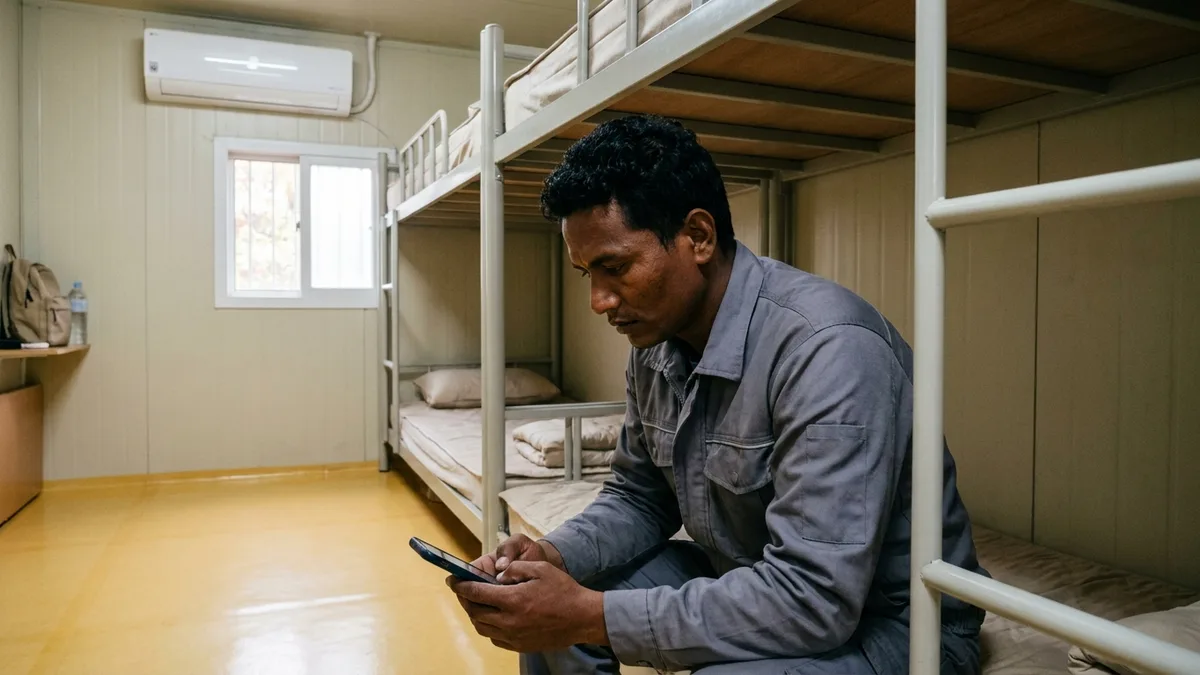
The '인증번호 받기' (Get verification code) button on Korean app sign-up screens may look the same everywhere, but what it actually checks comes in two kinds. One only checks whether you can receive a text at that number (in this article we'll call it text verification for short), and the other is mobile phone identity verification, carried out by identity verification agencies designated under the Network Act (for phones, the three major carriers). Mobile phone identity verification matches the details you enter, like your name and date of birth, against the carrier's subscriber records. All three carriers note verification limits in their guidance on SIMs and eSIMs for foreign travelers (KT: 'personal authentication is not available'; SK Telecom: 'receiving texts related to personal authentication services and payments is not possible'). Of the three, LG U+'s FAQ separates the two kinds of verification: for voice and text products, it says "SMS verification needed to sign up for restaurant and taxi booking apps is possible, but identity verification for banks and government offices is not." This difference is why the same 010 number can get you through sign-up on a taxi booking app and then stop you in a banking app.
People who got stuck describe similar symptoms. One question posted on the Japanese Q&A site Yahoo! Chiebukuro (Yahoo!知恵袋) on 2020-09-27 said the verification text arrived when signing up for Naver, but on a page that required adult verification, the text verification only showed a notice that the code had been sent, no text ever came, and after pressing the button several times a message appeared saying to try again later. An answer posted the same day explained that this verification only works with a mobile number contracted in Korea in your own name. Before you keep pressing the same button, first check which kind of verification the screen in front of you is and whether your line can pass it.
A list of services that work without a Korean number is in Services You Can Sign Up For and Pay With Without a Korean Phone Number, and what you can and can't do without an Alien Registration Card is covered separately in What Works and What Doesn't Without an ARC. For the steps to buy a SIM or eSIM at the airport, see the airport SIM and eSIM buying guide.
Note: The laws and the carrier and agency guidance below are based on the original texts as of 2026-10-21. Carriers' traveler product guidance changes often, so check each company's site again before you activate a line.
Korean Apps Ask for Two Kinds of Verification
Article 23-2(1) of the Network Act bars information and communications service providers from collecting or using users' resident registration numbers, with only a few exceptions, such as being designated as an identity verification agency. So when an app needs to confirm "who this person is," it doesn't take your resident registration number directly. Instead, it uses what paragraph 2 of the same article calls an "alternative means." The bodies that run those alternative means are the identity verification agencies designated by the Korea Media and Communications Commission (방송미디어통신위원회) under Article 23-3(1).
KISA's identity verification support portal lists four alternative means (i-PIN, mobile phone, credit card, and certificate) and states that there are 23 identity verification agencies as of June 2026. The 23 is the number of designated agencies, while there are 4 ways to verify. The portal says identity verification services are used for sign-up, account management, password recovery, and financial payments.
Text verification is different. A text with a verification code goes to the number you typed in the number field, and you're done once you type that code back in. It doesn't ask for your name or date of birth, only the number.
| Category | Text verification | Mobile phone identity verification |
|---|---|---|
| What it checks | Whether you can receive texts at that number | Whether the details you entered match the carrier's subscriber records, plus a text verification code |
| Input fields | Mobile number, the code you received | Carrier, mobile number, name, sex, date of birth, Korean national or foreigner, the code you received |
| Official guidance on the three carriers' traveler lines | LG U+ voice and text products: text verification for restaurant and taxi booking apps possible. KT and SK Telecom don't say | LG U+ 'identity verification for banks and government offices is not possible', KT 'personal authentication is not available', SK Telecom 'receiving texts related to personal authentication services and payments is not possible' |
The two kinds of verification can also show up separately within the same app. Because the uses of identity verification include password recovery and financial payments, an app may ask for mobile phone identity verification again when you link a payment method or recover your password, even if you finished sign-up with text verification. In an English-speaking traveler community, there's also a post (October 2022) from someone looking for a shared e-scooter company that works without identity verification, because the scooter apps required identity verification with an Alien Registration Number.
How to Tell the Two Apart on Screen
Don't just look at the '인증번호 받기' (Get verification code) button. Count the input fields above it. If there's only one field for the number, it's text verification, and if there's also a field to choose your carrier and a date-of-birth field, it's mobile phone identity verification.
| What you see on screen | Which verification it is |
|---|---|
| One mobile number field and '인증번호 받기' (Get verification code) | Text verification |
| A field to choose your '통신사' (carrier) from SKT, KT, LG U+, and 알뜰폰 (budget carrier) | Mobile phone identity verification |
| Name, date of birth, and sex fields | Mobile phone identity verification |
| A field to choose '내국인' (Korean national) or '외국인' (foreigner) | Mobile phone identity verification |
| Consent items such as collection and use of personal information for the '본인확인' (identity verification) service, or processing of unique identifying information | Mobile phone identity verification |
| A screen where you can also choose i-PIN, credit card, or certificate instead of a phone | The step where you pick one of the four identity verification methods |
The basis for this is in the carriers' consent forms. KT's consent form for its mobile phone identity verification service lists the information it collects as 'the mobile carrier the user subscribes to, mobile number, name, sex, date of birth, and Korean national/foreigner classification.' When these fields appear together on a screen, it means the app is going to send that information to the carrier to match it.
Once you've told them apart, what you do next differs. If it's text verification and the text doesn't arrive, first check whether your line is a product that can receive texts. LG U+ says SMS verification isn't possible on data-only products (see the table in the next section). If it's mobile phone identity verification, don't keep pressing the same button. Check whose name the line is in and what you entered. Identity verification includes a step that matches what you enter against the carrier's subscriber records, so if your line can't pass that match, you may get the same result no matter how many times you try.
Mobile Phone Identity Verification Uses Carrier Records and Your Alien Registration Number
In KISA's list of identity verification agencies, there are three mobile phone identity verification agencies: SK Telecom, KT, and LG U+. These three companies handle identity verification done by mobile phone.
KT's consent form for its mobile phone identity verification service (the one posted on Citibank Korea's website) lists as its purposes both 'sending user information to mobile carriers such as KT Corp. to verify identity and check whether the mobile phone information matches' and 'sending an SMS verification code to confirm the mobile phone user.' The Korea Credit Bureau common consent form on the same website has the same purposes. The consent forms don't say which step comes first, but they clearly include a step that matches against the carrier's subscriber records.
Once identity verification is complete, the app receives Connecting Information (CI) and Duplicate Sign-up Verification Information (DI). According to KISA's glossary, CI is information an identity verification agency creates from the user's resident registration number and secret information shared among the agencies, and DI is information used to check whether someone has signed up for the same site twice. All three carriers' consent forms say that, to create this CI and DI, the carrier passes the unique identifying information it holds to another identity verification agency.
| Carrier | Information passed on to create CI and DI (consent form wording) | Recipient | CI and DI retention |
|---|---|---|---|
| SK Telecom | 'users' resident registration numbers and Alien Registration Numbers held by the company' | NICE Information Service, SCI Information Service | 6 months after creation |
| KT | 'resident registration number (Korean nationals), Alien Registration Number (foreigners residing in Korea)' | Korea Credit Bureau, SCI Information Service | Destroyed immediately after creation |
| LG U+ | 'customers' resident registration numbers and Alien Registration Numbers held by the company' | NICE Information Service, SCI Information Service | 6 months after creation |
NICE Information Service (NICE평가정보) in the consent forms is the same company listed as 나이스평가정보 in KISA's list, and SCI Information Service (SCI평가정보) is the same company now called 서울평가정보.
None of the three consent forms lists a passport number among the items passed on. This means that when a foreigner goes through mobile phone identity verification, the CI the app receives comes from their Alien Registration Number. That structure helps explain why a line opened only with a passport gets stopped at bank and government verification. That said, the only places that put "a line opened with a passport can't do identity verification" in official wording are the carriers' traveler product guidance, which we'll look at in the "Verification Guidance for the Three Carriers' Foreign Traveler SIMs and eSIMs" section below.
The press has pointed out the same thing. The Korea Herald (2026-09-17) reported that many online services require the line to be registered under the same name and Alien Registration Number, and that numbers set up with a passport may not work with services that check identity using a resident registration number or Alien Registration Number.
This structure matters in the other direction too. Because CI is created from the registration number of the line's owner, if you do identity verification on someone else's phone, the account gets tied to the line owner's CI. The last section comes back to this risk.
How Far Your Line Gets You: Data-Only, Passport-Activated, and ARC-Name Lines
Even with the same 010 number, the result depends on how the line was opened. Putting together only the official guidance and confirmed cases, it looks like this.
| Line | Korean number | Text verification | Mobile phone identity verification |
|---|---|---|---|
| Home-country number on roaming, or a foreign number | None | Apps that require a 010 number won't finish sign-up (traveler cases) | Can't proceed |
| Data-only SIM or eSIM | Couldn't confirm official wording | LG U+ FAQ: 'SMS verification is not possible' | Fails at text verification already (per LG U+) |
| Traveler data + voice SIM or eSIM opened with a passport | 010 | LG U+: text verification for restaurant and taxi booking apps possible. KT and SK Telecom don't say | All three carriers note verification limits (the scope differs by each company's wording, see the table below) |
| Prepaid line opened with an Alien Registration Number | 010 | Works if the line can receive texts | Couldn't find official guidance, ask when you activate |
| Line activated in your own name with an Alien Registration Card | 010 | Works if the line can receive texts | Eligible for identity verification, since the carrier holds your Alien Registration Number for the line |
Let's start with having no Korean number at all. In an English-speaking traveler community, there's a post (August 2026) saying a delivery app required text verification with a 010 number to finish sign-up, and another (July 2026) from someone who was told by Coupang Eats customer service that an account can't be created without a Korean number. On a Taiwanese traveler board there's a post (2017) saying Kakao Taxi can only be used with Korean-number verification, and in a Vietnamese traveler group there's a post (June 2025) asking whether a Korean number is absolutely necessary for bookings. Ways to call a taxi without a Korean number are covered in How to Call a Taxi in Korea Without a Korean Phone.
LG U+'s guidance describes the limits of data-only products like this. Data-only plans give you internet but don't provide outgoing calls or texts, while data + voice plans support both outgoing and incoming calls and texts. A data-only eSIM can't have voice added by top-up after you buy it, so if you need voice, choose a data + voice eSIM from the start. Data + voice SIM cards are sold only at the airport. Whether a data-only product can receive texts is worded differently in the comparison table and the FAQ even within the same company, so if you need verification, it's safer to go by the FAQ and assume 'SMS verification is not possible.'
Both LG U+ and SK Telecom say receiving texts is free, and KT also says in its physical SIM guidance that receiving voice calls and texts within Korea is all free. With LG U+, texts sent to Korean numbers cost ₩55 each (₩165 if sent abroad), deducted from the voice credit you've topped up. All of this is only about charges. Whether you can receive verification texts is a separate question, so check each company's wording in the "Verification Guidance for the Three Carriers' Foreign Traveler SIMs and eSIMs" section below.
There can also be reasons you need to keep using your home number. One post by an Indonesian user describes a case where, even with a dual-SIM phone, the shop handed over the smallest SIM size, so the home SIM had to come out and had to be swapped back in for every bank transaction. If you receive verification texts on your home number, ask the shop before activating a Korean line whether you can keep your home SIM in.
There's a gap when it comes to prepaid lines opened with an Alien Registration Number. We couldn't find official guidance on whether prepaid lines from carriers or budget carriers (MVNOs) pass mobile phone identity verification. It may vary by carrier and product, so be sure to ask "Can this line be used for mobile phone identity verification?" when you activate it. The steps for opening a postpaid line with an Alien Registration Card are in Mobile Phone Activation and Plans for Foreigners in Korea.
Verification Guidance for the Three Carriers' Foreign Traveler SIMs and eSIMs
All three companies sell SIMs and eSIMs for foreign travelers, and each has written one line about verification. Laid side by side in the same format, it looks like this (original text on each company's site for foreigners as of 2026-10-21).
| Carrier | Official wording on verification | Conditions for using voice and texts | Name entry guidance |
|---|---|---|---|
| LG U+ | 'If you use voice/text services, SMS verification needed to sign up for restaurant and taxi booking apps is possible, but identity verification for banks and government offices is not possible', 'If you use data only, SMS verification is not possible' | Products with voice can be used after a passport check at the airport counter (Tour Pass guidance). For a data + voice eSIM, you must upload your own passport when you buy | Couldn't find separate guidance |
| KT | 'Personal authentication is not available on KT SIMs, and they can only be used in Korea' | After clearing Korean immigration, you must complete '본인확인(입국확인)' (identity check / entry confirmation) before you can make and receive calls and texts or top up voice credit | In capital letters, exactly as in your passport |
| SK Telecom | 'Receiving texts related to personal authentication services and payments is not possible' | After the 'passport information authenticity check', you can receive calls and texts. After topping up, you can make calls and send texts | Remove special characters and spaces when entering |
LG U+ is the only one that says text verification for restaurant and taxi booking apps works. KT and SK Telecom don't address that point. Not mentioning it means neither that it works nor that it doesn't, so we couldn't confirm whether general app text verification works with these two companies' products. The scope SK Telecom's wording blocks also only goes as far as 'receiving texts related to personal authentication services and payments.'
If you're buying from the English sites, here's the original English wording. KT writes 'KT eSIM does not support the personal authentication.', and SK Telecom writes 'Receiving text messages related to personal authentication services and payments is not possible.' LG U+'s English and Japanese FAQs say the same thing as the Korean version.
The most confusing part here is the procedures with similar names. KT's '본인확인(입국확인)' (identity check / entry confirmation) and SK Telecom's 'passport information authenticity check' are procedures in which the carrier checks your passport so you can use voice and texts on a traveler line. They're not the mobile phone identity verification that apps ask for. On the same screen that explains entry confirmation, KT separately notes that 'personal authentication is not available on KT SIMs.' Lotte Card's prepaid card for foreign tourists, CHECK iN SEOUL, also has 'passport verification' in its app. LG U+ sells this card together with its eSIM, and the U+ FAQ says this passport verification is for the card's identity check, and that if the passport checked when you pick up the product at U+ differs from the passport verified in the app, you may have trouble using it.
Check times and usage conditions also differ by company.
| Carrier | Passport check hours and location | Eligibility, period, and limits | Inquiries for foreigners |
|---|---|---|---|
| LG U+ | Airport 1F arrivals hall counters. Incheon T1 Gate F and T2 Gate 3 are open 24 hours, while Gimpo, Gimhae, and the other gates have set operating hours | Up to 3 SIMs per passport, couldn't confirm wording on a maximum period this time | 010-3998-1004 (free from a U+ phone), for foreigners living in Korea 114 (U+ customers, free) or 080-851-1004 (non-U+ customers, free) |
| KT | Online daily 08:00–22:00, otherwise at the airport roaming center. Vietnamese and Indonesian passports at the airport center only | For travelers visiting for 90 days or less, up to 90 days from the first activation date. Entry confirmation for only one rental number per passport, and cards issued in Korea can't be used for payment | +82-2-2190-0901 (free from a KT phone, press 6 for foreign languages, weekdays 09:00–18:00), question@kt.com |
| SK Telecom | Online daily 08:00–22:00, otherwise at the airport roaming center | Only for foreigners traveling for 90 days or less, and foreigners staying 91 days or more can't complete the passport information authenticity check (no incoming calls or texts until it's done). Dual nationals get data only | +82-2-6343-9000, 080-2525-011 (within Korea only), skroaming@sktelecom.com |
KT's and SK Telecom's traveler products can't be used with a South Korean passport (KT doesn't allow entry confirmation for one, and SK Telecom's are for foreigners only). SK Telecom's passport information authenticity check sends the passport details you enter to the Korea Association for ICT Promotion (KAIT) for a 'foreign ID authenticity check,' and KT says activation is restricted if your name, nationality, or passport number differs from your passport. Airport counter locations and how to choose a product are covered in detail in the airport SIM and eSIM buying guide.
KT's and SK Telecom's traveler products are both geared to visitors staying 90 days or less. SK Telecom's guidance says foreigners staying 91 days or more can't complete the passport information authenticity check, and incoming calls and texts only work once that check is done (data works whether or not you've done it). KT's product lasts up to 90 days from the first activation date. All three companies state verification limits on their traveler products, and the scope each one blocks differs (LG U+ 'identity verification for banks and government offices is not possible', KT 'personal authentication is not available', SK Telecom 'receiving texts related to personal authentication services and payments is not possible'). If you'll be in Korea for a long time, for example to study or work, check the length-of-stay conditions first even when buying a line to use until you get your Alien Registration Card, then open a separate line in your own name once you have it. That order also plans ahead for bank and government verification.
PASS, i-PIN, Credit Card, and Certificate: The Four Identity Verification Methods and Conditions for Foreigners
Some screens let you do identity verification with another method if the phone doesn't work. Here are the four methods and agencies KISA lists, along with what's been confirmed about conditions for foreigners.
| Method | Identity verification agencies (KISA list) | Confirmed conditions for foreigners |
|---|---|---|
| Mobile phone | SK Telecom, KT, LG U+ | PASS by SKT and PASS by U+ only on a phone in your own name. PASS by KT is also open to 'foreigners who can do mobile phone identity verification' |
| i-PIN | NICE Information Service, 서울평가정보, Korea Credit Bureau | Foreigners can use it too (NICE). The document for in-person issuance is an Alien Registration Card, and foreigners under 14 can't get one |
| Credit card | Samsung Card, Shinhan Card, Hyundai Card, NH NongHyup Card (the 4 visible on the list screen) | Only credit and debit cards in your own name (per Shinhan Card). Family, corporate, and prepaid cards not accepted. Couldn't confirm cards issued abroad |
| Certificate | Korea Financial Telecommunications & Clearings Institute (KFTC), Koscom, Korea Electronic Certification Authority, Korea Information Certificate Authority, KTNET, Viva Republica (Toss), KB Kookmin Bank, Hana Bank, KakaoBank, Shinhan Bank, Woori Bank, NongHyup Bank, IBK Industrial Bank of Korea | Conditions for foreigners to get one have to be checked separately with each agency |
PASS isn't a single app. Each carrier has its own (PASS by SKT, PASS by KT, and PASS by U+), and the usage conditions in their app store descriptions differ.
| App | Usage conditions in the app store description |
|---|---|
| PASS by SKT | Sign-up and use only on a phone in your own name. Budget carrier (MVNO) phones and corporate phones also work, but a corporate phone only after its actual user is registered at a dealer or through 114 |
| PASS by KT | KT mobile and KT MVNO customers aged 14 or older. 'Foreigners who can do mobile phone identity verification' and corporate customers signed up for the corporate-name identity verification service can also use it |
| PASS by U+ | Sign-up and use only on a phone in your own name. LG U+ corporate-name phones and MVNO phones also work, but MVNO (corporate) phones don't |
The PASS by SKT and PASS by U+ descriptions don't say anything separately about prepaid phones or foreigners. You also don't have to install a PASS app to do mobile phone identity verification. Because the carriers' consent forms include 'sending an SMS verification code' among their purposes, entering a code you received by text without the app is also mobile phone identity verification.
i-PIN is a method foreigners can use. NICE's i-PIN FAQ answers that foreigners can use i-PIN too, but notes that foreigners under 14 can't, because their relationship with a legal guardian can't be confirmed. An i-PIN can only be used in an individual's name, and as the verification result, the app receives CI, DI, your name, Korean national or foreigner status, sex, and date of birth. Validity is 1 year from sign-up for the ID and password type and 3 years for app-only accounts (3 years when extended through identity verification).
If you don't have a single identity verification method in your own name, you have to visit the customer center to get an i-PIN issued, and you'll need your Alien Registration Card for that too. It's an option for when you've received your Alien Registration Card but don't yet have a line in your own name.
| Item | In-person issuance at the NICE i-PIN customer center |
|---|---|
| Location | 6F, Annex Building, Korea Federation of SMEs, 30 Eunhaeng-ro, Yeongdeungpo-gu, Seoul |
| Hours | Weekdays 09:00–18:00 (lunch break 12:00–13:00) |
| Phone | 1600-1562 |
| Documents for foreigners aged 14 or older | The applicant's Alien Registration Card and an i-PIN service application form |
| Foreigners under 14 | Can't be issued |
The Ministry of the Interior and Safety stopped new issuance and validity extensions of public i-PIN in July 2018 and merged it into private i-PIN.
Credit card identity verification confirms who you are using the details of a credit or debit card issued in your own name. Under Shinhan Card's guidance, you enter the last 8 digits of your card number and your mobile number, then enter the first 2 digits of your card PIN on an ARS phone call. Cards not in your own name, family cards, corporate cards, and prepaid cards can't be used. This guidance says nothing about foreigners, so we couldn't confirm whether cards issued abroad work.
Banks and Toss are among the certificate agencies. For mobile bank sign-up conditions, see Toss and KakaoBank Sign-up for Foreigners and Opening a Bank Account in Korea as a Foreigner.
What to Check, in Order, When a Line in Your Own ARC Name Still Fails
If you opened a line in your own name with an Alien Registration Card and mobile phone identity verification still doesn't work, rule things out one at a time in this order.
- Look again at which verification the screen is. Check that it really is the mobile phone identity verification screen, and that you didn't tap a tab for another method like i-PIN or credit card.
- Check that you chose the carrier field correctly. If you use a budget carrier (MVNO), see whether the screen has a separate option for budget carriers. We couldn't find official guidance on which option to choose, but SK Telecom's consent form lists 'the mobile carrier and mobile brand subscribed to' as a separate item in the information it collects.
- Check that you chose '외국인' (foreigner). KT's consent form includes 'Korean national/foreigner classification' among the items it collects.
- Match the spelling of your name. Mobile phone identity verification matches the name you enter against the carrier's subscriber records. The English name on your Alien Registration Card and in the carrier's records may differ in spacing, capitalization, or special characters, so ask the carrier's customer center how your name is written in their records and enter it exactly that way. It isn't guidance on mobile phone identity verification, but the carriers also give separate warnings about name entry in their passport check and activation guidance for traveler products (SK Telecom says to remove special characters and spaces from your name, and KT says to enter it in capital letters exactly as in your passport).
- Check that your date of birth and sex match your Alien Registration Card.
- Check whether the line has been switched to your Alien Registration Number. If you first opened it with a passport and got your Alien Registration Card later, don't assume the line switched to your ARC name on its own. The Korea Herald (2026-09-17) advised asking your carrier whether you can re-register your current number under your ARC before applying for a new line. Whether you can keep the same number varies by carrier, and we couldn't confirm the three carriers' official procedures.
- If it's right after you got a new ARC or your status of stay changed, check with your carrier whether its subscriber records have been updated with your new information. We couldn't find official guidance on how long the update takes.
- If it's a phone in a family member's name, this checklist won't fix it. Mobile phone identity verification matches against the subscriber records of the line's owner (your family member), so your own name and date of birth won't match, and if you pass with your family member's details, the account gets tied to their name (see the "don't" list in the last section). If it's a phone in a company's (corporate) name, check the PASS conditions first. PASS by SKT only accepts corporate phones after the actual user is registered at a dealer or through 114, and PASS by U+ doesn't accept MVNO (corporate) phones.
If all of that checks out and it still doesn't work, ask that app's customer center whether it accepts other identity verification methods like i-PIN or a credit card. Trying the same screen many times in a short period can bring up a message telling you to try again later, so it's faster to fix one item and then try once.
Other Options When You Don't Have an ARC, and What Not to Do
Without an Alien Registration Card, you can't get an i-PIN issued in person, and the guidance says mobile phone identity verification doesn't work on the three carriers' traveler products either. Instead, services that verify your identity with a passport are starting to appear.
In early June 2026, Naver added passport verification for foreigners to Naver Map. Foreigners with a passport issued abroad can verify their identity on a smartphone through a passport authenticity check and face verification, without a Korean mobile number, and then use booking, ordering, and payment on Naver Map. Reports said the services it applies to would expand in stages, but we couldn't confirm how far it has expanded as of October 2026. Reports also differ by a day on the start date: June 4 or June 5.
Passport verification doesn't always work either. One user post (June 2026) says that in the passport verification of a prepaid transit and payment card app for tourists, the phone detected the passport chip but couldn't read it, and the topped-up balance got stuck. Assume that verification that reads a passport chip can fail depending on the device, and only top up or pay after verification is finished.
Once you get your Alien Registration Card, more methods open up.
| Available once you have an ARC | What it is | Conditions |
|---|---|---|
| Mobile phone identity verification on a line in your own name | CI is created from the Alien Registration Number the carrier holds and passed to the app | Activated in your own name with an Alien Registration Card |
| In-person i-PIN issuance | Issued at the customer center even if you have no identity verification method | Alien Registration Card, application form, aged 14 or older |
| Mobile Alien Registration Card | Issued since January 10, 2025, with the same legal effect as the physical card | Registered foreigners aged 14 or older, on only one smartphone in your own name |
| ARC authenticity check (non-face-to-face banking) | Since September 18, 2023, card information and photos sent by financial institutions are checked in real time against Ministry of Justice records | For non-face-to-face financial transactions, also covers permanent residence cards and domestic residence report cards |
If you have a new Alien Registration Card with an electronic chip (IC), you get the mobile card through the Ministry of the Interior and Safety's '모바일신분증' (Mobile ID) app. With an older card, you have to visit an immigration office and scan an identity verification QR code. A smartphone in your own name is a condition here too, so once you have your ARC, getting the line into your name first is the faster order. The ARC application process is in Alien Registration Card (ARC) Application and Issuance.
Activation procedures are also changing. The Ministry of Science and ICT said it would apply face verification at all activation counters from July 6, 2026, but application to foreigners was delayed, and it said it plans to roll it out to foreigners in stages in the second half of the year together with the Ministry of Justice. According to reports, ID photo authenticity checks are expected to come in for Alien Registration Cards in the second half of this year and for passports next year. We couldn't confirm whether or when these took effect, so ask at the store before you activate a line.
When you keep getting blocked, it's tempting to hand verification off to someone else. In an Indonesian community, there was even a post (June 2021) offering a fee to anyone who'd do Korean-number verification for them. Don't do any of the following.
- Getting identity verification with someone else's number or name: As covered earlier, CI is created from the line owner's registration number, so the account gets tied to that person's name. This can lead to violations of the service's terms or identity theft issues.
- Using verification code proxy or resale services: Verification goes through the proxy's line and name, so it's the same as signing up in someone else's name.
- Entering random numbers to see what happens: The verification text goes to a stranger's number, and verification doesn't complete either.
- Lending your line to someone else: Article 30 of the Telecommunications Business Act prohibits anyone from mediating others' communications through telecommunications services or providing them for others' communications, and a person who violates this by handing over their line for someone else's communications can face imprisonment of up to 1 year or a criminal fine of up to ₩50,000,000 under Article 97, Item 7. Item 4 of the proviso to Article 30 makes an exception for 'cases where a user lets a third party use it to a non-repetitive extent,' but handing over a line for someone to keep using can fall under this provision. On the borrowing side, too, if you do identity verification with that line, the account gets tied to the line owner's name (CI), as in the first item.
- Telling anyone a verification code you received: If you pass on a code, that person can sign up or pay using your number and name. Don't respond to anyone who offers to help you sign up and asks for your code, or who claims to be a carrier, bank, or courier and asks you to read out a number you got by text.
- Handing over your ID for a verification proxy, or opening a phone in your name and handing it over: If you send photos of your passport or Alien Registration Card when outsourcing verification, or accept an offer of money to activate a phone for someone, a line in your name can end up in someone else's hands and be used for crime. To look up lines opened in your name, see Checking Phones Opened in Your Name in Korea.
Caution: Article 32-4(4) of the Telecommunications Business Act, newly added on March 31, 2026 and in effect since October 1, requires carriers, when verifying identity at activation, to inform you of the restriction on use by others (Article 30), the fact that you can be punished under Article 97, Item 7, and the fact that a device given to someone else can be used as a tool for crime. That's why you'll hear this notice at the store when you activate a line.
Bank and government identity verification only opens up once you have an Alien Registration Card, but getting around is a different story. On the LACHA v1.2.33 sign-up screen on August 30, 2026, the required (*) fields were only name, email, and password (including confirmation), and the mobile number was an optional field without an asterisk. On that version, sign-up was completed without text verification or mobile phone identity verification, and with the account you sign up for, you book and pay for taxis, KTX, express buses, VANs, and the airport railroad (AREX) in the app. We didn't check this time which details are asked at the booking and payment steps. LACHA doesn't do bank, delivery, or shopping app verification for you. What LACHA handles is transportation booking and payment.

Want Korea's transit and payments in one app — without a Korean phone number or bank account? Check out LACHA.
Built to work without a Korean phone number or bank account, with overseas payment methods like Alipay, WeChat Pay, and Apple Pay. Taxi hailing plus KTX, express bus, and airport railroad (AREX) booking — all in one app.
Up to 60% off Korea transit with a coupon (max ₩3,000): enter code at sign-up. KTX gets up to 18% off on top
Download now


Frequently Asked Questions (FAQ)
Q1. Can I do identity verification with a Korean prepaid SIM (tourist SIM)? A. All three carriers officially note verification limits on their SIMs and eSIMs for foreign travelers (LG U+ 'identity verification for banks and government offices is not possible', KT 'personal authentication is not available', SK Telecom 'receiving texts related to personal authentication services and payments is not possible'). LG U+ says text verification for restaurant and taxi booking apps works on its voice and text products, while KT and SK Telecom don't address that point. On data-only products, even text verification doesn't work, according to LG U+. For a prepaid line opened with an Alien Registration Number, ask the carrier directly when you activate it.
Q2. I'm a foreigner and PASS verification keeps failing. Why? A. Mobile phone identity verification, including PASS, matches the carrier, name, date of birth, and other details you enter against the carrier's subscriber records, and the Connecting Information (CI) passed to the app is created from the Alien Registration Number the carrier holds. That's why it can be blocked for lines opened with a passport, lines in someone else's name, and cases where your name is spelled differently from the subscriber records. Check the carrier field, the '외국인' (foreigner) selection, the spacing and capitalization of your English name, and your date of birth, in that order. PASS by SKT and PASS by U+ state that they can only be used on a phone in your own name.
Q3. Can foreigners get an i-PIN? A. Yes. NICE's i-PIN FAQ answers that foreigners can use i-PIN too. However, foreigners under 14 can't get one, and if you visit the customer center because you have no identity verification method in your own name, you'll need your Alien Registration Card and an i-PIN service application form. The customer center is on the 6th floor of the Korea Federation of SMEs Annex Building, 30 Eunhaeng-ro, Yeongdeungpo-gu, Seoul, open weekdays 09:00–18:00 (lunch break 12:00–13:00), phone 1600-1562. Public i-PIN hasn't been newly issued since July 2018.
Q4. Once I get my Alien Registration Card, will the number I've been using work for identity verification? A. Getting an ARC doesn't automatically change whose name the line is in, so check with your carrier first. The Korea Herald (2026-09-17) advised not assuming your number transfers automatically, and asking your carrier whether you can re-register your current number under your ARC before applying for a new line. Whether you can keep the same number varies by carrier. KT traveler (e)SIMs last up to 90 days from the first activation date, so if it's a number you'll use long term, you'll need to set up a separate line in your ARC name.
Q5. I have neither an Alien Registration Card nor a Korean real-name number. Is there any way to get real-name verification? A. Mobile phone identity verification creates linking information from your Alien Registration Number, and in-person i-PIN issuance also requires an Alien Registration Card, so your options are narrow before you have an ARC. In the meantime, in early June 2026 Naver added 'passport verification' to Naver Map, which verifies your identity with a passport issued abroad and face verification, so you can use booking, ordering, and payment without a Korean mobile number (we couldn't confirm whether it has expanded to other Naver services). Don't borrow someone else's number or name or buy verification codes, since the account gets tied to that person's name and it can lead to terms-of-service violations or identity theft issues.
References: This article is for general information only. As of 2026-10-21, its contents were checked against the original texts on the National Law Information Center (Articles 23-2 and 23-3 of the Act on Promotion of Information and Communications Network Utilization and Information Protection, and Articles 30, 32-4, and 97 of the Telecommunications Business Act), the Korea Internet & Security Agency (KISA) identity verification support portal, the SK Telecom, KT, LG U+, and Korea Credit Bureau identity verification service consent forms posted on Citibank Korea's website, the LG U+, KT, and SK Telecom sites for foreigners, the App Store descriptions of the three PASS apps, NICE i-PIN, Shinhan Card's guidance, notices from the Korea Immigration Service of the Ministry of Justice, and reporting by The Korea Herald, Asia Economy, Electronic Times, Nocut News, Herald Economy, EBN, SBS Biz, and iNews24. Traveler cases come from user posts and are presented only as individual experiences. We couldn't confirm the following, so we haven't stated them as fact: mobile phone identity verification on prepaid lines opened with an Alien Registration Number, the procedure for moving a number opened with a passport to your ARC name and keeping it, the number and incoming texts on LG U+ data-only products, general app text verification on KT and SK Telecom traveler products, which carrier option budget carrier (MVNO) users should choose, how long carrier records take to update after an ARC renewal, credit card identity verification with cards issued abroad, the current scope of Naver's passport verification, the start date of stricter activation requirements for foreigners, and the sign-up screen of the latest LACHA app version and the details asked at its booking and payment steps. LACHA's sign-up fields are based on the 2026-08-30 v1.2.33 screen. Carrier products and systems can change, so please check each organization's official channels again before using them. This article is not legal advice.