The data plans Korea's three carriers sell to foreign travelers are priced almost the same. On each carrier's official site for foreigners as of October 21, 2026, LTE eSIMs cost ₩6,500 for 1 day, ₩27,500 for 5 days, and ₩38,500 for 10 days at all three carriers, and a pocket Wi-Fi rented at the airport costs ₩4,400 a day at all three (only SK Telecom has a separate online booking rate of ₩3,300). So the cost and hassle come down less to which carrier you pick than to which method you pick.
What usually decides the method is your phone and your itinerary. If your phone has a carrier lock (also called a country lock), SIMs and eSIMs from all three carriers are blocked, and according to LG U+, data-only products can't receive text-message verification on a Korean number. A pocket Wi-Fi has to be returned to an airport counter before you leave, and the only return locations listed on the carriers' official pages are Incheon, Gimpo, and Gimhae airports (plus the Busan Port International Passenger Terminal for KT).
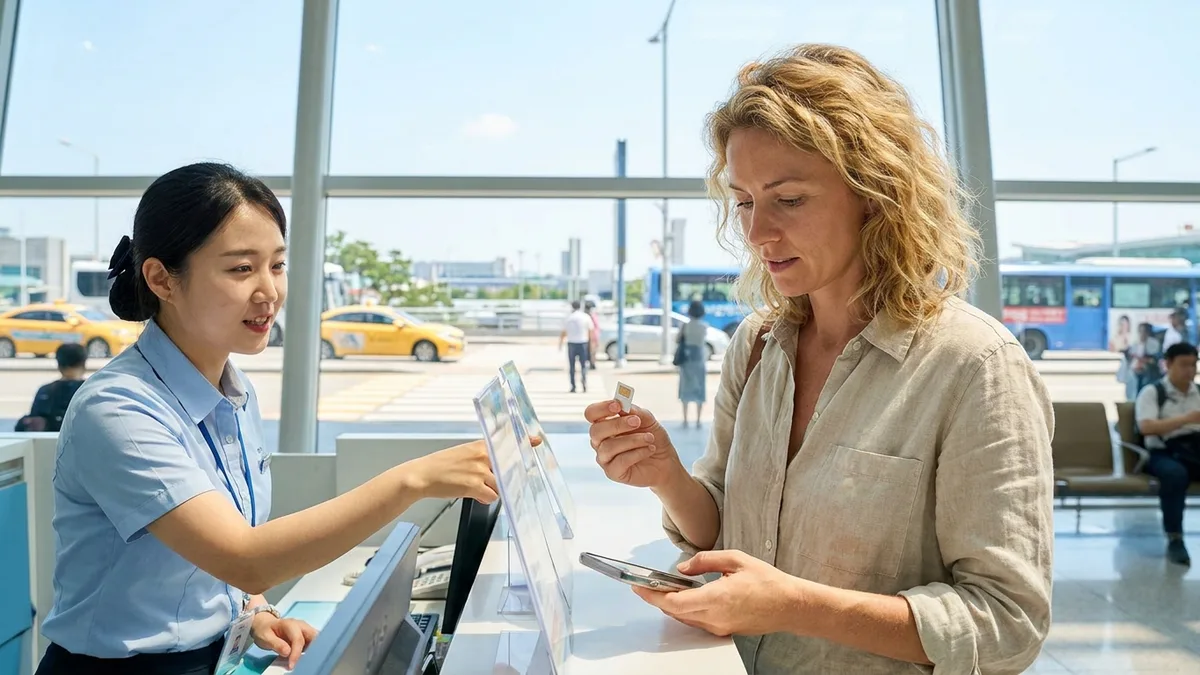
The steps for buying and setting up a SIM or eSIM at an airport counter are covered separately in How to Buy a SIM or eSIM at the Airport. This article covers the step before that: deciding what to buy, starting with checking your phone.
Note: The rates and conditions below were checked against the official sites for foreigners of KT, LG U+, and SK Telecom and the original texts on the National Law Information Center as of 2026-10-21. Rates and limited-time perks can change, so check each carrier's page again before you book.
Before You Choose: Check Your Phone for eSIM Support, Carrier Lock, and Whether You Need a Korean Number
Check your phone before you look at any price table. Depending on your phone, the methods you can choose from narrow down right from the start.
| What to check | How to check | If not, what's left |
|---|---|---|
| eSIM support | Dial *#06# on the keypad, and if an EID shows up, you can use eSIM (per LG U+) |
Physical SIM, pocket Wi-Fi, home-carrier roaming |
| Carrier lock (country lock) removed | Ask the home-country carrier you bought the phone from whether it's unlocked | Pocket Wi-Fi, home-carrier roaming |
| Whether you need text verification with a Korean number | See whether the apps you'll use in Korea require text verification with a Korean number to sign up | If you do, a SIM or eSIM that includes voice and texts |
Google Pixel, Motorola, and OPPO phones can't use LG U+'s eSIM. KT's and SK Telecom's pages don't carry the same device restriction notice, so if you have one of these models, check whether it's supported on those two carriers' purchase screens first.
If your iPhone was bought in mainland China, check the model first. According to Apple's support document (posted 2026-09-17), the only iPhones that support eSIM in mainland China are four models: iPhone 18 Pro, 18 Pro Max, 17e, and Air. With any other model, you'll be choosing between a physical SIM, pocket Wi-Fi, and home-carrier roaming. Some iPhones from Hong Kong and Macau use dual SIM with two nano-SIM cards.
A carrier lock affects SIMs and eSIMs from all three carriers. All three carriers' SIMs and eSIMs work only on unlocked phones, and phones bought on a contract from your home carrier are sometimes locked. Checking in your home carrier's app or at a store before you leave is far less of a hassle than finding out at the airport. A pocket Wi-Fi connects your phone over Wi-Fi, so the lock doesn't matter. SK Telecom's Wi-Fi router also connects regardless of an overseas carrier lock (per SK Telecom).
Decide on a Korean number in advance, too. A pocket Wi-Fi doesn't come with a Korean number. We couldn't find on the carriers' official pages whether data-only eSIMs and SIMs come with a Korean number, and according to LG U+, you can't get text verification with them. If you plan to use apps in Korea that require text verification with a Korean number to sign up, like restaurant or taxi booking apps, choose a product with voice and texts from the start (per LG U+). Many travelers write that delivery apps also need text verification with a Korean number, but the carriers' guidance doesn't say whether you can get all the way through signup and payment with the number from a traveler's voice-and-text product. There are limits to the verification you can do even with a voice-and-text product, which we cover separately in the home-number section below.
To sum up, work through it in this order.
- Is your phone's carrier lock (country lock) removed? If not, pocket Wi-Fi or home-carrier roaming
- Does your phone support eSIM? If not, choose from a physical SIM, pocket Wi-Fi, or home-carrier roaming
- Do you need text verification on a Korean number? If so, an eSIM or SIM with voice and texts
- Do you need to keep receiving verification texts on your home number? If your phone has only one SIM slot, pocket Wi-Fi or home-carrier roaming; if it supports eSIM, dual SIM with a Korean eSIM and your home SIM both turned on
- Will your group always travel together? One pocket Wi-Fi is cheaper, but also check the daily data allowance and the limit on connected users (up to 3 people for SK Telecom)
- Are you leaving from somewhere other than Incheon, Gimpo, or Gimhae? An eSIM or SIM with nothing to return, or home-carrier roaming
Pocket Wi-Fi, eSIM, SIM, and Home Roaming Side by Side: Where You Get Them, Returns, and What to Bring
The four methods differ in where you get them, whether you return anything, and which documents you need.
| Method | Where you get it | Return | Passport | Card | Korean number |
|---|---|---|---|---|---|
| Pocket Wi-Fi | Carrier counters at the airport (Incheon T1 & T2, Gimpo, Gimhae, etc.) | Return to an airport counter before departure | Required (KT also accepts an Alien Registration Card) | Guarantee with a credit card in your own name (LG U+ also mentions a debit card deposit) | None |
| eSIM | Buy online and install via QR (KT's eSIM with voice is bought on-site at an airport roaming center; for LG U+'s data + voice eSIM, you get the QR at an airport counter after a passport check) | None | Voice-and-text products go through a passport check. Whether data-only products also collect passport details at purchase: check the product screen (SK Telecom can't be bought by holders of a Korean passport) | KT and SK Telecom eSIMs can't be paid for with a card issued in Korea | Included with voice-and-text products (couldn't confirm official wording for data-only) |
| SIM | Picked up at an airport counter and inserted into your phone (SK Telecom: all SIMs are picked up at an airport roaming center) | None | Required (LG U+: upload your own passport) | KT can't be paid for with a card issued in Korea | Included with voice-and-text products (couldn't confirm official wording for data-only) |
| Home-carrier roaming | Sign up in your home carrier's app or at a store | None | Not applicable | Billed at your home carrier's rates | Your home number stays as is |
Whether you need to book a pocket Wi-Fi ahead varies by carrier. LG U+ says you can rent one right away without a booking at its airport customer center on the day you arrive, and that booking ahead comes with a discount, but it doesn't say what the discount is. SK Telecom has separate rates for on-site rental at its roaming centers (₩4,400 a day) and online booking (₩3,300 a day). KT's pages don't cover renting without a booking, so if you plan to go without one, ask KT first.
There's a legal basis for Korean carriers' SIM and eSIM contracts requiring ID such as a passport. Article 32-4(2) and (3) of the Telecommunications Business Act require mobile carriers to verify that the other party is who they say they are when signing a contract and allow them to ask for identification documents for that check, and Article 37-7(2)4 of the Enforcement Decree of the same Act lists documents foreigners can submit, such as an Alien Registration Card, Domestic Residence Report Card, or passport. Short-term travelers often have only a passport out of these, so if you've lost your passport, buying a new Korean SIM is difficult. If you've lost your passport, go to the police and your country's embassy or consulate first, following What to Do When You Lose Your Passport, then ask a carrier counter whether the document you got from the embassy or consulate can be used to activate a line.
Official Rates by Length: 1, 5, 10, and 30 Days
Here are the three carriers' rates in the same format. All amounts are in KRW.
| Product | 1 day | 5 days | 10 days | 30 days |
|---|---|---|---|---|
| KT data-only eSIM | 6,500 | 27,500 | 38,500 | 71,500 |
| KT eSIM with voice | No 1-day pass (3 days 23,500) | 33,000 | 44,000 | 77,000 |
| LG U+ LTE eSIM/SIM (data-only and data + voice cost the same) | 6,500 | 27,500 | 38,500 | 71,500 |
| SK Telecom LTE eSIM | 6,500 (1-day data pass) | 27,500 (Palace Pass + voice & texts) | 38,500 (same product) | 71,500 (same product) |
| KT pocket Wi-Fi | 4,400 | 22,000 (calculated) | 44,000 (calculated) | 55,000 (Monthly Plan) |
| LG U+ pocket Wi-Fi | 4,400 | 22,000 (calculated) | 44,000 (calculated) | 132,000 (calculated; ask about long-term perks) |
| SK Telecom pocket Wi-Fi (on-site / online) | 4,400 / 3,300 | 22,000 / 16,500 | 44,000 / 33,000 | 55,000 (online-only long-term) |
"(calculated)" means the daily rate multiplied by the number of days, not a figure the carrier published in a table. LG U+ only says there are extra perks if you use pocket Wi-Fi for 15, 30, or 60 days or more, and you'll need to ask its customer center for the details.
If you're traveling alone, pocket Wi-Fi is a little cheaper for 1 or 5 days (₩22,000 vs ₩27,500 for 5 days), and eSIM becomes cheaper at 10 days (₩44,000 vs ₩38,500). If you book SK Telecom's Wi-Fi online, 10 days is ₩33,000, so Wi-Fi stays cheaper even up to 10 days. For 30 days, KT's and SK Telecom's ₩55,000 long-term Wi-Fi plans are the cheapest, while LG U+ Wi-Fi at the daily rate comes to ₩132,000. If you're traveling with others, the math changes, so see the section below.
5G plans cost more. LG U+ 5G is ₩9,500 for 1 day, ₩34,500 for 5 days, ₩45,500 for 10 days, and ₩81,500 for 30 days, and SK Telecom's 5G 1-day data pass is ₩9,500. KT's data-only eSIM also comes in a 90-day plan for ₩143,000.
KT's Wi-Fi Monthly Plan is based on 30 days, so from day 31, ₩3,300 a day is charged when you return the device. In KT's example, if you use it for 32 days, you pay ₩55,000 when you rent it plus ₩6,600 when you return it, for ₩61,600 in total. All KT product prices include VAT.
LG U+ eSIMs and SIMs cost the same whether they're data-only or data + voice. Data + voice plans get free incoming calls and texts, and to make calls you top up voice credit separately (you can't add voice to a data-only plan later). Based on the LG U+ Tour Pass product options, voice top-ups are roughly 20 minutes for ₩5,500, 40 minutes for ₩11,000, 60 minutes for ₩16,500, and 80 minutes for ₩22,000, with the minutes based on domestic calls within Korea.
There are perks, too (checked 2026-10-21). LG U+ gives a 10% discount coupon when you buy an eSIM or SIM on its website (you have to register the coupon on the purchase page for it to apply), and if you buy 3 days or more, you can pick up a rechargeable T-money card (with no balance on it) at the airport. However, LG U+ notes that these may end at any time depending on company circumstances. SK Telecom's Palace Pass products include admission tickets to sights such as the royal palaces and Jongmyo Shrine, but there's no reduction or partial refund if you don't use them, and Palace Pass tickets must be registered and used by December 31, 2026. We couldn't find any purchase perks like these on KT's pages. Perks come and go, so base your choice on the conditions below.
Splitting It in a Group: One Wi-Fi Device vs an eSIM for Each Person
The bigger your group, the cheaper one pocket Wi-Fi gets. Here's a 5-day trip calculated with LG U+ Wi-Fi at ₩4,400 a day and a 5-day LTE eSIM at ₩27,500.
| Group | One pocket Wi-Fi (5 days) | LTE eSIM for each person (5 days) | Wi-Fi's 4GB a day split evenly |
|---|---|---|---|
| 1 person | ₩22,000 | ₩27,500 | 4GB |
| 2 people | ₩22,000 | ₩55,000 | 2GB |
| 3 people | ₩22,000 | ₩82,500 | About 1.3GB |
| 4 people | ₩22,000 | ₩110,000 | 1GB |
The formulas are Wi-Fi ₩4,400 × 5 days, eSIM ₩27,500 × number of people, and daily allowance 4GB ÷ number of people.
In terms of money alone, four people sharing one Wi-Fi device pay ₩5,500 each (₩22,000 ÷ 4 people). But LG U+ Wi-Fi's 4GB a day is per device, so once the four of you use up 4GB combined, everyone drops to 5Mbps after that. Split evenly, each person's share is about 1GB a day.
According to LG U+, travelers use about 1GB a week for mostly email, search, and messaging, 3–5GB a week with maps, music streaming, and social media, and 10GB or more a week with video calls or streaming video. If your group uses a lot of video and maps, one device may not be enough.
The limit on how many people can connect also differs by carrier. KT only says multiple people can share one device, with no number given. LG U+ allows up to 10 devices connected at once, but recommends connecting fewer devices when you're using a lot of data, like streaming video. SK Telecom allows up to 3 people at once on one device and recommends connecting 3 to 5 devices. SK Telecom's online booking rate is ₩16,500 for 5 days, but a group of 4 goes over this limit.
If your group often splits up during the day, a single Wi-Fi device only works near the person carrying it. In that case, each person can use their own eSIM, or one person can turn on a hotspot (tethering) from their eSIM and share it only when you're together.
If you plan to share via hotspot, check that product's tethering terms first. LG U+ eSIMs and SIMs allow tethering with no stated limit, while SK Telecom 5G eSIMs and SIMs allow tethering of up to 1GB a day. As the table below shows, the official pages don't state tethering limits for KT products or SK Telecom LTE products, so if you plan to use a hotspot, ask before you buy.
The Fine Print on "Unlimited": Daily Allowances, Speed Caps, and Tethering Limits
All three carriers say "unlimited," but that only means your data won't cut off, not that your speed stays the same. Each product has its own daily allowance or speed cap.
| Product | Daily allowance | Once it's used up, or speed cap | Tethering / connections |
|---|---|---|---|
| KT pocket Wi-Fi | No allowance stated | Up to 20Mbps | Multiple people on one device (no number given) |
| LG U+ pocket Wi-Fi | 4GB (refills every night at midnight) | Continues at 5Mbps once used up | Up to 10 devices |
| SK Telecom pocket Wi-Fi | No allowance stated | Up to 20Mbps | Up to 3 people (3 to 5 devices recommended) |
| KT eSIM/SIM | 11GB (refills every night at midnight) | Continues at 5Mbps once used up | Couldn't confirm official wording |
| LG U+ eSIM/SIM | No limit | No speed cap figure stated (described as 'Full Speed'); speed may be controlled for abnormally heavy traffic | Allowed (no limit figure given) |
| SK Telecom LTE eSIM/SIM | No limit | Up to 100Mbps | Couldn't confirm official wording |
| SK Telecom 5G eSIM/SIM | No limit | Up to 200Mbps | 1GB a day |
On products with a daily allowance, your data doesn't cut off when you use it all; it carries on at 5Mbps and then refills every night at midnight. On days you watch a lot of video, check how much data you have left in the evening. This table is based on the products sold on the three carriers' official sites, so if you're buying a travel SIM elsewhere, check before you buy whether it slows down or cuts off completely once the data runs out. There are also travelers' posts about their travel SIM data running out at exactly the wrong moment, leaving them unable to use a translation app, so they just paid up in a taxi fare dispute. What to do when a taxi fare seems off is covered separately in How to Avoid and Handle Taxi Overcharging in Korea.
The difference in network quality between carriers isn't large. In the 2025 Telecommunications Service Quality Evaluation by the Ministry of Science and ICT and the National Information Society Agency (released 2025-12-30), the required-speed satisfaction rate for high-definition streaming (100Mbps) was 97.88% for KT, 98.28% for LG U+, and 98.39% for SK Telecom. These figures are for 5G networks, so don't read them directly as the speeds of LTE products for travelers.
When Your Days Start Counting and What to Watch Out for When Installing Early
If you bought a 5-day pass but feel like you only got 4 days, it may be because carriers start counting days at different times.
| Product | When days start counting | How long you can hold it before use | If you delete it or change devices |
|---|---|---|---|
| KT eSIM | In 24-hour units from when installation is complete | Install within 90 days of purchase; automatically canceled if not used within 90 days (no refund) | Can only be installed once; if deleted, the QR code can't be reissued |
| LG U+ eSIM/SIM | From when you first use data | Start using it within 60 days of payment | eSIMs can't be reinstalled or reissued after installation |
| SK Telecom eSIM | Couldn't confirm official wording | Scan the QR within 180 days of purchase | Up to 10 scans on one device; can't be used on another device once scanned |
| SK Telecom SIM | Couldn't confirm official wording | 180 days from purchase | A SIM whose packaging has been opened can't be canceled or refunded |
| LG U+ pocket Wi-Fi | From when you receive the device | Can be rented without a booking on the day you arrive | Rental fee charged every day until you return it |
KT eSIMs count in 24-hour units from when installation is complete. If you install one at home before you leave, even your flight time can end up counting toward your days. Installing it to match the day you arrive in Korea loses fewer days. KT eSIMs can be extended in 5-, 10-, 20-, or 30-day units.
LG U+ eSIMs and SIMs count from when you first use data. In LG U+'s example, if you buy a 5-day pass on January 1 and first use it at 10 a.m. on January 4, you can use it until 10 a.m. on January 9. You have to start using it within 60 days of payment.
We couldn't find official wording on when SK Telecom eSIM days start counting. The product names list hours, such as 3 days (72 hours), 5 days (120 hours), and 10 days (240 hours), so double-check the start point on the purchase screen.
Once an eSIM is installed, it's hard to get it again. If you think you might switch phones or reset yours during your trip, a physical SIM or pocket Wi-Fi is less of a hassle. Refunds are blocked, too. LG U+ data eSIMs can't be refunded after payment, KT eSIMs can't be canceled or refunded once the purchase is complete, and SK Telecom eSIM (All) products can be canceled the same day only if you haven't used any data, calls, or texts.
Pocket Wi-Fi Deposit Cards, Returns, Extensions, and What Losing It Costs
Since a pocket Wi-Fi is a device rental, you need a card as a guarantee. If you only brought a debit card, this is where you might get stuck.
| Carrier | Card used as a guarantee | Debit card | Other things to bring |
|---|---|---|---|
| KT | A physical credit card in your own name (at least 3 months left before it expires) | Can't be used to pay the deposit | Passport or Alien Registration Card; up to 4 devices per person |
| LG U+ | A ₩1,111 authorization on a credit card in the same name as your passport (not actually charged) | ₩70,000 deposit paid, automatically refunded on normal return | Passport; up to 3 devices booked per passport |
| SK Telecom | A credit card in your own name | Not accepted | Passport. AMEX cards issued overseas, Samsung Card and Hana Card, and Mobile Pay also can't be used as the guarantee card |
LG U+'s wording conflicts within the same page. Its notes list a ₩70,000 debit card deposit, but its FAQ only says the documents for on-site rental are a passport and a credit card in the same name as the one on your passport. If you only have a debit card, ask the customer center before you book. LG U+ rental fees are paid in cash or by card when you return the device.
Returns are made at the carrier counters on the arrivals floor. Here are the three carriers' airport counters in the same format.
| Location | KT | LG U+ | SK Telecom |
|---|---|---|---|
| Incheon T1 (1F arrivals hall) | Across from Exit 2 near Arrivals A, 06:00–22:00; across from Exit 13 near Arrivals F, 24 hours | Gate F, 24 hours; Gate A, 06:00–22:00 | Across from Exit 13, 24 hours; across from Exit 2, 06:00–22:00 |
| Incheon T2 (1F arrivals hall) | Across from Exit 4 near Arrivals A, 24 hours | Gate 3, 24 hours; Gate 8, 06:00–22:00 | Across from Exit 7, 24 hours |
| Gimpo (1F international arrivals hall) | Next to Exit 1, 06:30–23:00 | Gate 1, 06:30–23:00 (may change depending on international flight schedules) | Gate 1, 06:30–23:00 |
| Gimhae (1F international arrivals hall) | Between Exits 2 and 3, 06:00–22:00 | Between Gates 2 and 3, 06:00–22:00 | Gate 3, 06:00–22:00 |
| Busan Port International Passenger Terminal (2F arrivals hall) | Exit 4, 06:30–19:30 | Not listed | Not listed |
LG U+ accepts returns at any of its Incheon, Gimpo, or Gimhae customer centers regardless of which airport you rented from, and it has no delivery service. We couldn't find wording on KT's or SK Telecom's official pages about returning at a different airport, so ask when you book. The counters are all on the arrivals floor, so you'll need to go to that floor on your departure day, too. If you're departing from Incheon, first check which terminal your airline uses in How to Tell Incheon Airport Terminal 1 and 2 Apart.
None of the three carriers' counters at Gimpo and Gimhae are open 24 hours. We couldn't find on the official pages how to return the device if you're departing in the early morning when the counters are closed, so ask about it when you book.
Here's what it costs if you forget to return it or lose the device.
| Carrier | Past the rental period | If lost or damaged |
|---|---|---|
| KT | Monthly Plan: ₩3,300 a day from day 31, charged when you return it | Report immediately; separate charges apply (amount not stated) |
| LG U+ | Rental fee charged daily until you return it (extension fee ₩4,400 a day) | Report immediately; a customer charge applies (amount not stated); refunded if you find the device and return it within 14 days |
| SK Telecom | Service suspended the day after the period ends; if there's no extension request for 5 days, a ₩100,000 loss fee is automatically charged to the guarantee card the following day | Loss fee of ₩100,000; refunded if returned within 30 days of the charge date |
With KT, you can cancel a booking within 30 days as long as you haven't picked up the device yet, but once you've rented it, you can't cancel or get a refund. A refund to your card takes about 2 to 3 weeks.
To extend, contact the carrier before your scheduled return date.
- KT: Roaming customer center +82-2-2190-0901 (free from a KT phone; press 6 for foreign languages). Foreign-language support runs 09:00–18:00 on weekdays and is closed on weekends and public holidays. The official site is KT Roaming Center
- LG U+: Chat support on the LG U+ site for foreigners or 010-3998-1004 (free from a U+ phone, charged otherwise). Foreigners living in Korea can call 114 (U+ customers, free) or 080-851-1004 (non-U+ customers, free)
- SK Telecom: Buy the extension on the SK Telecom roaming site for foreigners, then contact the customer center at 02-6343-9000 (+82-2-6343-9000 from an overseas phone or roaming phone)
Keeping Your Home Number Active and Text Verification with a Korean Number
If you need to receive bank or messenger verification texts on your home number, consider this first when choosing. If you swap in a Korean SIM on a phone with only one SIM slot, you can't receive texts sent to your home number. There are also travelers' posts about being unable to receive their home bank's verification texts after switching to a Korean SIM, which left their banking blocked.
If your iPhone supports eSIM, you can turn on two lines together with dual SIM. According to Apple, you can make and receive calls and texts on both numbers, while data uses only one number at a time. For example, you'd set the Korean eSIM as your data line and your home SIM as your calls-and-texts line. To use two lines from different carriers, your home carrier has to unlock your phone. Android phones vary by model, so first check your phone's settings or the manufacturer's guidance to see whether a physical SIM and an eSIM can be on at the same time. Check your home carrier's terms to see whether receiving texts on your home number costs overseas fees.
Turn off data roaming on your home line. Japan's NTT docomo tells users to turn off "data roaming" when using a smartphone connected to a Wi-Fi router. With a KT eSIM, too, if data roaming is on after the validity period ends, your phone automatically switches to roaming and you get charged (per KT), so it's safer to keep it off.
Remember which number you used to sign up for each app, too. There's a post from someone who registered apps with their home number but kept only their local eSIM line on, and then missed a text the driver sent about something they'd left behind in a taxi. The line they used for verification and the line they kept on in Korea were different.
Even with a Korean number, there are limits to the verification you can do by text.
| Product | Korean number | Good to know |
|---|---|---|
| Pocket Wi-Fi | None | No text verification |
| Data-only eSIM/SIM | Couldn't confirm official wording | No text verification (per LG U+) |
| LG U+ voice-and-text products | Yes | Text verification for signing up to restaurant and taxi booking apps works; bank and government identity verification doesn't |
| KT SIM | Yes, if it's a voice SIM | No personal identity verification; usable only in Korea |
| SK Telecom 1-day data pass | Couldn't confirm official wording | A data-only product, so no voice or text top-ups; can't receive texts related to personal verification or payments |
| SK Telecom voice-and-text products | Yes | Calls and texts after your passport details are verified as genuine; a voice top-up is needed to make calls |
LG U+ data-only eSIMs can't have voice added after purchase. If you need voice, choose a data + voice plan from the start; the two products cost the same. For LG U+'s data + voice eSIM, you get the QR at an airport counter after your passport is checked, and for KT's eSIM with voice, you have to go to an airport roaming center and buy it on-site. SK Telecom verifies your passport online from 8:00 to 22:00 daily after you've cleared immigration; outside those hours, you have to show your physical passport at an airport roaming center.
Services you can sign up for without a Korean number are covered in Services You Can Sign Up for and Pay With No Korean Phone Number, and KakaoTalk signup is covered separately in How to Sign Up for KakaoTalk Without a Korean Number.
Roaming from your home carrier keeps your number the same, so there's less to worry about with verification. But rates vary by company, plan, and limited-time offer, so we don't compare prices here. In your home carrier's app, check the daily rate, the daily data allowance, whether you can use a hotspot, and when charges start automatically, one by one. For example, NTT docomo's '世界そのままギガ' costs ¥980 for 24 hours or ¥200 for 1 hour, must be signed up for in advance, and once you start using it, the flat fee applies even if you don't use any data during that time. Taiwan's Chunghwa Telecom is offering a Korea 10GB (15 days) special for NT$588 from September 14 to November 16, 2026, only for signups through its online store or app.
You can also rent a pocket Wi-Fi in the country you're departing from. Japan's グローバルWiFi (Global WiFi) costs ¥2,070 a day for unlimited 4G in Korea (checked 2026-10-21), and you pick it up and return it at Japanese airports, by courier, or at convenience stores. Even with the same company, a device you receive locally in Korea can't be returned in Japan and has to be returned in Korea.
If Your Chosen Method Gets Blocked: Other Options
If you get stuck at the airport or during your trip, find another option in the table below.
| Situation | What's left |
|---|---|
| My phone has a carrier lock, so SIMs and eSIMs don't work | Pocket Wi-Fi (SK Telecom says it connects regardless of the lock) or home-carrier roaming |
| I only have a debit card, no credit card | An eSIM or SIM with no deposit (check on the payment screen whether an overseas debit card works for the purchase); for pocket Wi-Fi, LG U+'s ₩70,000 debit card deposit (check before booking) |
| I'm leaving from outside Incheon, Gimpo, or Gimhae, like Jeju or Cheongju | An eSIM or SIM with nothing to return, or home-carrier roaming; for pocket Wi-Fi, check how to return it before booking |
| My pocket Wi-Fi battery drains fast | Bring a power bank and charger, and turn it off when you're not using it |
| My pocket Wi-Fi suddenly slowed down | Reduce the number of connected devices. On an LG U+ device, you may have used up the 4GB for the day, so wait for the midnight refill |
| My eSIM hotspot won't turn on properly | Restart your phone (per LG U+) |
| I'm staying in Korea for more than 90 days | Activate a plan for long stays |
The only pocket Wi-Fi return locations listed on the three carriers' official pages are their counters at Incheon, Gimpo, and Gimhae airports (plus the Busan Port International Passenger Terminal for KT), and we couldn't find any guidance on returning by courier. SK Telecom's page says its Daegu Airport roaming center operates until August 13, 2026, so don't count on it as a return location now. KT's counter list includes a 'Jeju Airport · Vending machine' entry, but it doesn't say what it's for. SK Telecom closed its Busan Port roaming center on December 31, 2025, and it's no longer on the roaming center list, so if you plan to return a device at KT's Busan Port counter, first check with KT that it's still open.
Battery life depends on the device you get. KT doesn't let you choose the rental device in advance, and battery life varies by model: 10 hours, 16 hours, 9.5 hours, or 30 hours. Since you won't know which device you'll get, bring a way to charge on days you're out all day. LG U+ lends power banks for free, and its devices switch to power-saving mode if they aren't used for 30 minutes or more. SK Telecom hands over its devices fully charged and includes a charger. If the lamp on a KT device is red, it means you're not in a service area.
You could also rely only on free public Wi-Fi, but according to LG U+, it's only partly available in big cities like Seoul, coverage is limited nationwide, and it can be slow or insecure. While connected to public Wi-Fi, it's safer to avoid logging in to banking apps, making card payments, or entering your passport details.
If you're staying a long time, check the period limits on products for travelers. SK Telecom's eSIM is for foreigners on short trips of 90 days or less, so service may be restricted if you stay 91 days or more, and KT SIMs and eSIMs can also be used for up to 90 days from the day they're first activated. If you're staying in Korea long-term, see Phone Activation and Plans for Foreigners in Korea for how to get a long-term line. People who also hold Korean nationality should check ahead, too. SK Telecom eSIMs can't be bought by holders of a Korean passport, and dual nationals holding Korean and another nationality can use data only, with voice and texts restricted.
Even if you choose a pocket Wi-Fi or a data-only eSIM and can't get text verification with a Korean number, that doesn't stop you from getting around. LACHA lets you sign up with an email address and no phone number, and with that account you can call taxis and buy KTX and express bus tickets and AREX Express train tickets. You can use the same app on departure day when you head to the airport to return your pocket Wi-Fi. You can buy an AREX Express train ticket to Incheon Airport, or call a taxi to Incheon or Gimpo Airport.
Want to handle everything from your first ride after landing in one app? Check out LACHA.
Built to work without a Korean phone number or bank account, with overseas payment methods like Alipay, WeChat Pay, and Apple Pay. Taxi hailing plus KTX, express bus, and airport railroad (AREX) booking — all in one app.
Up to 60% off Korea transit with a coupon (max ₩3,000): enter code at sign-up. KTX gets up to 18% off on top
Download now


Frequently Asked Questions (FAQ)
Q1. Which is better for a trip to Korea, pocket Wi-Fi or eSIM? A. If your phone supports eSIM and its carrier lock is removed, an eSIM with nothing to return is convenient; if it's locked or several people in your group will share one device, pocket Wi-Fi is the right fit. The three carriers' official rates are ₩27,500 for a 5-day LTE eSIM and ₩22,000 for 5 days of pocket Wi-Fi (at ₩4,400 a day), nearly the same across carriers, so choose by method and conditions. If you need text verification with a Korean number, pocket Wi-Fi won't do it, and according to LG U+ neither will a data-only eSIM, so choose an eSIM or SIM with voice and texts.
Q2. How much is pocket Wi-Fi in Korea per day? A. KT, LG U+, and SK Telecom all charge ₩4,400 a day on-site at the airport. SK Telecom has a separate online booking rate of ₩3,300 a day, and KT and SK Telecom also have a 30-day long-term plan for ₩55,000. You need your passport and a credit card in your own name to rent one (LG U+ also mentions a ₩70,000 debit card deposit). If you return it late, LG U+ keeps charging the rental fee every day until you return it, and SK Telecom suspends service the day after the period ends and, if there's no extension request within 5 days, charges a ₩100,000 loss fee to the guarantee card. KT's Monthly Plan adds ₩3,300 a day from day 31.
Q3. Can I get a Korean phone number with an eSIM? Does text verification work? A. We couldn't confirm official wording on whether data-only eSIMs come with a Korean number, and according to LG U+, you can't get text verification with them. Products with voice and texts give you a Korean number, and according to LG U+, text verification for signing up to restaurant and taxi booking apps works, but bank and government identity verification doesn't. LG U+ data-only eSIMs can't have voice added later, so if you think you'll need a number, choose a data + voice product from the start (at LG U+, the two products cost the same).
Q4. Is one pocket Wi-Fi enough for a group of 3 to 4 people? A. It costs much less, but you need to look at the data and user limits too. LG U+ Wi-Fi drops to 5Mbps once the 4GB a day is used up, and split evenly among 4 people, that's about 1GB a day each. SK Telecom limits one router to up to 3 people, so if your group uses a lot of video and maps, one device may not be enough.
Q5. Can I return a pocket Wi-Fi at a different airport? What if I forget to return it? A. LG U+ accepts returns at any of its Incheon, Gimpo, or Gimhae counters, regardless of which airport you rented from. We couldn't find wording on KT's or SK Telecom's official pages about returning at a different airport, so ask when you book. If you forget to return it, LG U+ keeps charging every day until you return it, and with SK Telecom, if there's no extension request within 5 days after the period ends, a ₩100,000 loss fee is charged to the guarantee card (refunded if you return it within 30 days of the charge date). If you're departing from an airport with no return information on the official pages, like Jeju or Cheongju, check how to return it before you book.
Note: This article is for general information only. Rates and conditions were checked as of 2026-10-21 on the official sites for foreigners of KT Roaming Center, LG U+, and SK Telecom, the original texts on the National Law Information Center (the Telecommunications Business Act and its Enforcement Decree), Apple's support document (posted 2026-09-17), NTT docomo's official page, Chunghwa Telecom's press release (2026-09-16), the グローバルWiFi (Global WiFi) rate page, and reports on the 2025 Telecommunications Service Quality Evaluation by the Ministry of Science and ICT and the National Information Society Agency. We couldn't confirm the following, so we haven't stated them definitively: returning pocket Wi-Fi by courier and how to return it when counters are closed; returns at airports other than Incheon, Gimpo, and Gimhae; KT's and SK Telecom's returns at a different airport; whether KT pocket Wi-Fi can be rented without a booking; the amounts LG U+ and KT charge for loss or damage; whether LG U+ rents with only a debit card; the tethering limits on KT eSIMs/SIMs and SK Telecom LTE products; when SK Telecom eSIM days start counting; whether some models such as Google Pixel can use KT and SK Telecom eSIMs; whether data-only products (including SK Telecom's 1-day data pass) come with a Korean number; whether delivery apps let you sign up and pay with the number from a traveler's voice-and-text product; and Korea roaming rates from US and European carriers. LACHA's signup fields are based on app screens as of August 2026. Rates and perks change often, so check again on each carrier's official channels before use. This article is not legal advice.