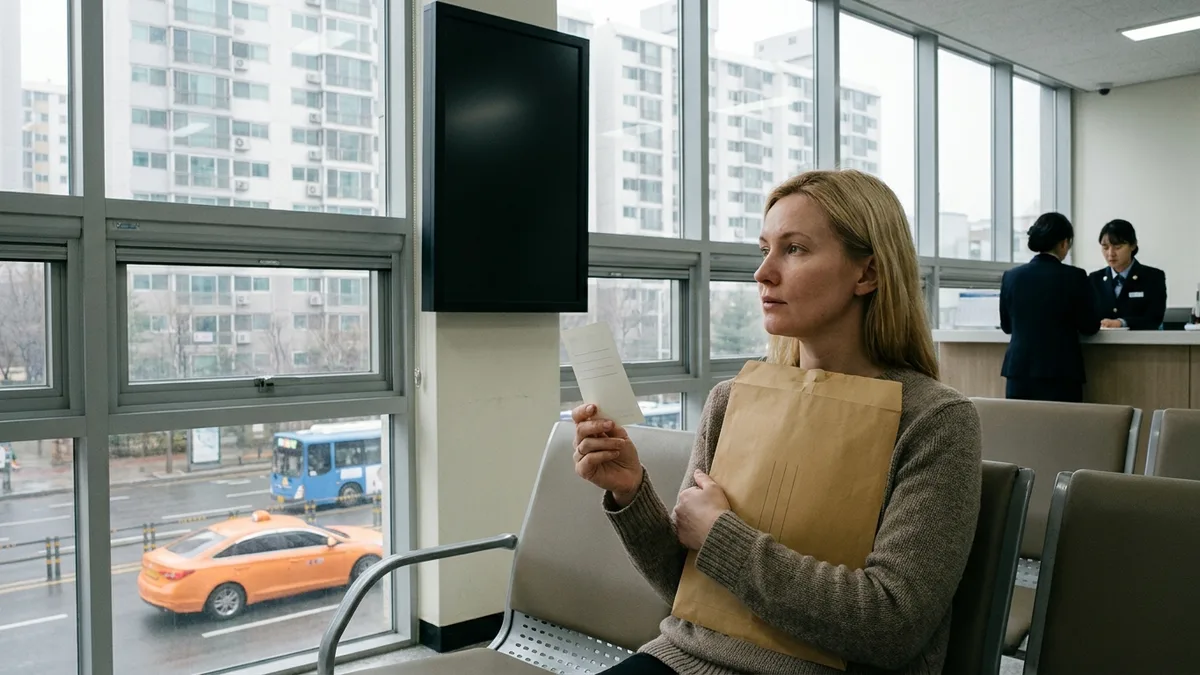
You've finished moving, you open Hi Korea to book a visit appointment and report your change of residence — and the slots at your local immigration office are full for weeks ahead. The deadline for the report is within 15 days of moving in. You've already told work you'd take a half-day off, and now there's no date to be had. That scene is genuinely common. And yet a change-of-residence report is a petition you never needed to visit immigration for in the first place. The Hi Korea e-Application system (전자민원) finishes it at your desk.
The trouble is that the first screen doesn't make it obvious which petitions can be done online and which ones require a visit. The English pages are incomplete, too, so Korean screens turn up partway through. This article maps out the full set of petitions the e-Application system covers, the sign-up step where foreigners get stuck most often, the five application steps, the 20% fee reduction, and how to check your result — in that order. If yours turns out to be a petition that requires a visit, see the Hi Korea Visit Appointment Guide instead — the two articles split the job between them.
The petition list, fees, and hours below are based on publicly available information as of Aug 2026. The official notice states that the range of e-Application services can change from time to time, so before you file, be sure to double-check the notices and the petition screen on Hi Korea (hikorea.go.kr).
e-Application vs. visit appointment — what's the difference?
Hi Korea (hikorea.go.kr) is the foreign-resident administration portal run by the Ministry of Justice, and it holds two menus that do quite different things. Visit Appointment (방문예약) is the function for booking a date to go to an office; e-Application (전자민원) is the function that lets you finish the filing itself online. The path is Civil Petition (민원신청) > e-Application (전자민원), and the service hours are 07:00–22:00 on weekdays, with the system closed on weekends and public holidays (as of Aug 2026). If the last day of your deadline falls on a weekend, online filing is blocked, so build that into your calculation from the start.
The site supports Korean, English, and Chinese, but many users report that the English version isn't complete and some screens stay in Korean. So this article uses the Korean menu names as its reference and gives the English labels alongside.
Petitions you can file online, and ones that need a visit
The services covered by e-Application are laid out in an appended table to a Ministry of Justice administrative rule (viewable at the Korea Law Information Center, law.go.kr). They fall into roughly three layers.
| Category | Petitions |
|---|---|
| Available for all statuses of sojourn | Extension of sojourn period (some statuses excluded) · Re-entry permit · Report of change in alien registration details (passport number, issue date, validity) · Report of change of residence (place of sojourn/domicile) |
| Available for some statuses only | Change of status of sojourn (D-4→D-2, etc.) · Permit for change of workplace (E-9) · Part-time work permit (D-2, D-4) · Report of changes concerning employed/trainee foreign nationals · H-2 report of commencement of employment or change of workplace |
| Visit required | New alien registration · Issuance and reissuance of the Alien Registration Card · Extension of sojourn for the "excluded statuses" below, etc. |
Two things deserve attention. First, even for an extension of sojourn, some statuses are left out of the e-Application system — D-3 (industrial trainee), D-8 (corporate investment), E-7 (special occupation), F-2 (residence), F-6 (marriage migrant), and G-1 (other) among them — and in those cases the guidance is that you go in person (by appointment) as a rule (check official sources). Second, new alien registration and the issuance or reissuance of the card require fingerprints and a photo, so the guidance is that they can't be done online. The full procedure for reissuing your card or changing your address is set out separately in the Alien Registration Card Reissue and Address Change Guide. Employment-related petitions such as the permit for change of workplace (E-9) in the table come tangled up with status and eligibility conditions, so if you're an E-9 worker preparing to change workplaces, read the E-9 Workplace Change Guide alongside this one.
Sign-up is where most people get stuck
You have to log in as a member to file an e-Application. The sign-up procedure itself is simple. In individual member registration you select "Registered foreigners (등록외국인)", enter your 13-digit alien registration number and your English name exactly as printed on your card plus the CAPTCHA text, and that leads into entering your personal details and creating an ID and password. In the manuals universities distribute, this flow has no joint certificate (공동인증서) step, but there is also guidance saying additional verification may be required depending on the petition and the timing, so you'll need to check on the current login screen (check official sources). Short-term visitors have a separate sign-up route based on passport number.
The number one cause of failed sign-ups is a mismatch in how your name is written. It has to match your card exactly, down to the spacing, the capitalization, and your middle name.
- If your name contains a hyphen (-), leave it out when you type it in.
- For Chinese nationals, put a space only between the family name and the given name, and write the given name as one word (e.g. YUAN RONGMEI).
- If it still won't go through after several tries, photograph the front of your card and compare it letter by letter.
Checklist before you file
- Scan your supporting documents in advance. Each file must be 1MB (1,024KB) or less, in jpg, bmp, png, gif, tif, or pdf format, and the guidance says a JPG for the ID photo should be 95KB or less. There is also guidance that attachments fail if the filename contains characters other than Korean or English letters (based on a 2022 manual — check the current limits on the attachment screen).
- For an extension of sojourn, you can file from four months before expiry. In-person filing is accepted up to the expiry date itself, but the guidance for e-Application is that you must file by the day before expiry, so don't leave it to the last day (check official sources).
- Have a payment method ready. Credit card and mobile phone billing (added to your carrier bill) are the ones described, but the current list of payment methods — including whether overseas-issued cards are accepted — has to be confirmed on the payment screen itself.
- The application form has a mandatory mobile phone number field. How this is handled when you have no Korean number needs official confirmation, so if you're unsure, ask ☎1345 first.
Filing, step by step
The e-Application screen lays out a five-stage flow: Apply (신청) → Pay (수수료 결제) → Submit (서류 제출) → Receive (접수) → Process (처리). Let's follow it in the order you actually fill things in. (The screens vary a little depending on the type of petition.)
Step 1 — Choose your petition and consent
Go into Civil Petition (민원신청) > e-Application (전자민원), choose whether you're applying for yourself (본인 / principal) or on someone's behalf (대리 / agent), then select the radio button for your petition in the list. The consent screen that follows contains wording saying you may be asked to appear in person for review or be subject to a fact-finding investigation, and that your application may be refused depending on the outcome of the review. In other words, filing online doesn't mean automatic approval — keep that in mind.
Step 2 — Enter your personal details
You enter your alien registration number, passport information, address, and contact details. Many fields are pulled in automatically from your member profile, so entering accurate information at sign-up makes this part faster.
Step 3 — Attach supporting documents
Upload the documents required for your petition. When a file won't upload, it's usually either the size limit (1MB) or a filename problem. PDFs made with a smartphone scanner app tend to be large, so compress them before uploading.
Step 4 — Pay the fee
For permit-type petitions you pay the fee here. Filing online gets you a 20% reduction against the in-person amount (see the fee section below). Report-type petitions skip the payment step entirely.
Step 5 — Submission and receipt
Once you submit, an application number is generated. Take a screenshot. From there an officer receives the case and it moves into review, so it's normal for the status to sit at "Applied (신청)" right after submission.

The fees — 20% off online
These are the in-person fees published on Hi Korea (hikorea.go.kr) (as of Aug 2026).
| Petition | Fee (in-person basis) |
|---|---|
| Extension of sojourn period | ₩60,000 (₩30,000 for F-6) |
| Change of status of sojourn | ₩100,000 (₩200,000 for F-5) |
| Grant of status of sojourn | ₩80,000 (₩40,000 for F-6) |
| Re-entry permit | ₩30,000 single / ₩50,000 multiple |
| Permit for activities outside your status | ₩120,000 |
| Permit for change of or additional workplace | ₩120,000 |
| Issuance/reissuance of the Alien Registration Card | ₩35,000 |
File through e-Application and 20% is taken off these amounts. This is officially announced by the Korea Immigration Service of the Ministry of Justice (immigration.go.kr) and has been in effect since 2022-01-25. A single re-entry permit, for instance, drops from ₩30,000 to the ₩20,000s — but sources differ on the exact figure, so go by the amount shown on the payment screen.
Two more things worth remembering. The guidance is that "report" petitions such as a change-of-residence report or a report of change in registration details carry no fee (check official sources). And the Hi Korea screens carry wording saying the fee is refunded if your application is refused — so a rejection doesn't mean losing the fee as well.
Checking your result after filing
You check the result under My Page > e-Application Status (전자민원현황). Click your application number and the progress status moves from Applied (신청) → Received (접수) → Processed/Granted (처리). Receipts and permit confirmation certificates can also be printed online from this screen.
There's no single official figure for processing time. Report-type petitions such as a change in registration details are described as taking within 3 days, while permit-type ones like an extension vary widely from a few days to a few weeks depending on the source — it's safer to assume it differs by office and by season. Whether results are automatically notified by text or email isn't confirmed either, so if your petition has a deadline attached, we'd suggest checking e-Application Status yourself every few days.
Three common scenarios
When you've moved — change-of-residence report
You must report within 15 days of moving in (within 14 days for F-4 overseas Koreans). Per Ministry of Justice guidance, a violation can bring a penalty of up to ₩1,000,000 or an administrative fine of up to ₩2,000,000. Even if the head of household filed a resident registration move-in report, a foreign family member's place of sojourn is not changed automatically — you have to report it separately yourself. Doing it through Hi Korea e-Application finishes it without a visit, and there's no fee. If online is difficult, you can also report in person at your local immigration office, a city/county/district office, or an eup/myeon/dong community service center.
When you've got a new passport — report of change in registration details
A change to your passport number, issue date, or validity period is reportable within 15 days, and the guidance says a violation brings an administrative fine of up to ₩1,000,000 (per Ministry of Justice guidance). Changes to passport information can be handled by e-Application or by e-fax (1577-1346), but changes to name, sex, date of birth, or nationality require your card to be reissued and can't be done online.
Student part-time work — part-time work permit
The part-time work permit for D-2 and D-4-1 students is also in the e-Application menu. Before you file, you need confirmation from your school's international student officer (a part-time employment confirmation form), and you upload things like your employment contract and a copy of the employer's business registration certificate. Several universities describe it as fee-exempt (check official sources). Working without the permit can lead to a notice of disposition with a monetary penalty. The amount is set by Appendix 7 of the Enforcement Rules of the Immigration Act according to how long the violation ran — under one month starts at ₩2,000,000, and it climbs from there the longer it goes on. The permit is required during vacations and leaves of absence too, so get it done before you start the job. The amounts by bracket and the provisions behind them are laid out in a table in Can foreigners work as delivery riders?.
If you're preparing an extension of your sojourn period, read the Visa Extension Guide (E-9, D-2, F-6) alongside this one — it lays out the documents and procedures by status.
When you're stuck or unsure
- Attachments keep failing: Suspect the file size (1MB) and the filename (Korean and English letters only) first.
- Sign-up or login won't work: A mismatch in how your name is written is the number one cause. Compare it against your card letter by letter.
- You filed online but were asked to appear in person: That's the normal procedure, spelled out in the consent text. During review you may be asked to visit your local immigration office or be subject to a fact-finding investigation.
- You're employed and got a notice about reporting: From 2026-01-02 a system took effect requiring those engaged in profit-making activity under E-1 to E-10, F-2, F-4, F-6, H-2, D-7, D-8, or D-9 status to report their occupation, industry, and annual income through Hi Korea. The first half of 2026 was a trial period running in parallel with paper filing, and the announcement is that it switches to online reporting from the second half — but detailed operations are still to be announced, so check the notices.
- Still not sure: Ask the Immigration Contact Center at ☎1345. It supports 20 languages and runs 24 hours (at night and on weekends, Korean, English, and Chinese only — check official sources).
The real benefit of e-Application is time. A whole day of taking a half-day off and traveling to and from the office simply disappears. Even so, life carries on during administrative processing — you still need to book trains and hail taxis while you wait for a card to be reissued or an extension to clear review. A good many Korean apps block foreigners at mobile phone identity verification, so having one transport and payment app designed to be used without identity verification installed makes getting around during that gap far easier.

Need transit and payments while you wait for your residence card? Check out LACHA.
Built to work without a Korean phone number or bank account, with overseas payment methods like Alipay, WeChat Pay, and Apple Pay. Taxi hailing plus KTX, express bus, and airport railroad (AREX) booking — all in one app.
Up to 60% off Korea transit with a coupon (max ₩3,000): enter code at sign-up. KTX gets up to 18% off on top
Download now


Frequently Asked Questions (FAQ)
Q1. Do I absolutely need a joint certificate (공동인증서)? In the manuals universities distribute, the application flow runs on member ID and password login alone, with no joint certificate step. That said, there's also guidance that requirements can differ by petition and by timing, so it's safest to check on the current screen for your own petition.
Q2. Can I file without a Korean mobile phone? The application form has a mandatory mobile phone number field, and mobile phone billing presumes verification with a Korean carrier. How it's handled when you have no Korean number needs official confirmation, so ask about your own case at ☎1345.
Q3. How long does processing take? There's no single official figure. Report-type petitions (change in registration details, etc.) are described as taking within 3 days, while permit-type ones range from a few days to a few weeks depending on the source. File with time to spare for anything on a deadline, and check the progress yourself under e-Application Status.
Q4. Do I have to get a re-entry permit before traveling abroad? Mostly no. Registered foreigners are exempt if they re-enter within 1 year of departure (or within their remaining period of sojourn, if that's shorter), with 2 years for F-5 and exemption within the period of sojourn for F-4, per the guidance. Only when you plan to be away for more than a year do you need to file for a re-entry permit through e-Application (₩30,000 single, ₩50,000 multiple, 20% off online).
Q5. What happens to the fee if I'm refused? The Hi Korea screens carry wording saying the fee is refunded on refusal. That said, your sojourn schedule after a refusal is the bigger problem, so file before the deadline starts pressing, and if you need to, talk through the next steps with ☎1345 or your local immigration office.
Once the e-Application is done, what next
If you've read this far, there are three things to do today. ① Sign up for Hi Korea in advance (on the day the deadline lands, a name-spelling problem can cost you a whole day). ② Check the petition list to see whether your own petition is covered by e-Application. ③ Scan your supporting documents to under 1MB and collect them in one folder. If yours turns out to be a petition that requires a visit, move on to the Hi Korea Visit Appointment Guide and grab a slot first — popular offices tend to book out early.
Note: This article is for general information purposes and is not legal, visa, or immigration advice. The services covered by e-Application, the fees, and the service hours change from time to time and vary with your individual status of sojourn. The figures in the text are as of Aug 2026, so before you actually file, be sure to check your own case through official channels — Hi Korea (hikorea.go.kr), the Immigration Contact Center at ☎1345, and the Korea Immigration Service of the Ministry of Justice. LACHA does not file immigration petitions on your behalf or guarantee any outcome.