If you want to ride the subway by just tapping your Android phone, everything comes down to one fork in the road: is the USIM in your phone from a Korean carrier or not?
Samsung Wallet's transit card only works if "the USIM you're using supports mobile transit cards and your phone's NFC is turned on," and Samsung Electronics Service's official guidance flatly states that it cannot be used on MVNOs (budget carriers). For foreign residents on a budget mobile plan, that route is closed from the very start.
T-money's app-based route, on the other hand, doesn't care about your USIM. T-money's official materials describe the Tmoney Pay app as "no USIM worries — on any Android phone with NFC, just having the app is all it takes to be ready to pay." KOREA TOUR CARD Tmoney, built for foreign users, runs on the same HCE (Host Card Emulation) technology, and T-money's English-language official page spells out the design intent: "Overcomes the inability to apply Mobile smartcard due to restriction of foreign USIM." In other words, it was built from the ground up to work without a Korean carrier USIM.
On the iPhone side, our Apple Pay and Google Pay for Korean transit guide lands on a clear verdict: Apple Wallet works, Google Wallet doesn't. Here we're covering the other side — the steps and conditions for what actually works on Android.
Three Routes Compared — Which Line Is Yours?
There are basically three ways to use a transit card on Android. All three ultimately draw from a T-money (or Cashbee) balance, but each one gets stuck at a different point.
| Route | Korean carrier USIM | Budget carrier (MVNO) | How you top up | Where it usually breaks |
|---|---|---|---|---|
| A. Samsung Wallet transit card | Required | Not usable | Pick an amount in the app, pay with fingerprint or PIN | USIM and Android version requirements |
| B. T-money app (HCE) | Not required | No effect | Register a card inside the app and top up | Whether a foreign-issued card gets approved |
| C. Plastic card + phone for maps | Not required | No effect | Cash at a convenience store or station machine | You need Korean won in cash |
If it's your first day in Korea, the safe order is to set up C as your baseline, then try A or B. The Korea Tourism Organization describes T-money as a "reloadable prepaid card that does not require an account," so you can buy a plastic card at a convenience store and start using it with no signup at all — meaning your travel doesn't stop even if the other routes fail.
Route A — Samsung Wallet Transit Card (Smoothest, If You Qualify)
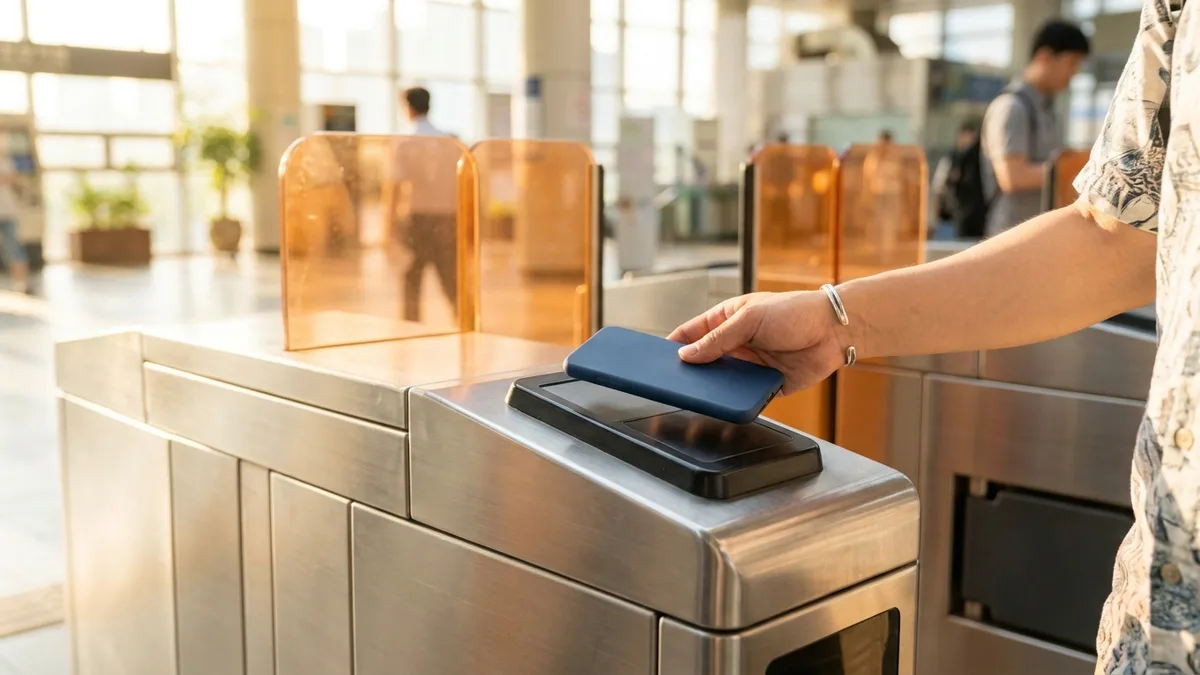
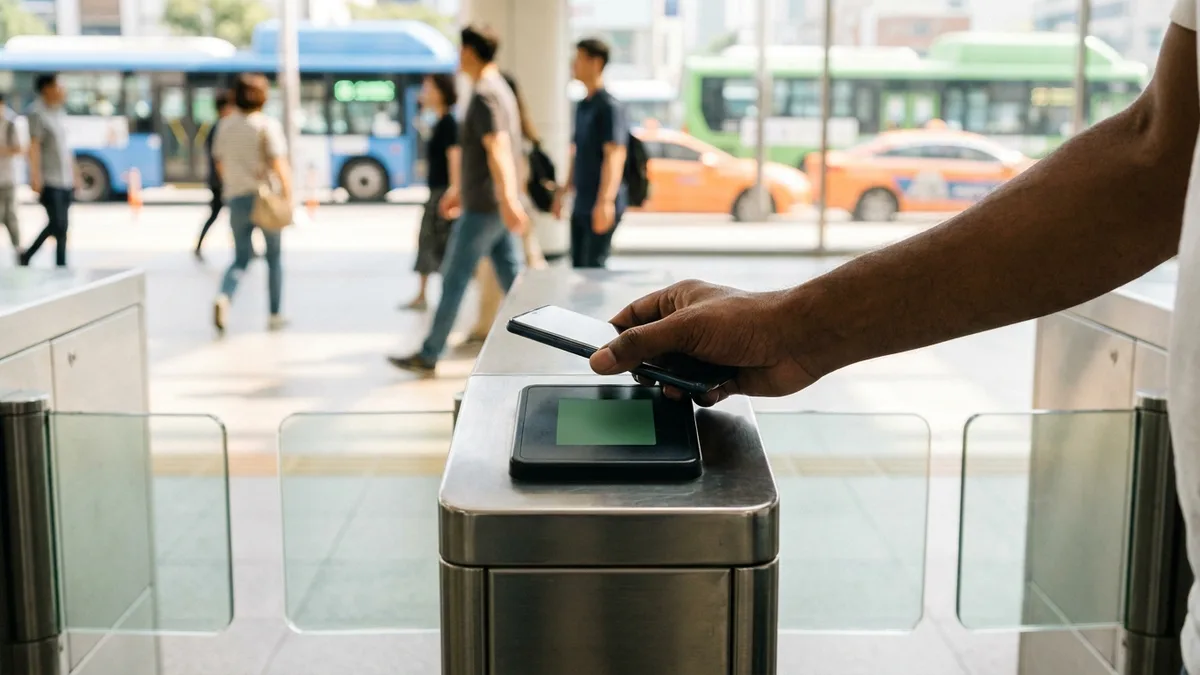
If you're on a Samsung Galaxy with a Korean carrier USIM, this is the most convenient option. Once you register it, you don't even open the app — you just hold your phone to the gate and you're through.
Registration in 3 Steps
Samsung's official Korean service guide lays out three steps.
- Select All > Add transit card.
- Choose the transit card service and payment method you want (prepaid / postpaid / mobile carrier billing).
- Complete registration with fingerprint authentication.
Two providers are supported: T-money and Cashbee (EZL). If you went with prepaid, open the registered transit card, pick a top-up amount, and pay with your fingerprint or PIN to raise your balance.
Requirements That Trip People Up
- USIM and NFC: Samsung Electronics Service officially states your USIM must support mobile transit cards and NFC must be turned on.
- Budget carriers: it can't be used on an MVNO plan. There's a caveat attached, though: "some MVNOs may work, but you'll need to contact the transit card provider for details."
- Android version: The transit card feature requires Android 10 or higher. On Android 10 or below, the phone's manufacturer-designated carrier and the USIM carrier must match.
- Galaxy phones bought overseas: Because of the above, an overseas-purchased handset with a Korean USIM in it is a combination that often gets blocked. The guidance also notes that even an unlocked phone needs a financial-grade USIM.
- Age limit: T-money cannot be registered by users under the age of 14.
Nowhere in Samsung's official documents is there a sentence about whether foreigners can or can't use it. The docs only list Android version, USIM, NFC, and MVNO conditions. So whether an Alien Registration Card (ARC, 외국인등록증) or a Korean-issued card is required remains unconfirmed. If registration fails, the screen won't tell you whether it's one of those device requirements or a residency issue — the fastest path is to check with Samsung's customer center or your carrier's service desk.
Route B — The App Route That Ignores Your USIM (HCE)
If the USIM requirement is what stopped you, this is your route. With HCE, the card data lives in the app and on a server rather than on the USIM chip, so as long as NFC works, you can tap even without a Korean carrier USIM.
The Tmoney Pay App
T-money's official materials introduce this app as: "on any Android phone with NFC, just having the app is all it takes to be ready to pay." As for payment methods, they list "support for registering a variety of payment methods including credit cards, debit cards, bank accounts, and mobile carrier billing."
That list, however, assumes payment methods used in Korea. Whether a foreign-issued card can be registered as-is isn't confirmed anywhere in T-money's primary documentation. The only way to know is to go into the registration screen and see whether it gets approved.
One more thing worth flagging: the naming. T-money's official pages mix "Tmoney Pay" and "Mobile Tmoney" from page to page. Services that require a USIM tend to be labeled "Mobile Tmoney," while the app-only ones are labeled "Tmoney Pay" — but on the foreigner information page, the app section lists "Mobile Tmoney." We couldn't confirm in this article whether they're the same app, so the safe move is to search the store for both names and pick the one published by Tmoney Co., Ltd.
KOREA TOUR CARD Tmoney — An App Designed for Foreigners
This is the app featured on T-money's English-language official page. Here's what it says, straight from the source.
- HCE-based: defined as "a smartcard mobile application based on HCE(Host Card Emulation) solution."
- Requirements: "Supports mobile devices with Android OS 5.0.1 or later(with NFC function)" — Android plus NFC. iPhones are not covered.
- Design intent: explicitly stated as overcoming foreign USIM restrictions.
- Account-based: it's an "Account based service" offering "NFC Payment and in-app Top up/Refund." In other words, topping up and refunding both happen inside the app.
There's a launch record too. On September 18, 2018, T-money released the mobile Korea Tour Card for Android smartphones and announced it as a four-language service — English, Simplified Chinese, Japanese, and Korean — available for "anyone to download easily and for free," with credit card top-ups and refunds. That said, this is from the 2018 launch announcement, so whether the same languages are still supported needs separate verification.
Here's where we need to be honest with you. We could not confirm whether this app still works properly as of August 2026. T-money's official foreigner information page announces that "the Korea Tour Card has been discontinued" while listing only Mobile Tmoney in its app section. Even the app's last-update date is inconsistent across sources quoting the store listing — some say April 2025, others March 2026 — so we couldn't pin it down from a primary source. No service termination notice was found, but it's safer to check the store listing and recent reviews before installing.
What was discontinued is the card product. T-money currently advertises two foreigner-only products: the Tmoney Travel Card (4,000 KRW) and the Tmoney Travel Card+ (6,000 KRW), which adds WOWPASS IC payment. For existing users, T-money states that "existing Korea Tour Card users can continue to enjoy the same partner merchant benefits as the Tmoney Travel Card."
What's Confirmed and What Isn't
Even within the same Android topic, the weight of the evidence varies. We've pulled out the items that are easiest to get confused about.
| Item | Status | Basis |
|---|---|---|
| HCE apps don't need a Korean USIM | Confirmed | Design intent statement on T-money's English official page |
| Samsung Wallet transit card blocked on MVNOs | Confirmed | Samsung Electronics Service official guidance |
| Whether HCE apps accept Visa cards for top-ups | Unconfirmed | No card brands listed in T-money's primary documentation |
| Fees for topping up with a foreign-issued card | Unconfirmed | Publicly circulated rates differ by source; primary confirmation failed |
| Whether an ARC or Korean phone number is needed to sign up for the app | Unconfirmed | Design intent suggests not, but no explicit statement |
| Whether Tmoney Pay and Mobile Tmoney are the same app | Unconfirmed | Official pages use both names interchangeably |
| Required Android version | Contradictory | English official page says 5.0.1+ vs. store listing says 6.0+ |
Where Top-Ups Get Stuck — Card Brands and Fees
The real gatekeeper on the app route isn't the tap, it's the top-up. If your card gets declined, you're standing at the gate with a zero balance.
Let's start with card brands. T-money's primary documentation doesn't state which card brands are accepted. The store listing description for KOREA TOUR CARD Tmoney does include a list with VISA in it — "Charge and refund easily with your credit or debit card (Master, VISA, Amex, JCB, Unionpay)" — but that's publisher-written listing copy, not primary confirmation. There's a story going around that "Visa doesn't work on Android," but that may well be about the iPhone/Apple Wallet route, and there's no evidence it applies to Android as-is.
Fees deserve even more caution. The rates circulating publicly contradict each other, and none of them could be confirmed on T-money's official channels. So we're not putting a fee percentage in this article. Instead, check the rate displayed on the payment screen with your own eyes right before you hit the top-up button. If nothing is shown on screen, the sure method is to run a small amount through first (10,000 KRW) and compare it against the charge on your card statement.
It also helps to know the limits in advance. These are from T-money's official top-up methods guidance.
| Top-up method | Per-transaction limit | Other limits |
|---|---|---|
| Cash / bank transfer | 1,000 KRW – 90,000 KRW | Up to 500,000 KRW held on one card |
| Debit / credit card | 10,000 KRW – 50,000 KRW | Up to 500,000 KRW held on one card, max 150,000 KRW per day |
Regardless of method, the guidance states that "the maximum amount that can be loaded on a single card is 500,000 KRW." But since the document only says "card," it isn't specified whether the same cap applies to a mobile app balance.
Note: To top up a physical T-money card with a card, you have to meet a narrow condition — "a Woori check/credit card issued by Woori Bank, at a Woori Bank ATM or GS25." That's the structural reason you can't top up a physical card with a foreign-issued card. Which is exactly why, if you want to pay by card, you end up looking at the app route first.
Route C — Plastic Card + Phone for Maps (The Surest Fallback)
When every phone route is blocked, the answer is simple. Buy a physical T-money card.
The Korea Tourism Organization's English guidance describes T-money as "reloadable prepaid cards that do not require an account," noting that you can buy one for 3,000–5,000 KRW at convenience stores nationwide (GS25, CU, 7-ELEVEN, and others) and load up to 500,000 KRW at a time at subway station machines. Since it's a prepaid card that requires no bank account, you just pay at the register and you're done — no signup or registration process.
Refunds go through different channels depending on the amount. Small balances can be refunded at convenience stores (limits vary by chain), while balances over 50,000 KRW are handled at Tmoney Town (티머니타운) at Seoul Station. We've laid out the detailed purchase, top-up, and refund procedures along with per-chain limits in T-money: Buying, Topping Up, and Refunds.
For how far you can get with a foreign-issued card and what the newer station machines support, we go deeper in Topping up transit cards with a foreign card and Paying for Korean public transit with a foreign credit card. If you're still at the stage of choosing which card to get, start with T-money vs. WOWPASS vs. Climate Card.
What to Check, In Order, When the Gate Won't Open
If you tap and the gate stays shut, it's usually one of the following. Work down the list and you'll solve it most of the time.
- NFC is off. Turn NFC on in your settings. For the Samsung Wallet transit card, this is a prerequisite.
- Your balance is too low. It's prepaid, so an insufficient balance is simply declined. Check your balance in the app first.
- You hit the USIM requirement. Either you're on a budget carrier, or you're on Android 10 or below with a mismatch between your phone's designated carrier and your USIM carrier. In this case, switching to Route B or C is faster.
- Your phone case is thick or you have cards stacked behind it. NFC is sensitive to contact position, so press the center of the back of your phone flat against the reader.
- There's a long line behind you. If it fails twice, step aside and troubleshoot. Standing at the gate leaves you no room to retry.
Transfer discounts follow tagging rules, not your payment method. Skip a tag on boarding or alighting and the discount evaporates — the conditions are in Subway and bus transfer discounts explained. For routes and fares in general, see the Complete guide to the Seoul subway.
Launching September 2026 — Modu Card (모두의카드 / 기후동행패스)
If you're a long-term resident, this timeline matters to you. The Seoul Metropolitan Government and the Ministry of Land, Infrastructure and Transport's Metropolitan Transport Commission announced the official launch date of Modu Card (모두의카드, the 기후동행패스) as September 1, 2026. The following is based on that announcement, so please double-check official guidance for how it actually operates after launch.
- Wind-down schedule for the existing Climate Card (기후동행카드): top-ups close August 31, 2026; prepaid usage ends September 29; postpaid usage ends September 30.
- Expanded youth tier: the eligible age range widens from 19–34 to 19–39.
- Refund structure: whichever is more favorable is applied automatically between the percentage type (20% standard, 30% youth) and the flat type (62,000 KRW standard, 55,000 KRW youth).
- If you're already using it: Seoul residents who currently use Modu Card (모두의카드, K-Pass) get the Seoul-specific benefits applied automatically, with no need to obtain an additional card.
For foreigners, the key question is whether you can sign up at all. The official Modu Card eligibility guidance lists the basic qualification as being an adult aged 19 or over and a resident of a participating local government, and it states "foreigners are OK too!" What it doesn't say is which number or documents are used to verify your identity. How far the signup process goes with an Alien Registration Number needs official confirmation. For the current Climate Card system — short-term passes, refunds, and so on — see How foreigners use the Climate Card in Seoul.
Your Phone Handles the City — But What About Intercity Travel?
Everything up to here has been about subways and buses. Get any one of the three routes working and getting around Seoul is solved.
The problem is intercity travel like the KTX and express buses. That isn't a tap-your-card system — it's a reserve-your-seat-in-advance system. You can book through Korail's official channels with a passport and a foreign-issued card, but you have to book trains and express buses separately through different channels, and your payment options narrow to foreign credit cards.
LACHA (라차) is a transit and payment super app for foreigners that you can start using immediately, with no Korean identity verification. In one app, you can search and book both KTX and express buses, and pay with familiar options like Alipay and WeChat Pay. Handle city transit with T-money and intercity travel with LACHA, and your trip never breaks down mid-route.

Want to search and book KTX and express buses in one app? Check out LACHA.
Built to work without a Korean phone number or bank account, with overseas payment methods like Alipay, WeChat Pay, and Apple Pay. Taxi hailing plus KTX, express bus, and airport railroad (AREX) booking — all in one app.
Up to 60% off Korea transit with a coupon (max ₩3,000): enter code at sign-up. KTX gets up to 18% off on top
Download now


Frequently Asked Questions (FAQ)
Q1. Can I add a Korean transit card to Google Wallet? No. To tap your phone directly on Android, you need the Samsung Wallet transit card or a T-money family app (HCE) — not Google Wallet. The current state of the Apple and Google wallet apps in Korea is covered separately in Apple Pay and Google Pay for Korean transit.
Q2. I don't have a Korean carrier USIM — can I still tap with my phone? With an HCE-based app, there's a chance you can. T-money's English official page explicitly states that KOREA TOUR CARD Tmoney was designed to overcome foreign USIM restrictions, and Tmoney Pay is advertised as usable with "no USIM worries." That said, whether the app currently works is unconfirmed, so check the store listing before installing.
Q3. I'm on a budget carrier (MVNO) and the Samsung Wallet transit card won't activate. That's expected. Samsung Electronics Service officially states that it cannot be used on MVNOs. There's a caveat that some budget carriers may work, so it's worth contacting the transit card provider — but if it doesn't work, moving to the app route or a physical card is faster.
Q4. Can I top up with a Visa card? It's not certain. T-money's primary documentation doesn't list card brands, and the app store listing description names Master, VISA, Amex, JCB, and Unionpay. Since a store listing isn't primary evidence, we can't state it definitively — check on the payment screen yourself, or try a small amount first.
Q5. What's the fee for topping up with a foreign-issued card? The publicly circulating rates differ by source, and none could be confirmed on T-money's official channels. That's why we haven't put a number in this article. We recommend checking the rate displayed on the payment screen right before you top up, then comparing it against the actual charge on your card statement afterward.
Last updated August 2026. The app specifications, top-up limits, and launch dates in this article are current as of August 2026, and transit card services, app support coverage, and fees may change at any time. In particular, whether the KOREA TOUR CARD Tmoney app currently works, which foreign-issued card brands can be used for top-ups and at what rates, and what documents foreigners need to sign up for Modu Card are all items we could not confirm in this article. Before you actually use these services, please check the latest guidance on official channels such as T-money (t-money.co.kr), Samsung Electronics Service, and Modu Card.